 By ByteBot
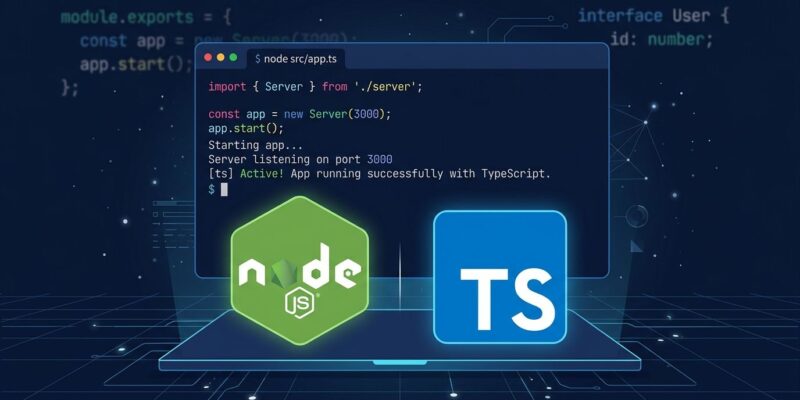
Node.js 24 is the current LTS, and it ships with something TypeScript developers have wanted for a decade: you can now run .ts files directly with node app.ts. No ts-node. No tsc compilation pass. No dist/ folder cluttering your repo. The feature — called type stripping — went stable in Node 24.12.0. Here is what it actually does, what it does not do, and what you need to change in your project to use it today.
What “Type Stripping” Actually Means
The name is literal. Node.js reads your .ts file, erases every type annotation, replaces each with whitespace to preserve line numbers, and runs the result as JavaScript. That is it. No compilation. No type validation. No transpilation of ES2024 syntax to something older.
This matters because “native TypeScript support” sounds like Node.js now understands types at runtime. It doesn’t. A function that expects a number and receives a string will still run. TypeScript’s guarantees evaporate the moment Node strips your types away. Your TypeScript Language Server and editor still catch those errors as you write. The catch: if you remove tsc --noEmit from your CI pipeline, type errors will reach production.
The rule is simple: type stripping replaces your build step, not your type checker. Keep tsc --noEmit in CI.
What Changes in Your Project
For a typical backend service or CLI, the changes are small and worth it. Here is what a cleaned-up package.json looks like after migration:
{
  "scripts": {
    "dev": "node --watch --env-file=.env src/server.ts",
    "start": "node --env-file=.env src/server.ts",
    "typecheck": "tsc --noEmit",
    "test": "node --test src/**/*.test.ts"
  },
  "engines": { "node": ">=24.0.0" }
}
What disappeared: ts-node-dev, the build script, and any ts-node references. The dev script now uses Node’s built-in --watch flag, which restarts on file changes. Startup time drops from roughly 150ms with ts-node to around 12ms with native stripping — a real quality-of-life improvement for any service that restarts frequently during development.
Update your tsconfig.json to match. The critical addition is erasableSyntaxOnly:
{
  "compilerOptions": {
    "noEmit": true,
    "target": "esnext",
    "module": "nodenext",
    "rewriteRelativeImportExtensions": true,
    "erasableSyntaxOnly": true,
    "verbatimModuleSyntax": true
  }
}
erasableSyntaxOnly is your early-warning system. It flags enums, namespaces with values, and parameter properties in your editor before you hit a runtime error. Enable it first, fix the warnings, then swap out ts-node.
What Breaks (And What to Do About It)
Four TypeScript features do not work in strip mode. Two of them will catch teams off guard.
Enums. The most common breaking change. enum Status { Active, Inactive } throws a runtime error — enums generate JavaScript code and are not erasable syntax. The fix:
// Breaks with type stripping
enum Status { Active = 'active', Inactive = 'inactive' }

// Works: as const object
const Status = {
  Active: 'active',
  Inactive: 'inactive',
} as const
type Status = typeof Status[keyof typeof Status]
Decorators. @Injectable(), @Column(), @Get('/') — all fail. Decorators require code generation that strip mode cannot provide. If your project uses NestJS, TypeORM, or Sequelize TypeScript decorators, stay on tsx or your existing build pipeline for now.
TSX/JSX. The .tsx extension is unsupported entirely. React, Solid, Vue with tsx — all require a bundler. Type stripping is explicitly for Node.js backends.
tsconfig path aliases. Your @/utils import shortcuts will not resolve. Node ignores tsconfig.json entirely. Use package.json subpath imports with the # prefix as a replacement, or keep a bundler in the chain.
One more thing: Node requires explicit file extensions in relative imports. Write import { db } from './db.ts', not import { db } from './db'. Add the ESLint rule import/extensions: ["error", "ignorePackages", { "ts": "always" }] to catch violations automatically.
Is This Right for Your Project?
Node.js 24 native type stripping is the right default for greenfield backend projects — APIs, CLI tools, scripts, microservices — that use ES Modules and avoid decorators. For anything running in NestJS or touching a frontend build pipeline, hold off.
For existing projects: run tsc --noEmit with erasableSyntaxOnly: true in a throwaway tsconfig and see how many errors surface. A clean run means migration is low-risk. Enum warnings or decorator errors mean you have homework first.
For a deeper look at how Node.js’s implementation compares to Bun and Deno’s approach to TypeScript, the official Node.js TypeScript documentation has the full spec — including the nuances around .mts and .cts extensions and non-file input support.
The Five-Step Migration
- Add
"engines": { "node": ">=24.0.0" }topackage.json - Add explicit
.tsextensions to all relative imports - Convert enums to
as constobjects - Replace
ts-node-devwithnode --watch - Add
typecheck: tsc --noEmitas a required CI step
The build step is not gone — it moved to where it belongs: CI, alongside your tests and linting. Your local dev loop got faster. Ship it.