 By ByteBot
Noctalia 5.0.1 hit stable on September 3, and the version number undersells the change. Version 5 is a ground-up rewrite — Qt dropped entirely, replaced with native C++ and OpenGL ES rendering. The result: a 300 MB memory leak wiped out and roughly six times less memory consumed per monitor. After a 10-beta cycle and more than 4,600 commits spanning five months, the project is calling this production-ready.
The Wayland Shell Problem Nobody Talks About
If you’re running Hyprland or Niri, you already know the setup. You pick a compositor — which handles only windows — and then you spend an afternoon assembling everything else. A status bar (Waybar or AGS). A notification daemon (Swaync or Dunst). A launcher (Wofi or Rofi). A lock screen (Swaylock). A wallpaper tool (Swaybg or Hyprpaper). Each of these has its own config format, its own IPC protocol, its own bugs. Getting them to talk to each other is what passes for “ricing” in 2026.
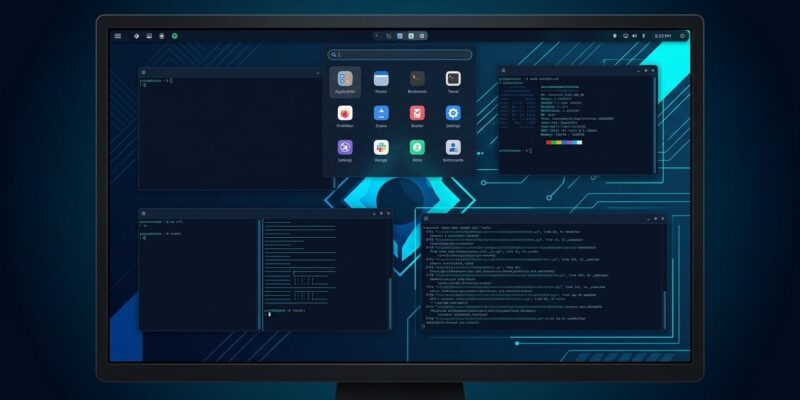
Noctalia’s answer is to own the entire shell layer. One project. One TOML config file. One rendering thread. Bars, docks, launchers, notifications, lock screen, wallpaper picker, clipboard history, OSD overlays, and desktop widgets — all integrated, all hot-reloading from the same config. That pitch isn’t new; what’s new in v5 is that it actually works without eating your RAM.
Why the Rewrite Matters
The Qt dependency in v4 introduced a 300 MB memory leak per connected monitor. For a single-display setup, that’s annoying. For the developer running three monitors — increasingly the norm — that’s nearly a gigabyte of memory gone before opening a browser. The v5 rewrite cuts the Qt and GTK dependencies entirely, moving to a hand-written C++ renderer on OpenGL ES. The project claims roughly 6x less memory per monitor as a result.
The scope of the rewrite is real: 2,917 commits from lead contributor ItsLemmy, 1,724 from Ly-sec, 166 total contributors, all compressed into five months between April and September 2026. Running a 10-beta gauntlet before calling anything “stable” is a good sign for a shell that sits between your compositor and everything you’re trying to do.
Compositor Coverage Is Broad
v5.0.1 supports Hyprland, Niri, Sway, Scroll, Mango, Labwc, Triad, dwl, and Noctalia’s own Umbriel compositor. That’s not Hyprland-first with others as afterthoughts — Niri and Sway users get first-class support. Wayland protocol coverage includes layer-shell, session locks, clipboard management, fractional scaling, and Wayland-protocols 1.45 blur compatibility via xdg-desktop-portal-wlr.
The Plugin System Is What Separates It
Noctalia’s plugin runtime uses Luau — Roblox’s sandboxed, typed variant of Lua. Each plugin runs in its own isolated Luau VM off the UI thread, with per-call time budgets. A slow plugin doesn’t stall the shell. A crashing plugin doesn’t take down your desktop. The API reached version 28 during the beta cycle, shipping with 24 official plugins at stable launch and community templates already built for VSCode, Discord, Firefox, Neovim, and Steam theming.
Contrast this with the Waybar model, where customization means writing shell scripts that get exec-called on an interval. The Luau approach gives plugins access to real shell APIs — compositor events, widget rendering, service lifecycle hooks — without the IPC overhead or the “please don’t crash” anxiety.
What’s New in v5.0.1
The stable release adds calendar support via local vdir and vdirsyncer backends with live directory monitoring, filling a gap that CalDAV alone didn’t cover. The window switcher gains an optional MRU (Most Recently Used) ordering mode — windows sorted by recency rather than creation order. Theming gets a meaningful update: dark and light mode can now be set independently per application, decoupled from the shell’s own palette. The Bluetooth widget auto-hides when no adapter is present, and the weather widget now shows apparent temperature alongside actual temperature.
Should You Switch?
If you’re starting fresh on a Wayland compositor, yes. Noctalia is the most coherent answer to “how do I build a complete desktop on top of Hyprland” that exists right now. The one-config approach eliminates a class of setup problems that the fragmented stack creates.
If you’re on Noctalia v4, be warned: there’s no in-place upgrade path. v5 is a complete rewrite and your config doesn’t migrate automatically. That’s a real cost. Budget time for the config rewrite before upgrading a machine you depend on.
If you’re committed to maximum customization via Quickshell dotfiles or deep AGS configuration, Noctalia will feel limiting. Its plugin API is extensible but opinionated. If your current setup works and you enjoy tuning it, there’s no reason to switch.
For everyone else — the developer who spent more time configuring Swaync than writing code last month — Noctalia v5 is probably worth the look. The memory story alone makes it a serious upgrade over v4, and the stable milestone means you’re not running beta software on a machine you work from. Full release announcement at Linuxiac.