 By
By Meta’s Muse Code left beta on September 1 with a longer-than-expected feature list: a TypeScript SDK in developer preview, an inter-session messaging system, a workflows engine for parallel subagent orchestration, and a session Rewind feature. Muse Spark 1.3 followed the next day. If you were on the sidelines waiting for GA, now is the time to install, configure, and decide which parts of this belong in your stack.
The SDK Turns Muse Code Into a Platform
The most significant addition isn’t a UX feature — it’s the SDK. Meta shipped a TypeScript library that wraps the Muse Session Protocol (MSP), an open stdio-based protocol that runs fully local with no server and no network. Install it with npm install @muse-code/sdk (Node.js 20 or newer required, zero runtime dependencies).
What you get: the ability to start sessions programmatically, stream agent responses into your own code, handle permission requests from your application rather than from a terminal prompt, and reload sessions with their state intact. Types are generated from the protocol schema, which means your build breaks cleanly if you drift from the engine version — a good property in pre-1.0 software.
The target use cases are IDE integrations, internal engineering platforms, and standalone products built on top of Muse Code rather than around it. Mark Zuckerberg’s framing was direct: “Embed them in your apps, connect custom tools, stream progress, and resume sessions later.” The SDK source and documentation live at github.com/meta-models/muse-code-sdk.
One caveat that matters: this is pre-1.0 and carries no stability promise. Minor releases may change APIs. Pin your version before you build anything serious on it.
Workflows and Inter-Session Messaging
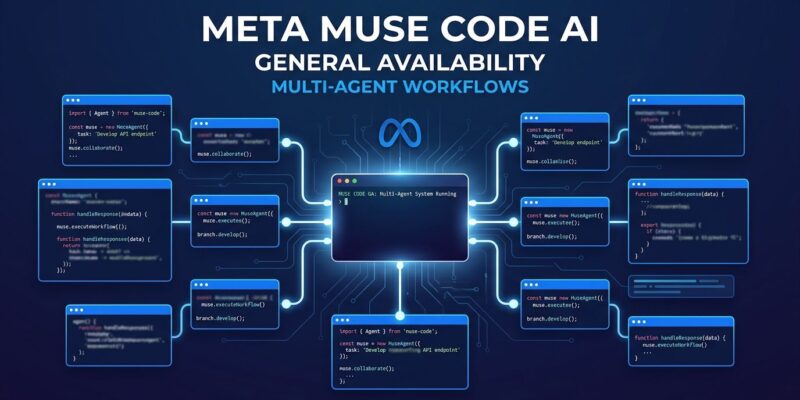
The workflows engine is where Muse Code makes its strongest argument against Claude Code and Cursor. Invoke it by saying “use a workflow” inside a session, or set effort ultra to trigger it automatically on large tasks. The engine breaks the work into parallel subagents, each running in an isolated git worktree, which you can watch and steer from a single control room. Run /workflows in the CLI to see live progress. Completed workflows can be saved and reused.
Inter-session messaging is the feature that makes this worth using on real multi-part jobs. Sessions communicate over a local Unix socket — nothing crosses the network. When Session A finishes a database migration and Session B was blocked waiting for the schema, Session A pushes the answer directly. You don’t copy-paste context between terminals. The agent discovers peers and routes messages through two built-in tools.
Muse Spark 1.3: Fewer Tool Calls, Better Safety
Muse Spark 1.3 is an efficiency-focused checkpoint. Meta reports roughly 20% fewer tool calls and 25% fewer tokens to complete comparable coding tasks versus Spark 1.2 — meaningful cost reduction if you’re running long agentic sessions. Pricing is unchanged at $1.25 input / $4.25 output per million tokens.
The safety improvement is more interesting for production use: the model is now better calibrated on irreversible actions. It asks clarifying questions before deleting files or sending messages on your behalf. If Spark 1.2 barreled past confirmation points on write-through permissions, 1.3 is more conservative. On DeepSWE 1.1, Spark 1.3 scores 75.4%, placing it ahead of Claude Opus 5 on that benchmark — though The New Stack’s pricing and SDK breakdown notes performance on complex, multi-file refactors is a separate conversation.
What to Configure Before You Ship
The GA release installs and authenticates in two commands:
curl -fsSL https://dev.meta.ai/install.sh | bash
muse login
If you’re running Muse Code in CI or on a build machine, set this environment variable before anything else:
export MUSE_NO_AUTO_UPDATE=1Muse Code auto-updates hourly by default. On reproducible build infrastructure, that breaks your builds. The environment variable disables it.
For SDK work: npm install @muse-code/sdk requires Node.js 20+. Pin the exact version in package.json and watch the Meta for Developers changelog before upgrading.
On pricing tiers: the Contributor rate ($0.10/$0.20 per million tokens) requires opting in to model training on your code. The standard rate ($1.25/$4.25) does not. If your organization has IP or data-handling policies, clear the Contributor tier with legal before enabling it. Monthly subscriptions — Everyday at $5, High at $15, Power at $50 — are the better choice if you want predictable costs over usage spikes.
Rewind
Double Esc now triggers a session rewind — rolling back both conversation history and code changes to the most recent safe checkpoint in the event log. Long agentic runs occasionally go sideways; a clean rollback path reduces the cost of letting the agent explore aggressively. Only event-log-safe checkpoints are available, so you can’t rewind to an arbitrary point mid-run. Minor feature in the changelog, important one in practice.
The Muse Spark 1.3 research post covers the model’s agentic behavior in more detail if you’re planning to put it on production workflows this week.