 By ByteBot
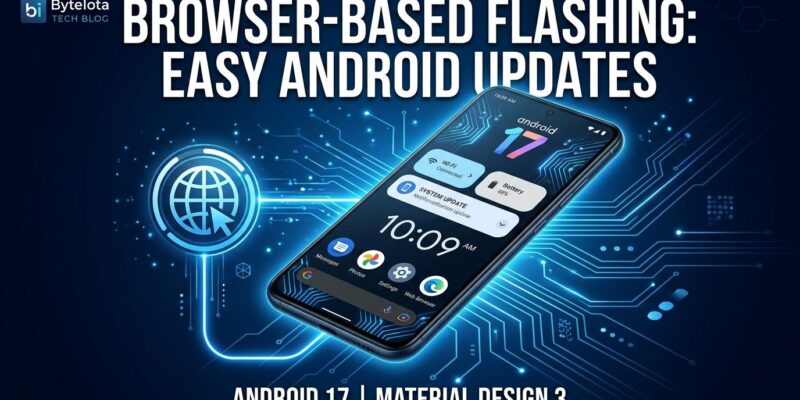
LineageOS 24.0 shipped October 11 with Android 17, and the headline feature is not the new photo editor — it is that you can now install it from your browser. The project launched a WebUSB flash tool at flash.lineageos.org that lets you reflash a supported device directly from Chrome or Edge. No adb setup, no Heimdall, no driver wrestling at midnight. That single change removes the single biggest barrier to entry custom ROMs have always carried.
Flash From Your Browser
The tool at flash.lineageos.org supports ADB, Fastboot, Amlogic Burn, and Samsung’s Odin protocol — the full range of flashing methods across device manufacturers. Samsung’s wiki documentation also migrated from the old Odin/Heimdall workflow to samloader-rs. Caveat: compatibility depends on your device, browser, OS, and USB connection quality. It is not perfect, and the official wiki guides still exist for edge cases. But for the majority of supported devices, this removes the biggest source of “I wanted to try LineageOS but gave up” frustration.
Android 17 on Phones Manufacturers Abandoned
The core value proposition of LineageOS has not changed in ten years: your phone deserves software updates longer than its manufacturer feels like providing them. LineageOS 24.0 delivers Android 17 (API Level 37) to over 196 officially supported devices — Google Pixel models through the Pixel 10, OnePlus, Motorola, Fairphone 3 through 5, Nothing, and ASUS hardware. Manufacturers typically provide three to four years of Android updates. LineageOS regularly stretches that to five or ten.
There is one new ceiling: devices still running Linux kernel 4.4 or 4.9 cannot upgrade to LineageOS 24.0. They are capped at 22.2 going forward. The project will still backport security patches to those older branches, but Android 17 itself requires a more recent kernel. That is a real constraint for some older hardware, and worth checking against the official device list before you commit.
What Else Shipped
Canvas is a new built-in image editor — cropping, white balance, filters — which rounds out the photography suite alongside the Glimpse gallery and Aperture camera apps. LineageOS has always had an obvious gap here, and shipping a native editor closes it. Streaming OTA updates are now on by default for A/B partition devices, meaning updates install in the background without the phone sitting unusable at a recovery screen. The Twelve music player loads large libraries faster and handles Jellyfin integration better. Material Design 3 Expressive has been extended across most core apps.
The experimental item worth noting: LineageOS now has a bare-metal generic target that boots on x86_64 PCs, Apple Silicon Macs, Snapdragon X laptops, and NVIDIA DGX Spark hardware. The generic targets are also now compatible with Android Studio and QEMU. If you want to test Android 17 behavior locally without a physical device, that option now exists.
The Catch You Should Know About
Banking apps remain the real cost of running LineageOS in 2026. Revolut, UBS, ABN AMRO, and DKB actively detect non-stock Android builds and refuse to run. Play Integrity attestation is the wall — the system detects your ROM is not factory-signed. microG, the open-source Play Services replacement most LineageOS users rely on, is reverse-engineered software that perpetually plays catch-up against a moving target. GrapheneOS handles this better through its sandboxed Play Services approach, which more reliably passes integrity checks. If you depend on a banking app that hard-blocks custom ROMs, GrapheneOS on a Pixel is the right call, not LineageOS.
The comparison matters: LineageOS supports 196 devices across a wide hardware range, while GrapheneOS covers roughly 21 Pixel models with full-time developers and tighter security hardening. They solve different problems. LineageOS is for device longevity and customization. GrapheneOS is for maximum security on a supported Pixel. Pick based on your actual requirements. For a full breakdown of what changed in Android 17 itself, the Android 17 developer summary covers the API-level changes.
What To Do Now
Check your device against the LineageOS device list. If your kernel is 4.4 or 4.9, you are on 22.2 for now. If you are on a supported device and have been putting off flashing because the setup felt daunting, the browser-based tool changes that calculus. The full changelog covers everything that moved in this release.