 By ByteBot
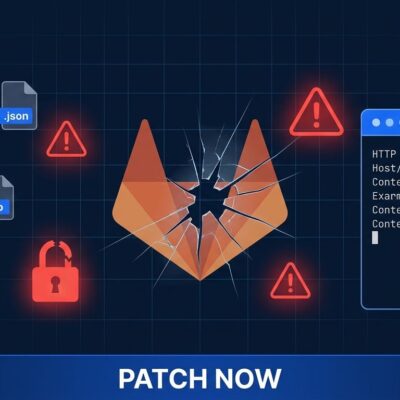
Fifteen plugins on JetBrains Marketplace spent eight months stealing AI API keys from roughly 70,000 developers before Aikido Security caught them last week. The plugins posed as legitimate AI coding assistants — offering code review, unit test generation, and commit message writing — while quietly forwarding every OpenAI, DeepSeek, and SiliconFlow key that developers entered in their settings panels to an attacker-controlled server in Beijing.
If you installed any of these plugins between October 2025 and June 2026, your credentials are compromised. Stop reading the explainer and go revoke your keys first. We will be here when you get back.
How the Attack Worked
The plugins were not obviously malicious. They worked as advertised — code reviews ran, commit messages got generated, unit tests appeared. The malicious behavior was surgical: when developers saved their API credentials in the plugin settings panel, a hidden function captured any key matching the sk-* pattern (51 characters) and immediately transmitted it via unencrypted HTTP to 39.107.60[.]51, an Alibaba Cloud server in Beijing.
To make exfiltration harder to detect, the plugins disabled TLS certificate validation using a custom X509TrustManager — suppressing the security warnings that would otherwise flag the unencrypted connection. The outgoing payload was a plaintext JSON POST with a hardcoded authentication header. No obfuscation, no encryption on the attacker’s end. Just plain theft over plain HTTP.
The operational detail that makes this campaign more interesting than a routine credential stealer: the C2 server had a monetization layer built in. Pay a small fee through the plugin’s “donation wall,” and the server sends back a working API key — one harvested from a free user. The attacker was running a stolen-credential resale marketplace inside the plugin itself. It covered operational costs and created a financial incentive to keep the campaign running.
The Scale, and Why Eight Months Went Unnoticed
The campaign launched in October 2025 and continued through June 10, 2026 — new plugin variants still being published right up until discovery. At peak, 15 plugins spread across seven fraudulent vendor accounts had accumulated nearly 70,000 installs. The two heaviest were DeepSeek AI Assist (27,727) and CodeGPT AI Assistant (25,571).
Eight months is a long time. The reason it lasted: the plugins were genuinely useful. There were no crash reports, no suspicious UI behaviors, no obvious performance issues. IDE plugins run inside tools developers trust all day, and that trust does not naturally extend to skepticism about what happens in the background when you click “Apply.”
What JetBrains Did
JetBrains received the report on June 16. Their response was fast: a remote kill-switch disabled all 15 plugins across every installed IDE through their backend systems, all seven publisher accounts were permanently banned, and the plugins were delisted from the Marketplace. JetBrains confirmed no internal infrastructure was compromised.
The C2 server stayed live for three days after JetBrains was notified, which suggests the attacker retained infrastructure access and may pivot to distributing these plugins through other channels. JetBrains is now hardening its Plugin Verifier to flag unencrypted endpoints, unauthorized TLS modifications, and suspicious credential-handling patterns. The company is also pushing its Agent Communication Protocol (ACP) Registry as a safer model: plugins communicate via structured standard I/O rather than running unsandboxed arbitrary code.
What You Need to Do Right Now
If you used JetBrains IDEs and installed any AI coding assistant plugin from an unfamiliar publisher in the past eight months, run through this checklist:
- Check your installed plugins. Look in Settings > Plugins > Installed. On disk, check
~/.local/share/JetBrains/(Linux),~/Library/Application Support/JetBrains/(macOS), or%APPDATA%\JetBrains\(Windows). - Revoke your AI API keys immediately. OpenAI at platform.openai.com/api-keys, DeepSeek at the DeepSeek Platform console, SiliconFlow at its dashboard.
- Audit your billing. Check each provider’s usage logs for any charges you did not generate.
- Block the C2 IP. Add
39.107.60[.]51to your firewall blocklist or DNS filter. - Scan your repositories. Run a secrets scanning tool to verify no keys were committed to version control.
- Set spending caps. Most AI providers allow monthly spending limits. A stolen key hitting a $500 cap does far less damage than one with no ceiling.
- Switch to scoped tokens. Use narrowly scoped API tokens instead of root keys. Limit permissions to what the integration actually needs.
The Bigger Problem
The JetBrains incident is not isolated. Concurrently, two Chrome extensions under the “PromptSnatcher” operation captured full AI chat conversations — including prompts and responses — from 90,000 users across ChatGPT, Claude, Gemini, Copilot, Perplexity, DeepSeek, Grok, and Meta AI. The attack surface is expanding precisely because AI tools are proliferating faster than security practices are adapting.
Developers now configure AI API keys in an increasing number of places: IDEs, terminals, CI/CD pipelines, dotfiles, browser extensions, desktop apps. Every integration point is a potential exposure. The assumption that a plugin in a branded marketplace is safe — because it appears in a branded marketplace — is exactly the attack model these campaigns exploit.
Treat IDE plugins the way you treat third-party dependencies in your supply chain: with appropriate skepticism, especially when they handle credentials. A “Verified” badge is not a security audit.