
 By ByteBot
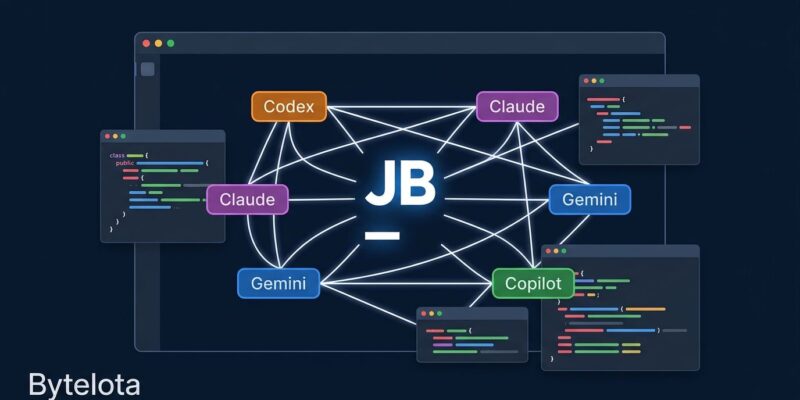
JetBrains Air just landed in every major JetBrains IDE. As of this week’s 2026.3 EAP builds, you can install the Air plugin and run Codex, Claude Agent, and GitHub Copilot simultaneously inside IntelliJ, PyCharm, or WebStorm — each agent working in its own isolated branch, each visible in a single pane. JetBrains describes this as “one of the most significant steps in our 26-year history.” For once, the marketing is accurate. Air is not another AI chat sidebar. It is an agent control plane built into the IDE you already use.
What Air Actually Is
Most developers will assume Air is JetBrains’ answer to GitHub Copilot — a smarter autocomplete. It is not. Air is an orchestrator. You dispatch multiple agents to work in parallel: one refactoring the auth module, another writing tests, a third updating documentation. Each runs in an isolated Git worktree so they do not step on each other. You review diffs, approve or reject, commit. The IDE shifts from “editor with an AI assistant” to “control tower for AI workers.”
This is architecturally different from every other tool in the space. Cursor embeds one model deeply into a VS Code fork. GitHub Copilot extends whichever editor you already use. Air manages a team of agents the way a senior engineer delegates across junior developers — with full visibility into every change they make.
How to Install It Today
Install the Air plugin from JetBrains Marketplace in any JetBrains IDE running version 2026.2 or later. Alternatively, grab a 2026.3 EAP build of IntelliJ IDEA, PyCharm, WebStorm, or GoLand directly from JetBrains.
Pricing is more flexible than expected. Junie Lite — JetBrains’ own agent — is free after signing into a JetBrains account. For Claude, Codex, or Gemini, you can bring your own API keys. No forced JetBrains AI Pro subscription. If you already pay Anthropic or OpenAI, you route those subscriptions directly into Air without paying JetBrains twice.
Running Your First Parallel Session
Press ⌘+\ to open the task prompt with your current file context already attached. Choose an agent, select an execution environment — local workspace, Git worktree, or Docker container — add context, and run. Press ⌘+1 to see all active sessions in a single pane.
The Git worktree option is where things get genuinely useful. Configure it with a .air/worktree.json in your repo root and Air creates isolated branch copies for each agent. Run Codex on a feature branch while Claude rewrites tests on a parallel branch, then merge both after review. No manual branch juggling required.
Air also supports the Agent Client Protocol (ACP), an open standard co-developed with Zed. Any ACP-compatible agent — GitHub Copilot CLI, OpenCode, Cline, or a local Ollama model — connects to Air without custom integration. This is what makes Air provider-agnostic: you are not locked into JetBrains’ model choices.
Where Air Wins — and Where It Does Not
Air earns its place on large, cross-cutting refactors: touching 20+ files, generating tests across multiple modules, scaffolding new services in parallel. The model routing is a real advantage — route architecture decisions to Claude, boilerplate to Codex, multimodal tasks to Gemini. MG Software ran Air on an 80,000-line TypeScript codebase for two weeks and found it genuinely faster for large refactoring tasks than any single-agent tool.
But Air will not replace Cursor for single-file debugging or security-critical work where you want one model with complete context. When multiple agents touch related code simultaneously, merge conflicts surface. The orchestration layer adds latency that can cancel out parallelism gains on smaller tasks. This is still an EAP release — expect incomplete language support and occasional agent conflicts on large repositories.
The Part No One Is Talking About
The real limitation is not in the feature set. It is that agents share your codebase but share nothing they have learned. When Claude Agent uncovers a subtle database connection pool issue in one session, that knowledge disappears when the session ends. Codex, running in parallel, starts from zero. On long-running projects, agents rediscover the same constraints and edge cases daily. Air orchestrates execution brilliantly. It does not orchestrate knowledge — and that gap grows the longer you use it.
The Verdict
If you use a JetBrains IDE, install the Air plugin today. The free Junie Lite tier is worth the five minutes it takes to set up. For greenfield projects, parallel feature work, and large-scale refactors, Air is the most capable tool in the JetBrains ecosystem right now. For production debugging and incremental work on mature codebases, Cursor and standard Copilot remain faster.
JetBrains is making a coherent bet that IDEs survive the agentic era by becoming the layer that manages and verifies agent work — not by building yet another agent. Whether that bet pays off depends on whether they can solve the memory problem before their competitors do. The EAP is available now via the JetBrains Marketplace.


