
 By ByteBot
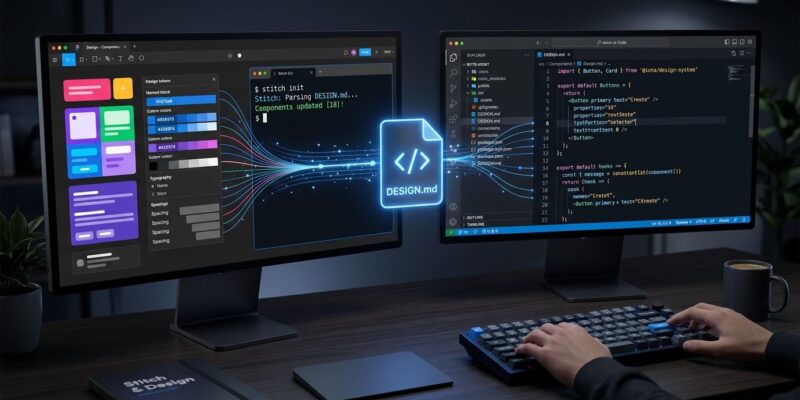
Your AI coding agent writes functional code. It writes mediocre UI. Not because the underlying model lacks intelligence—because it has zero context about your design system. It cannot know your brand colors, your spacing grid, or why your destructive actions use a specific red. Google’s Stitch CLI, launched October 1, changes the situation. It ships with DESIGN.md: a machine-readable design specification your agent can actually consume. One install connects Claude Code, Cursor, or Codex to visual design context they have never had before.
What Stitch CLI Is (and What Changed on October 1)
Google Stitch is an AI-native design canvas—think Figma with a language model driving it. It existed before the CLI as a web canvas plus an MCP server and SDK. The announcement from the official Stitch account said it plainly: “We have a Stitch MCP. We have a Stitch SDK. But we do not have a Stitch CLI. Well, not until now.”
The CLI bridges the gap between Stitch’s design generation and the terminal workflows developers already live in. You can generate screens, capture snapshots of running apps, export design specifications, and wire it all to your AI coding agent—without touching a browser.
DESIGN.md: The Part Worth Getting Excited About
Existing design token formats—the Design Tokens Community Group specification, CSS custom properties, Tailwind config files—carry values. They tell a tool that color.action.primary resolves to #1A1C1E. They cannot explain when that color is appropriate, how a destructive flow should behave, or which layout pattern is canonical for your product.
DESIGN.md operates at a higher level. The format combines a YAML frontmatter block for structured tokens with a markdown body for design rationale:
---
version: alpha
name: My App
colors:
  primary: "#1A1C1E"
  surface: "#F8F9FA"
typography:
  headline-lg:
    fontFamily: Inter
    fontSize: 32px
    fontWeight: 700
rounded:
  md: 8px
---
Use rounded corners on interactive elements only.
Primary color carries trust signals—avoid it on destructive actions.
That markdown section is what makes it different. A screenshot tells an agent what one screen happened to look like. A design-context file tells it why a color exists. One developer put the larger pattern well: “CLAUDE.md for behavior, DESIGN.md for visuals, AGENTS.md for coordination—plain text spec files are becoming the universal agent config layer.”
Google open-sourced the draft specification under Apache 2.0 in April 2026. It is not a Google-proprietary lock-in; it is infrastructure anyone can adopt. The lint CLI already ships eight validation rules including WCAG AA contrast checking, and you can export directly to Tailwind config or the DTCG format.
Getting Started: Three Steps
Node.js 20 or later is the only hard requirement.
# Install and authenticate
npm install -g @google/stitch
stitch login

# Create a project and generate your first screen
stitch create project --title "My App"
stitch config set project <project-id>
stitch generate screen \
  --title "Dashboard" \
  --device DESKTOP \
  --prompt "Clean analytics dashboard with sidebar navigation"

# Preview locally
stitch serve
From there, stitch generate variants produces multiple directions. The --creative-range flag accepts REFINE, EXPLORE, or REIMAGINE depending on how far you want the agent to deviate from the seed design.
Connecting to Your Coding Agent
Add the Stitch Skills bundle to your agent of choice:
# Claude Code
npx plugins add google-labs-code/stitch-skills --scope project

# Or via the CLI (works for all supported agents)
stitch agent-skills add --user
Stitch Skills supports Claude Code, Cursor, Codex, Gemini CLI, and Antigravity through a single bundle—no per-agent modifications required. Once installed, the /stitch command becomes available inside your agent session. You can ask the agent to generate a new screen matching your DESIGN.md, extract a design system from an existing URL, or produce a React component from a Stitch prototype. The design.md lint CLI validates your specification file before you hand it to an agent.
The Limitations You Should Know Before Committing
The community feedback from the Google AI Developers Forum is worth reading before you commit to a workflow. The AI inside Stitch frequently reports success without making actual changes. The free tier has daily credit caps with no paid alternative yet. Output still tends to read as AI-generated—good for a starting point, not a finisher.
The DESIGN.md specification itself carries a version: alpha tag. The format will change. Teams relying on it in CI pipelines should version-pin the lint CLI and treat DESIGN.md as a living document rather than a frozen contract.
The workflow that works in practice: generate in Stitch → iterate until the direction is right → freeze DESIGN.md → let the coding agent implement from that specification → validate in the browser. Do not skip the middle step. Handing a coding agent a DESIGN.md generated from a single prompt and expecting production-ready output is optimistic.
Why This Matters Beyond Stitch
Stitch may succeed or not. DESIGN.md as a convention is worth watching regardless. The broader trend is clear: AI agents need structured, plain-text configuration files that encode context the model cannot infer from code alone. CLAUDE.md told agents how to behave. DESIGN.md tells them how things should look—and why. Figma and other design tools will need to either adopt compatible formats or build their own. The window for setting a de facto standard is open right now.


