
 By
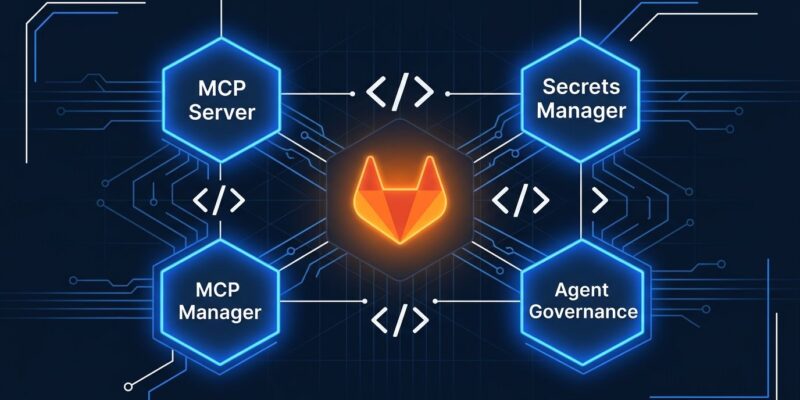
GitLab 19.5 shipped on October 15 with three features that finally make AI coding agents a viable part of a governed software pipeline. The MCP server is GA across all tiers, the Secrets Manager built on OpenBao went GA for Premium and Ultimate, and the AI Governance Dashboard now captures sessions from external agents like Claude Code and Cursor. If you’ve been holding off on wiring your agent tooling into GitLab, this is the release that changes the calculus.
MCP Server Is GA: Hook Claude Code and Cursor to GitLab
The official GitLab MCP server is now generally available on Free, Premium, and Ultimate — across GitLab.com, Self-Managed, and Dedicated. Any MCP-compatible agent gets direct access to GitLab’s tool catalog: branches, file reads, semantic code search, pipeline inspection, artifact reads, and MR management. The get_merge_request tool now returns commits, diffs, pipelines, conflicts, and notes in a single call, which eliminates the round-trip overhead that made older MCP implementations feel slow.
Setup for Claude Code is one command:
claude mcp add -s user --transport http GitLab https://gitlab.com/api/v4/mcpThen run /mcp in Claude Code, select the GitLab server, and approve the OAuth flow in your browser. For Cursor, add this to your mcp.json:
{
  "mcpServers": {
    "GitLab": { "type": "http", "url": "https://gitlab.com/api/v4/mcp" }
  }
}
One practical note on rate limits: Free tier users are capped at 60 requests per minute; Premium and Ultimate get 600. For a solo developer running quick queries that’s fine. For an agent running a long-horizon refactor — testing, reviewing, iterating — the free cap will bite. GitLab Duo CLI’s new auto mode makes this gap more noticeable: agents can now run tools without per-call approval, which means longer tasks are genuinely possible, but they’ll exhaust the free quota faster.
Secrets Manager GA: Job-Scoped Credentials on OpenBao
GitLab Secrets Manager is generally available in 19.5, built on OpenBao. It reuses your existing group and project permissions, so there’s no parallel access model to maintain alongside your current GitLab setup.
The design principle that matters most: each secret is scoped to the jobs that actually need it. GitLab decides which jobs qualify based on three attributes — the environment the job targets, the branch it runs on, and whether that branch is protected. A secret configured for production on a protected branch will not reach a developer’s feature-branch pipeline. Full audit logging covers every create, read, update, and delete.
This is a meaningful improvement over the status quo. GitLab CI variables are wide: accessible to any pipeline in the project unless you manually restrict them. One compromised job in a lax project can pull credentials it has no business touching. Secrets Manager limits blast radius structurally, not through configuration discipline.
Availability: Premium and Ultimate with the dedicated add-on. GitLab.com and Self-Managed in 19.5; Dedicated support is coming.
Agent Governance: Get Claude Code Past Your Security Review
The AI Governance Dashboard previously showed only GitLab Duo Agent Platform agent activity. In 19.5, it now supports Externally Connected Agents — Claude Code, Cursor, Codex, anything you connect via:
glab govern setupWith Allow external agents and Store AI audit events enabled, every qualifying session is captured: who ran it, which agent, which project, and when, plus the tool calls made. This data flows into both the AI Governance Dashboard and the AI audit events report.
If you’re at a company where security and compliance teams have been blocking AI coding agent usage because there’s no audit trail, this is the feature that moves the conversation. GitLab can now answer “what did that agent actually do in our codebase” with a proper audit log, not a vague trust-us.
The Rest of the Governed Factory Stack
19.5 also includes Dependency Firewall in early access — a policy layer that blocks malicious, vulnerable, or non-compliant packages before they reach a build. It supports npm, pip, Poetry, Maven, Gradle, and Bundler, with a warn-before-block rollout mode. The malware badge is GA in this release with the feature flag removed. GitLab Artifact Central (beta) adds a single org-level registry for containers and packages, replacing per-project registry sprawl on large installations.
The Bet GitLab Is Making
GitLab is framing 19.5 around the “governed software factory” — the idea that AI agents need to operate under an organization’s existing policies, not around them. The MCP server, Secrets Manager, and external agent governance aren’t independent features; they’re three sides of the same answer to how you deploy AI agents in a regulated or security-conscious environment.
That’s a defensible moat. GitHub doesn’t have a native governed MCP server. No one else is shipping job-scoped secrets with OpenBao that reuse your existing permission model. If enterprises adopt GitLab as the governance layer for their AI agent pipelines, that’s a stickier position than any feature-for-feature competition on raw capabilities.
19.5 is worth upgrading for the MCP server alone. The full release notes detail the rest. The governed factory is the direction; this release makes it real.


