
 By ByteBot
GitHub quietly updated its HydraFusion orchestration system on October 14 and added a new tier called HydraFusion Max — while the developer community is still digesting the June 2026 shift to usage-based AI credit billing. The timing is uncomfortable. HydraFusion is pitched as a cost reducer. HydraFusion Max is pitched as a quality maximizer. Both use the same per-token billing model that has already sent at least one developer through 82% of their monthly credits in a single day. Before you flip the switch, here is what actually changed and what it costs.
HydraFusion Is a Router, Not a Model
Most developers think of HydraFusion as another entry in the Copilot model picker — it is not. It is a runtime orchestration layer that evaluates each incoming request and builds an execution plan from three workflow patterns:
- Single: One model solves the task directly.
- Cascade: A cheaper model drafts; a quality gate decides whether to accept it or escalate to a stronger model.
- Critique: One model generates a solution; a second model from a different family independently tests and critiques it; an optional repair pass follows.
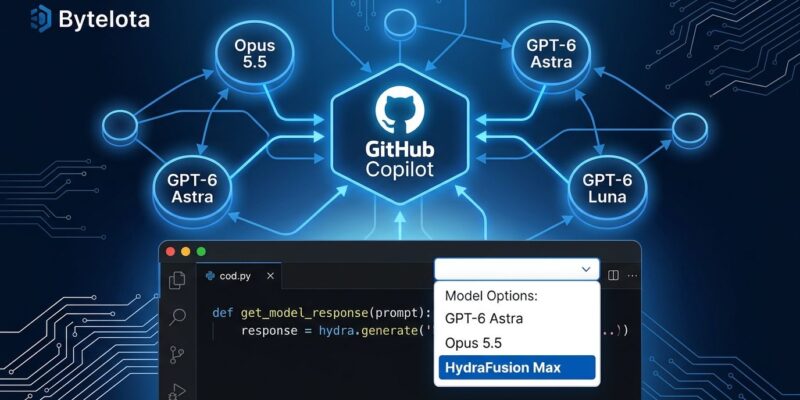
The October 14 changelog update expanded the model pool to Claude Opus 5.5, GPT-6 Astra, GPT-6.1 Sol, and GPT-6 Luna. It also changed how reasoning effort is allocated: drafts now run at medium effort, review passes run at high effort. Previously, every step used each model’s default setting regardless of task stage.
What HydraFusion Max Adds
HydraFusion Max is built on the same three workflow patterns. The difference is intensity. Where standard HydraFusion uses “high” reasoning effort for review steps, Max uses “extra high.” The Critique workflow now runs parallel critic models rather than sequential ones. The Cascade workflow gained a judging step that inspects the initial output before triggering a full repair — which means Max does not blindly escalate, it escalates only when the judge decides the first draft is not good enough.
GitHub describes Max as suited to tasks requiring “the deepest possible reasoning and most thorough analysis.” Code security reviews, architectural refactors, and complex one-shot analysis are the right use cases. It is not a daily driver, and GitHub’s own documentation says first-turn, single-prompt tasks are the recommended starting point for either option.
The Billing Reality
There is no HydraFusion surcharge. That sounds like good news. The problem is that every model leg in every workflow is billed at that model’s standard token rate — and HydraFusion can invoke multiple legs per request. A Critique workflow running GPT-6 Astra for drafting and Claude Opus 5.5 for critique adds both bills together. HydraFusion Max, with parallel critics and extra-high reasoning, consumes more tokens per leg than the standard version.
GitHub’s own benchmark data is instructive but incomplete. Against Claude Opus 5, HydraFusion cuts cost by 36–67% across three benchmarks — but quality only matches or exceeds Opus on one of the three (TerminalBench 2.1). On DeepSWE, quality is 1.5 points worse. GitHub chose to lead with the best-case numbers, which is fair marketing but not the full picture.
The observability gap makes this worse. Per-phase credit breakdowns — how much each leg of a workflow cost — are not yet available in the Copilot usage dashboard. Developers have flagged this directly on GitHub’s own issue tracker. Until per-phase billing data ships, you are flying partially blind on HydraFusion Max costs.
Which Mode to Use
A practical decision guide based on task type:
- Single model: High-volume repetitive tasks, long multi-turn sessions, cost-critical work, anything where predictability matters more than quality ceiling.
- HydraFusion (standard): Routine code generation, bug fixes, explanations, general-purpose coding assistance. The 36–67% cost reduction in benchmarks is real for the right task shapes.
- HydraFusion Max: One-shot, high-stakes tasks — security audits, architectural analysis, complex refactors where you want the deepest available review. Budget accordingly.
How to Enable It
In VS Code (version 1.140 or later), open Settings with Ctrl+, (or Cmd+, on Mac), search for chat.copilot.hydraFusion.enabled, and enable the checkbox. Open Copilot Chat and select HydraFusion or HydraFusion Max from the model dropdown. In GitHub Copilot CLI, both options are available via /experimental. Enterprise and Business admins need to enable preview features at the organization level before users can access either option.
The Actual Takeaway
HydraFusion is a genuine cost optimizer for the right task types — the benchmark data backs that up. HydraFusion Max is a specialized tool for demanding, one-shot work, not a replacement for picking a frontier model directly. The risk is treating either as a set-and-forget default before per-phase billing visibility exists. Check the official changelog for the full model pool and feature list, and keep an eye on usage reports until GitHub closes the observability gap.


