
 By ByteBot
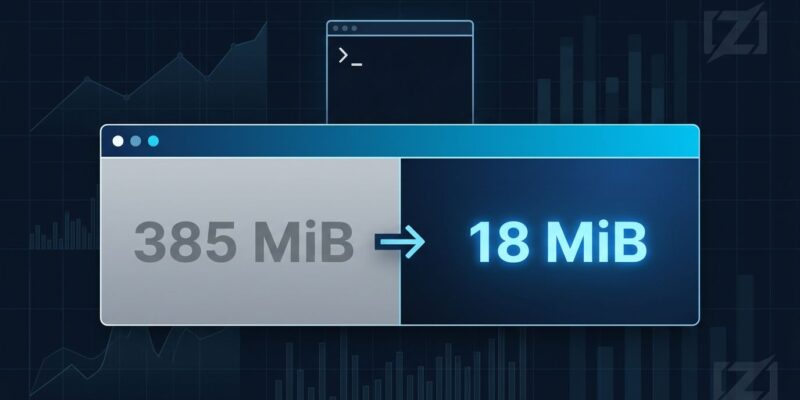
Ghostty 1.4.0 landed on October 27, 2026. The headline number: hidden tabs now consume 18 MiB of GPU memory instead of 385 MiB. That is a 21x reduction, and it is not the only significant improvement in this release. Scrollback compression cuts physical RAM usage by 70-90%, the default scrollback buffer grows from 10 MB to 50 MB, and Ghostty becomes the first terminal emulator outside of Kitty itself to fully implement the Kitty graphics protocol — animation included. The release hit 675 points on Hacker News within 24 hours.
The Memory Problem Was Real
Ghostty’s high memory usage became a running joke in developer circles. Multiple tabs open, AI coding sessions pumping text through the terminal, and suddenly you are watching Activity Monitor with concern. Mitchell Hashimoto addressed it directly earlier this year: “The Ghostty memory usage memes are dead with the upcoming 1.4 release.” He was not exaggerating.
The scrollback compression works transparently. When terminal history scrolls off-screen, Ghostty compresses it while the terminal idles. When you scroll back or search, it decompresses on demand. For typical text-heavy workloads, that means 70-90% less physical RAM consumed by history you are not currently reading. The default scrollback limit was raised from 10 MB to 50 MB as a result — five times more history at lower total memory cost. An empty new terminal now starts at 16 KiB of physical memory instead of 128 KiB.
The GPU memory fix is separate and arguably more impactful for daily workflows. Previously, every hidden tab held its GPU resources regardless of visibility. In 1.4, the renderer’s display link sleeps when there is nothing to draw, and hidden tabs release GPU memory entirely. One visible tab with 20 hidden tabs goes from about 385 MiB to 18 MiB of GPU memory.
Kitty Graphics: A Protocol Milestone
Ghostty 1.4 is now the first terminal emulator outside of Kitty to achieve 100% compliance with the Kitty graphics protocol specification, including animation playback, relative image placements, and frame composition. Image payload parsing using SIMD is approximately 16x faster for large transfers.
This matters for TUI developers building image-heavy applications — file managers with thumbnail previews, AI output renderers that display images inline, animated dashboards. The ecosystem has been waiting for a second terminal to fully support the spec. Ghostty 1.4 is that terminal. The release also adds OSC 5522 clipboard support, allowing programs to read and write clipboard formats beyond plain text, including images and HTML.
Performance Gains Worth Noting
Beyond memory, the I/O numbers are solid. On macOS, end-to-end I/O throughput improves 25-55% through concurrent pty reading and parsing. Plain ASCII text processing jumps from 128 MB/s to 725 MB/s — a 5.7x increase. Terminal resizing with 10,000 lines of scrollback is roughly 6x faster. Moreover, these are not meaningless micro-benchmarks; they translate to snappier output when running verbose build commands or log-heavy AI coding sessions.
libghostty Is Becoming Infrastructure
The broader story inside this release is what libghostty is doing underneath the terminal. JetBrains migrated their IDE terminal to libghostty in 2026.3, putting it in front of 12.5 million users across IntelliJ, PyCharm, and WebStorm. Additionally, Neovim’s maintainers have verbally accepted libghostty as the future replacement for libvterm. Antithesis uses it for fuzzing terminal programs, which has produced hundreds of upstream bug fixes in tmux, btop, and various shells.
Hashimoto’s goal from the start was not just to build a better terminal — it was to build terminal infrastructure that raises the floor for everyone. libghostty is delivering on that.
The ghostty +ssh Fix and Security Fixes
A practical addition for anyone working on remote servers: ghostty +ssh now automates terminfo installation and environment setup on first connection, with per-host caching. Previously, connecting to a remote host without Ghostty’s terminfo resulted in degraded rendering. This was fixable but annoying. Now it is automatic.
ghostty +ssh user@remote-host
# Automatically installs terminfo and sets up shell environment
The release also addresses 10 security advisories covering paste protection, Kitty graphics command validation, shell integration directory traversal, and file opening exploits. Production users should upgrade.
Should You Switch?
If you are on WezTerm or iTerm2, yes. The memory improvements clear the most cited objection, and the I/O performance and Kitty graphics support put Ghostty ahead on nearly every axis that matters for daily development. If you are on Alacritty and care primarily about raw performance with no built-in multiplexing, the gap is narrower — but Ghostty’s 5.7x VT processing improvement changes that calculus. The full Ghostty 1.4.0 release notes cover the remaining 2,889 commits across 172 contributors, including all 10 security fixes. Upgrade.


