 By
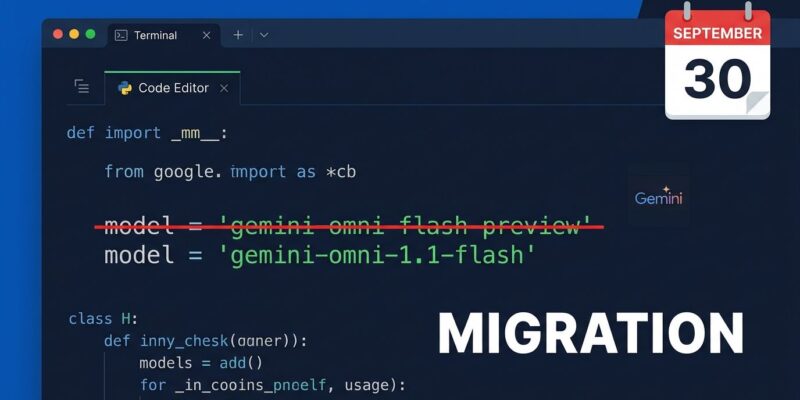
By On September 30, gemini-omni-flash-preview stops responding. The replacement — gemini-omni-1.1-flash — has been in general availability since August 27, which means Google gave developers over a month to migrate. Most integrations need one line changed. Two behavior differences will silently break code that doesn’t account for them: the default output resolution changed, and videos over 4MB now return a URI instead of inline base64 data.
The Minimum Change
Search your codebase, environment variables, configuration files, and stored job templates for gemini-omni-flash-preview. Replace it with gemini-omni-1.1-flash. That is the required change for basic integrations.
# Before — stops working September 30
model="gemini-omni-flash-preview"

# After — GA since August 27
model="gemini-omni-1.1-flash"
If that is the only change you make, the migration will work. It will also cost more than you expect and silently fail on higher-resolution output. The next two sections are what most migration guides skip.
Gotcha One: The Resolution Default Changed to 720p
The preview endpoint defaulted to a lower resolution. The GA version defaults to 720p. There is no error when this changes — your requests succeed, your output quality goes up, and your bill increases by a factor of three or more if you were previously getting 360p output.
The pricing per output second on gemini-omni-1.1-flash:
- 360p: $0.03
- 720p: $0.10
- 1080p: $0.15
- 4K: $0.30
There is no free tier. Every request is billed from the first token. A 10-second clip at 720p costs roughly $1.01. The same clip at 360p costs $0.30. If you are generating at volume or running a cost-sensitive pipeline, set the resolution explicitly in every request rather than relying on the default.
response_format={
    "type": "video",
    "aspect_ratio": "16:9",
    "resolution": "360p"   # draft/prototype — explicit, not default
}
Use 360p for prototyping and fast iteration. Upgrade to 720p or 1080p only when the output goes to end users.
Gotcha Two: Large Videos Return a URI, Not Base64
For clips under 4MB, the API returns inline base64 in output_video.data — the same as the preview. For larger clips, the API returns a Google-hosted URI instead. If your response handler only reads output_video.data, a 720p clip of any real complexity returns nothing. No exception is raised. The field is simply empty.
import base64
from google import genai

client = genai.Client()
interaction = client.interactions.create(
    model="gemini-omni-1.1-flash",
    input="A city skyline at sunset",
    response_format={"type": "video", "aspect_ratio": "16:9", "resolution": "720p"}
)

# Handle both delivery formats
if hasattr(interaction.output_video, 'uri') and interaction.output_video.uri:
    # URI delivery: poll until file status == ACTIVE, then download
    video_uri = interaction.output_video.uri
    # download from URI once status is confirmed active
else:
    # Inline base64 delivery
    with open("output.mp4", "wb") as f:
        f.write(base64.b64decode(interaction.output_video.data))
One additional detail: if you later call GET /v1beta/interactions/{id} to retrieve a past interaction, the API returns inline base64 even if the original video was delivered as a URI. Persist the delivery metadata from the initial response immediately — do not rely on a subsequent fetch to tell you which format to expect.
What Actually Improved in 1.1
It is worth noting what you gain, because the preview was genuinely limited in ways that made some use cases unreliable.
Scene extension now reads up to 10 seconds of prior context instead of only the final second, which meaningfully improves continuity for multi-clip sequences. First-and-last-frame interpolation is new — supply a start frame and end frame and the model fills the transition. Video references now actually work: the preview accepted them in its API schema but silently did not process them. And the resolution ceiling moved from 720p to 4K.
The migration is not purely defensive. You are moving to a better model with expanded capabilities and a stable production identifier that Google has committed to supporting.
Migration Checklist
- Search codebase and config for
gemini-omni-flash-preview - Replace with
gemini-omni-1.1-flash - Add explicit
resolutionparameter to all requests - Update response handlers to check for URI before base64
- Test with production prompts at target resolution
- Update monitoring and budget alerts (cost per request may change)
- Remove any preview-specific fallback logic
- Update runbooks and API documentation
The Gemini API deprecation schedule lists September 30 as the hard cutoff with no grace period. The video generation API reference covers the full request schema for gemini-omni-1.1-flash including all resolution options and URI delivery behavior. The official 1.1 GA announcement summarizes what changed from the architectural side.
Eight days. Two behavior changes to verify. The migration itself takes an hour — the testing and validation of production prompts with actual assets is what takes the rest of the afternoon.