 By
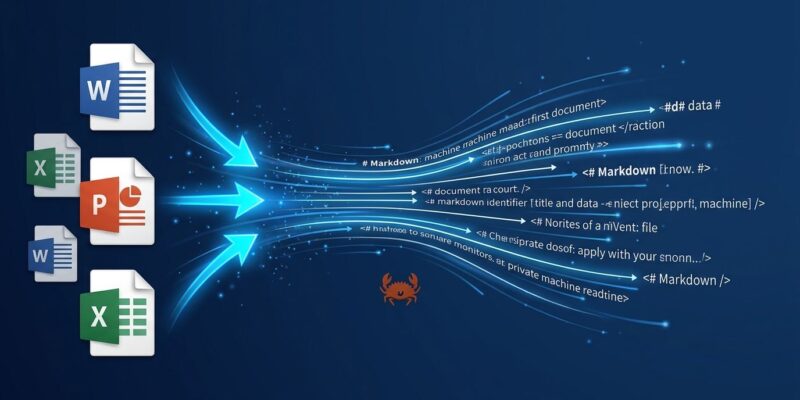
By Firecrawl shipped AnyDoc on August 4 — a pure Rust library that converts Word, PowerPoint, Excel, OpenDocument, RTF, EPUB, CSV, and text-based PDFs into clean GitHub-Flavored Markdown with a median processing time of 4.7 milliseconds. No API key. No external dependencies. MIT licensed. It hit roughly 11,900 GitHub stars in its first week, making it one of the fastest-growing developer tool launches of August 2026.
The Bottleneck Nobody Talks About
Every RAG pipeline has a document ingestion problem. Teams spend weeks tuning vector databases and rerankers, then feed both garbage because the parser mangled a table in a financial report. Document parsing is the unglamorous part that breaks everything upstream.
Existing options require trade-offs that compound quickly at scale. Cloud parsers like LlamaParse and hosted Unstructured charge per page — fine for a prototype, painful for a production pipeline processing thousands of documents daily. Local alternatives like Docling cover only 4 of 14 common formats and run at 513ms per document. If your documents are clean digital files — the overwhelming majority of enterprise and developer use cases — you have been overpaying or accepting unnecessary latency.
AnyDoc targets this directly. It handles the 80% case: clean digital office files, locally, at a speed that makes the parser invisible to your pipeline.
How It Works
AnyDoc is pure Rust with zero external dependencies and no machine learning models. Format detection reads magic bytes from the file content rather than trusting the extension — a .docx renamed to .pdf still parses correctly. Every supported format routes through a single, unified Document model and serializes through one GFM serializer. That means headings, tables, lists, and footnotes come out with consistent structure regardless of whether the input was a Word document or a spreadsheet.
Supported formats: DOCX, PPTX, XLSX, ODP, ODT, ODS, RTF, EPUB, CSV, and text-based PDFs via the companion pdf-inspector library. Total: 14 formats. The Node.js binding runs on the libuv thread pool and never blocks the event loop. The Python binding releases the GIL. Both ship with types and stubs.
Getting Started
Four installation paths depending on your stack:
# CLI — no install required
npx @firecrawl/anydoc report.docx

# Node.js
npm install @firecrawl/anydoc

# Python
pip install firecrawl-anydoc

# Rust
cargo add anydoc
The API is one call in both Node.js and Python:
// Node.js
import { toMarkdown } from '''@firecrawl/anydoc''';
const markdown = await toMarkdown('''report.docx''');
# Python
import firecrawl_anydoc as anydoc
result = anydoc.to_markdown("report.docx")Speed vs. the Field
The 4.7ms median was measured on 100 real-world documents — not a synthetic benchmark. For context:
| Tool | Speed | Formats Supported | Dependencies |
|---|---|---|---|
| AnyDoc | 4.7ms | 14 | Zero |
| Docling | 513ms | 4 | Heavy Python |
| Unstructured | 572ms | 8 | Cloud or local |
| LlamaParse | ~6,000ms | Strong PDFs | Cloud API |
Firecrawl also ran a quality benchmark using Claude Sonnet 5 as an LLM judge — AnyDoc scored 81/100 overall versus 70 for the next-best option. That benchmark uses a private corpus, so treat the score as directional rather than definitive. Developers have already flagged that real-world PDFs with embedded images or corrupted XML can surface edge cases not captured in controlled tests.
Agent Skill: One Command, Any Agent
AnyDoc ships as a first-class agent skill compatible with Claude Code, Cursor, Codex, and OpenCode:
npx skills add firecrawl/anydocAfter that, any compatible coding agent can read office documents natively without additional setup. No API key. No separate process. This is the most frictionless distribution model for a developer library in 2026 — skip the documentation step, ship the skill, and let the agent reach for it when it needs to parse a file.
The OCR Caveat
AnyDoc processes the text layer of PDFs only. Scanned documents and image-only PDFs return a NeedsOcr error. For those, you can opt in to Firecrawl”’s hosted API by passing { ocr: '''hosted''' } — which reintroduces a network round-trip and the API-dependency problem for that subset. This is an intentional scope decision: they built for the common case and did not try to be an OCR engine. If your pipeline requires OCR for scanned documents, AnyDoc handles your non-scanned volume locally and routes the rest to cloud. If your pipeline is entirely scanned documents, this is the wrong starting point.
Why Local Parsing Matters Now
Cloud document parsers made sense when document ingestion was a low-volume, occasional task. In 2026, most production AI pipelines are parsing thousands of documents daily. At that scale, per-page pricing adds up, latency compounds across every retrieval, and a cloud dependency introduces a failure mode that has nothing to do with your application logic.
AnyDoc removes all three for the documents it supports. The library already powers Firecrawl”’s hosted /parse endpoint, so the same code running locally can route to Firecrawl”’s infrastructure for the cases that need it. Local for the 80%, cloud for the 20% that requires OCR — that is a reasonable and honest division of labor.
If your documents are clean digital files, try AnyDoc before signing up for another cloud parsing subscription. The GitHub repository covers all four installation environments. The architecture details and pdf-inspector companion are in the official Firecrawl announcement.