 By ByteBot
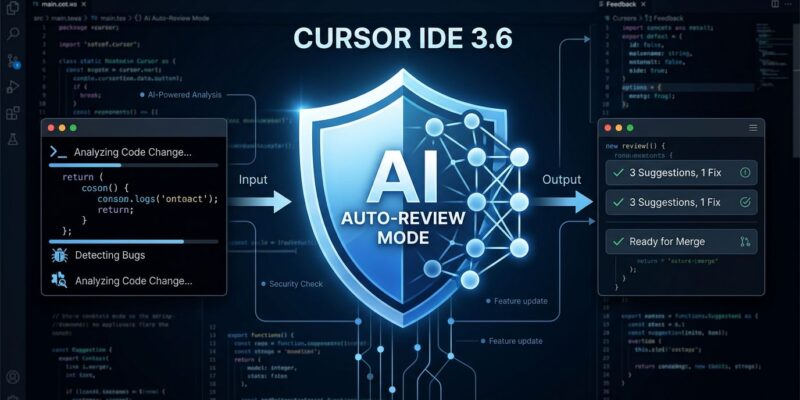
Cursor 3.6 shipped on May 29 with one headline feature: Auto-review Run Mode. The release is small by version number but addresses the most common complaint from developers running agentic workflows — constant approval prompts that kill flow state. Between default mode (you approve every risky action) and YOLO mode (the agent approves nothing, runs everything), there was nothing. Auto-review fills that gap with a classifier subagent that handles the gray zone so you do not have to.
The Problem With Your Current Setup
Cursor has always offered two operating modes. Default mode pauses and prompts every time the agent wants to run a shell command, call an MCP server, or fetch a URL. It is safe. It is also exhausting — especially when you have an agent iterating through a build loop or running a test suite. YOLO mode solves the friction by removing all prompts, but the tradeoff is real: the agent has read access to your home directory, which means it can see ~/.npmrc, ~/.ssh, ~/.docker/config.json, and anything else sitting in a credential store. That is not a theoretical risk. CVEs have demonstrated exactly this attack surface.
The binary choice — friction or exposure — is what Auto-review was built to break.
How Auto-review Works
Every shell command, MCP call, and web fetch now passes through a three-tier decision pipeline:
- Allowlist check. If the action matches your configured terminal or MCP allowlist, it runs immediately. No classifier involved, no delay.
- Sandbox check. If the action can run sandboxed — read/write access to the workspace, but no external network — it runs in the sandbox without prompting.
- Classifier review. Everything else goes to a classifier subagent that makes a three-way call: allow the action and run it, try a different approach that stays within safe bounds, or surface the decision to you for approval.
The classifier is not a rule-based allowlist. It is a small reasoning agent embedded in your main agent loop. It reads the proposed action, applies whatever custom instructions you have given it, and decides. That distinction matters: it can evaluate context, not just match strings. An instruction like “never allow curl calls to external domains” applies even if the specific domain was not anticipated when you wrote the rule.
How to Enable It
Go to Settings > Cursor Settings > Agents > Run Mode and switch to Auto-review. The same panel lets you write custom instructions to steer the classifier. Keep those instructions specific. Vague instructions produce inconsistent classifier behavior.
A reasonable starting set for most developers:
- Allow all
gitcommands - Allow
npm install,npm run, and test runner commands - Ask before any
rm,curlto external domains, or writes outside the project root
Known Bugs at Launch
Two issues are already flagged on the Cursor community forum. First, the command allowlist is silently ignored when Auto-Run in Sandbox is enabled — allowlisted commands run sandboxed instead of immediately. Second, Ask Mode ignores the Auto-Run Allowlist for shell commands, routing them to the sandbox instead. Neither blocks the feature from being useful, but if you notice your allowlist entries being sandboxed rather than executing directly, you have found these bugs. Both are actively tracked.
Choosing the Right Mode
Three situations map cleanly to three modes:
- Default mode — any environment with production credentials, new codebases you have not audited, security-sensitive work. Pay the friction cost; it is worth it.
- Auto-review — day-to-day feature development on established projects. The classifier handles borderline actions; you get asked when it genuinely cannot decide.
- YOLO mode — isolated VMs, CI/CD pipelines, and throwaway prototypes where you own the entire environment. Never on a dev machine with real credentials.
The Bigger Picture
Auto-review is a small feature in a large directional shift. The 2026 pattern across every AI coding tool is bounded autonomy — agents that run confidently within defined limits and escalate cleanly when those limits are reached. The official changelog describes Auto-review as Cursor’s answer to that challenge. Claude Code uses step-level approval gates. Codex CLI added per-server MCP environment targeting. Cursor’s classifier subagent is the most autonomous implementation of the three: it reasons about the action rather than applying a fixed policy. Whether that is an advantage depends on how well you tune the classifier instructions. Do that work up front, consult Cursor’s sandboxing guide for the security details, and Auto-review delivers on the promise. Skip it and the classifier defaults to asking you anyway.