 By ByteBot
CodePen 2.0 launched on July 23, 2026, after five years of development — and it is no longer just a place to share CSS experiments. The rebuilt platform now ships with a real file system, one-click deployment to live domains, real-time collaboration, and a visual build pipeline that handles TypeScript, Tailwind, and Vue without a single config file. Chris Coyier, CodePen’s co-founder, described the launch as “perhaps my largest personal career accomplishment.” That is not hyperbole. This is a different product.
What CodePen 2.0 Actually Changes
The old CodePen gave developers three files — HTML, CSS, and JavaScript — and a live preview pane. That was adequate for quick demos. The new version drops that constraint entirely. Developers now get a real file system, ES module imports across files, and multi-page project support. Dave Rupert, a longtime CodePen user, noted the shift simply in his review: he can now import foo from './foo.js' the way the spec intended — no workarounds, no hacks.
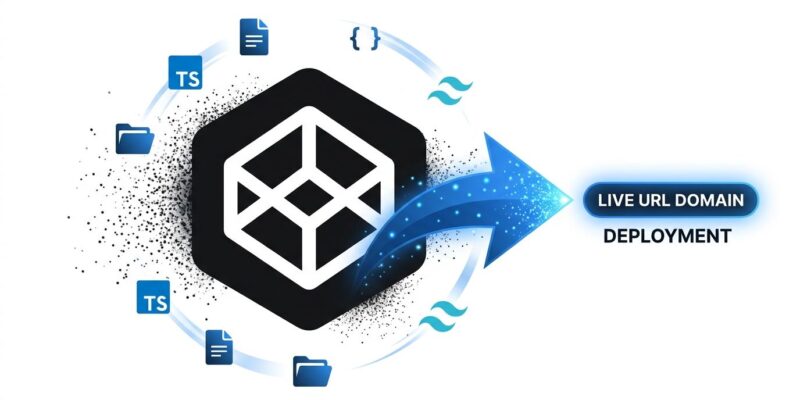
The most significant structural addition is the Blocks compiler. Create a .scss file and Sass activates automatically. Add a .ts file and TypeScript compiles without configuration. Supported processors include Tailwind CSS, Lightning CSS, Vue via Vite, Nunjucks, and MJML for email templates. Rupert called the Blocks approach “software done right” and suggested every developer tool should adopt a similar model — visual, progressive, and free of configuration sprawl. For beginners, this removes the intimidation barrier that webpack configs and vite.config.js files create. For experienced developers, it removes friction for quick experiments with modern tooling.
Version history, real-time collaboration, and deployment complete the feature set. Teams can invite co-editors via username or email, share a Live View while building, and roll back to any previous state. The official launch post confirms the Classic editor remains accessible at codepen.io/pen for developers who want the original three-file experience. Backward compatibility is preserved.
Related: GitHub Stacked PRs Now Public: No Waitlist, No Rebase Hell
The Deployment Risk Nobody Is Talking About
One-click deploy to a *.codepen.app subdomain — or a custom domain — sounds like a clean feature. However, it is also a governance gap waiting to happen. Consider: a developer deploys a demo for a client pitch, the project wraps, and they move on. The site stays live. Nobody owns it. Nobody monitors it. Mitch Ashley, VP at The Futurum Group, named it directly in his analysis: “Deployment without ownership is how shadow infrastructure starts. Platform teams need to decide now which of these sites get monitored, secured, and retired.”
CodePen 2.0 ships with no ownership assignment mechanism, no SLA documentation, and no monitoring integration for deployed Pens. The auto-update-on-save feature adds another wrinkle: a developer actively iterating on a Pen could push breaking changes to a live URL mid-experiment. For personal projects, this is a non-issue. For teams, it is a policy gap that needs addressing before the first incident — not after it.
CodePen 2.0 and the AI Relevance Question
Here is the harder question. CodePen’s historical core value — browse examples, learn how to do X in CSS, copy and adapt — is under genuine pressure from AI assistants. Developers in the Hacker News discussion noted that Google Trends data shows a meaningful drop in CodePen traffic after widespread AI adoption. Developers who previously searched “CSS sticky header codepen” now prompt ChatGPT or Claude and get working code in seconds. The discover-and-browse culture that built CodePen’s library is not what it was.
CodePen 2.0 launches with no native AI coding assistance. GitHub Codespaces, Cursor, and StackBlitz all integrate AI at varying levels. The CodePen team says AI features are “under experimentation” with no announced timeline. That is an honest answer, but it means the tool most associated with front-end learning is, for now, the only major browser-based editor without an AI copilot. The deployment pivot may be a deliberate strategic response — if browsing is declining, hosting keeps CodePen relevant at the moment of “ship this demo.” Whether that bet pays off depends on whether developers find CodePen’s deployment experience meaningfully better than dropping a folder on Netlify Drop or pushing to GitHub Pages.
Key Takeaways
- CodePen 2.0 is a genuine rebuild after five years — real file system, one-click custom domain deployment, Blocks build pipeline, version history, and real-time collaboration
- The Blocks compiler is the standout accessibility feature — processors activate automatically when you add file types, no config files required
- One-click deploy is useful and risky in equal measure — teams need a governance policy before developers start pushing demos to live domains
- CodePen 2.0 launches without native AI integration, a notable gap given that every major competing tool has moved on this in 2025 and 2026
- The deployment pivot looks like a strategic hedge against AI eroding the browse-and-learn use case — a reasonable bet that now puts CodePen in direct competition with Netlify and GitHub Pages
Five years is a long time to rebuild anything. The result is a more capable, more complex tool than the one developers fell in love with. Whether that complexity is the right direction depends on how you use CodePen — and whether you think the playground model can survive in an era of AI-generated code on demand.