 By ByteBot
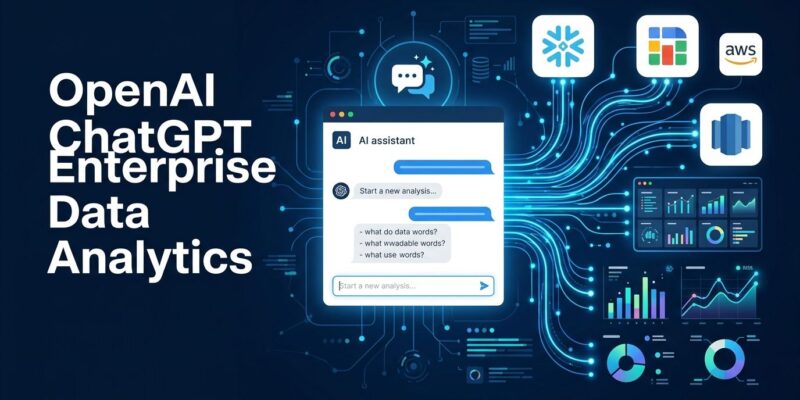
OpenAI shipped a Data agent inside ChatGPT Work on September 10. It connects to Snowflake, BigQuery, Redshift, Databricks, ClickHouse, MongoDB, and Datadog — then answers plain-English questions about your company data without requiring a single line of SQL. The same conversation can build and publish an interactive dashboard directly inside Tableau, Power BI, Sigma, or three other BI platforms. Enterprise organizations including NTT Data and Thermo Fisher were already running it in alpha. The rest of the enterprise market gets it now.
How the Data Agent Works
Open ChatGPT Work, type @data, and ask a question: “Why did North America revenue drop in August?” The agent identifies relevant tables in your connected warehouses, runs queries under your existing permissions, and returns an analysis. You can follow up in plain language, drill into sub-segments, and request a shareable dashboard — all inside the same conversation, no context switching required. OpenAI’s full announcement describes the workflow in detail.
The agent connects to seven warehouse platforms: Amazon Redshift, Google BigQuery, ClickHouse, Databricks, MongoDB, Snowflake, and Datadog. Document sources — Google Drive and SharePoint — can be pulled into analyses alongside structured data, so users can cross-reference financial reports with warehouse numbers in a single query. Dashboards created or modified by the agent can live in Omni, Oracle BI, Power BI, Sigma, Tableau, or ThoughtSpot.
The Part Developers Need to Pay Attention To
Every query the Data agent runs executes under the connected account’s existing permissions. Table-level, row-level, and column-level restrictions are enforced automatically — the agent cannot surface data the connected identity cannot access. IT admins control which connectors are enabled and which roles can invoke them. This is the correct architecture. The permissions setup guide from AiCybr covers the admin configuration steps in full.
What it does not solve — and what almost every launch article missed — is the semantic layer problem. The agent reads business context from dbt models, Snowflake Horizon, and Databricks Genie Ontology. If your dbt models are stale, if “revenue” means three different things in three different models, or if Snowflake Horizon has not been configured, the agent will produce wrong answers that sound authoritative. Before rolling this out to non-technical business users, audit your semantic layer. That is not optional.
What Is Not Here Yet
This is an enterprise feature. ChatGPT Enterprise runs roughly $60 per seat per month with a 150-seat minimum — putting the realistic entry point around $108,000 a year. There is no self-serve tier with the Data agent, no free trial, and no public API. Developers cannot call the Data agent programmatically or embed it in their own applications. If your plan is to build a product on top of this capability, you are waiting. Unite.AI has a solid breakdown of the full connector list and enterprise context.
What to Do Now
If your organization is already on ChatGPT Enterprise or Business: install the Data plugin from the Plugins directory, configure data source connections in Settings under Connectors, and map each connector to existing data-governance roles before opening access broadly. Run a test with a small group against a non-sensitive dataset first. Validate that metric definitions in your semantic layer match what your business teams expect — this is where rollouts go wrong. If your org is not on Enterprise yet, the Data agent is a concrete use case to take to leadership rather than a general AI pitch. ChatGPT Work’s admin FAQ covers the connector setup and role configuration in detail.