 By
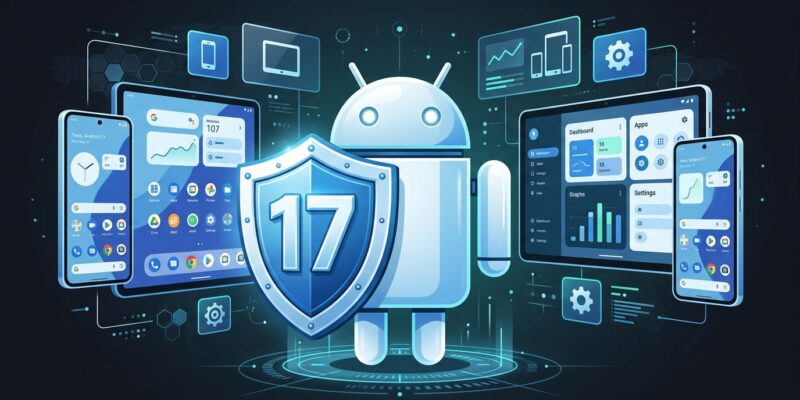
By Android 17 stable lands on Pixel devices June 16. That is two days away. Four behavior changes ship with this release — two affect every app regardless of your target SDK. Here is the fix list before your support queue finds out first.
The Large Screen Opt-Out Is Gone
This is the one that will catch the most apps off guard. Starting with Android 17, the system ignores screenOrientation, resizeableActivity, minAspectRatio, and maxAspectRatio on any display wider than 600dp. That covers every tablet, every foldable, and every phone in landscape on a lapdock. Your app fills the available window. No pillarboxing. No override.
Google framed this as “removing the temporary developer opt-out.” The opt-out shipped in Android 16 and lasted exactly one major version. The intention was always to force adaptive layouts — the grace period just ended. Developers who used the opt-out to buy time now have no more time to buy.
The only exception: apps with android:appCategory="game" are exempt. If your app is not a game and you still have a fixed-orientation manifest, this is your migration path:
- Adopt WindowSizeClass from Jetpack Compose — Compact (phone), Medium (foldable), Expanded (tablet)
- Stop relying on
onConfigurationChanged()to prevent recreation — use Compose state hoisting instead - Replace Camera1 API with CameraX; Camera1 assumes portrait and will misbehave on large screens
- Test on the Resizable Device emulator profile — it exists for exactly this scenario
Google’s own figures: 27% of active Android sessions in 2026 run on a tablet or foldable. An app that renders as a stretched portrait on a Pixel Fold is not a minor UX complaint. It is a one-star review waiting to happen.
OTP SMS Has a 3-Hour Gate
Apps targeting API 37 that read SMS directly — via a BroadcastReceiver on SMS_RECEIVED or via SmsManager — will find that messages containing OTPs are held for three hours. The goal is to limit OTP hijacking by forcing apps into declared, auditable flows.
The exemptions are narrow: default SMS apps, assistant apps, connected device companion apps, and anything already using the SMS Retriever API or SMS User Consent. If you are already on one of those, you have nothing to do. Everyone else does.
The two migration paths:
- SMS Retriever API: Generate an 11-character hash from your app’s signing key. Your backend appends it to the OTP message. The system delivers the message only to your app, with no permission required.
- SMS User Consent API: The system presents a prompt asking the user to confirm the incoming OTP. Simpler to integrate, but adds one user interaction.
Both approaches work back to Android 5.0. There is no defensible reason to be reading raw SMS for OTPs in 2026.
Background Audio Needs a Foreground Service
This change affects all apps on Android 17 — not only those targeting API 37. Any app calling AudioManager.requestAudioFocus() or attempting volume changes from a non-visible, non-foreground context will fail. Music players, podcast clients, navigation apps with audio cues — if your service does not declare the correct foreground type, it will stop working silently.
<service
    android:name=".PlaybackService"
    android:foregroundServiceType="mediaPlayback" />
This is also the final nudge to complete the ExoPlayer 2 to Jetpack Media3 migration. ExoPlayer 2 is no longer maintained, and Jetpack Media3 handles foreground service lifecycle automatically through MediaSessionService — fixing the background audio problem as a side effect of the migration.
The only exemption: apps with the SCHEDULE_EXACT_ALARM permission playing to alarm audio streams. Everything else needs an active foreground service or needs to stay visible.
Handoff Is the API Worth Adding Right Now
Android 17 does not only break things. The Handoff API lets users start an activity on one Android device and continue it on a nearby Android device. Think Apple’s Handoff, but for the full Android ecosystem.
Implementation is minimal:
// Enable in your Activity
setHandoffEnabled(true)

// Pass state for the receiving device
override fun onHandoffActivityDataRequested(): HandoffActivityData {
    return HandoffActivityData.Builder()
        .putString("articleId", viewModel.currentArticleId)
        .putString("scrollY", viewModel.scrollPosition.toString())
        .build()
}
The system surfaces a handoff suggestion on nearby Android devices via CompanionDeviceManager. If the target device does not have your app installed, it falls back to a web URL you specify. Apps with the most to gain right now: e-readers, news clients, document editors, shopping carts, and any enterprise app where users switch between a phone and a tablet mid-task.
Developer Previews Are Gone Permanently
Android 17 is the first release with no Developer Preview program — and that is now the permanent model. Features land in the Android Canary channel as they clear internal review, with monthly drops and no quarterly anchor point.
If you missed the Android 17 beta cycle and are only now learning about the large screen changes, you now understand the cost. The fix is structural: enroll a test device in the Android Beta Program, add a Canary emulator system image to your CI pipeline. The Android 18 Canary channel is already rolling.
Your Checklist Before June 16
Samsung’s One UI 9 rollout for older flagships begins in Q3, so the Pixel window is your tightest deadline. For most apps, that is weeks. Use them:
- Run the app on the Resizable Device emulator — look for portrait-lock issues on large displays
- Search your codebase for
SMS_RECEIVEDandSmsManager— migrate to SMS Retriever or User Consent - Verify all audio services declare
foregroundServiceType— migrate ExoPlayer 2 to Media3 - Monitor
ApplicationExitInfoin production forMemoryLimiter— memory caps are live on select devices - Add Handoff to one activity where cross-device continuity makes sense — ship it before it becomes standard
Android 17 is manageable for apps that have stayed current. For apps that have been deferring adaptive layout work and reading raw SMS for OTPs, the deferral is over. The timeline is tighter than it looks.