 By ByteBot
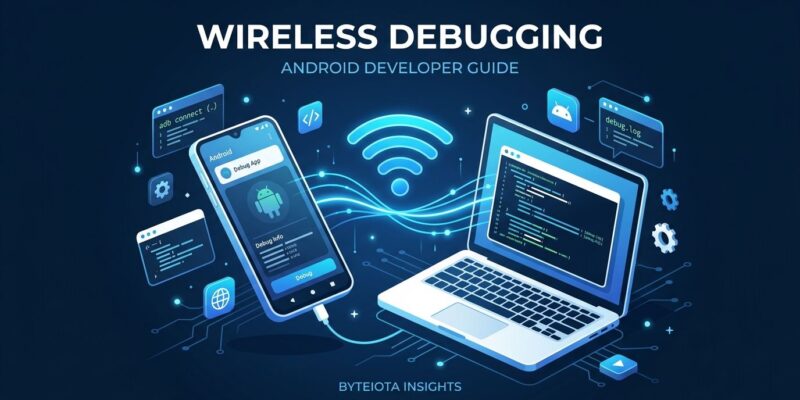
Wireless ADB has been a developer tax since Android 11 shipped it in 2021. You know the drill: pair your device, disconnect to grab coffee, come back and it is gone. Or you are in an office with twenty access points and ADB drops every time you change desks. Or the QR code spins for ninety seconds on an enterprise network that blocks mDNS before you give up and reach for the USB cable. Android 17 and adb 37.0.0 fix all of this. The fix is real, it is already shipped, and you should update today.
What Was Wrong with Wireless ADB
The original implementation, shipped with Android 11, relied on bloated third-party C++ libraries to monitor network changes on the host side. These libraries crashed on network transitions, causing silent disconnects — the worst kind, where adb devices still shows your device as connected while commands silently return nothing. No error, no crash, just wasted time.
On top of the crashes, old ADB identified trusted networks by BSSID alone — the MAC address of one specific access point. Roam to a different AP under the same SSID and ADB treated it as a completely new network. In a modern office with mesh WiFi or multiple APs, that meant manual re-pairing multiple times per day. Most teams quietly defaulted back to USB hubs.
What ADB WiFi 2.0 Changes
Google replaced the old host-side network monitoring code with a purpose-built 4,000-line Rust library. It has no external dependencies, runs on macOS, Windows, and Linux, and is designed to do one job reliably: detect network changes without crashing. On the device side, the phone now uses Android’s native NsdManager for service discovery instead of custom glue code.
Auto-reconnect on trusted networks
This is the change that will save you the most time. Once you pair a device to your workstation on a given network, ADB WiFi 2.0 marks that network as trusted. The next time your device joins that network — whether you rebooted, went home, or just woke it up from sleep — it reconnects automatically. You do not touch anything. The device shows up in Android Studio, ready to deploy.
Multi-AP roaming support
ADB WiFi 2.0 identifies trusted networks by SSID + BSSID combination rather than BSSID alone. In practice, this means the office network named “Corp-WiFi” is trusted as a whole, not just the one access point you happened to be near when you paired. Walk between conference rooms, between floors, between buildings on the same campus network — ADB stays connected. This single change makes wireless ADB viable in enterprise environments for the first time.
Android Studio pairing dialog
The old pairing flow showed a QR code that would hang indefinitely if anything in the network path blocked mDNS traffic. The new dialog shows a live list of discoverable local devices with their custom names. Find your device in two seconds. No more QR scanning failures on networks with mDNS filtering.
How to Set It Up
You need two things: adb 37.0.0 or higher on your workstation, and Android 17 on your device. Update Platform Tools first:
sdkmanager --update
adb version
# Android Debug Bridge version 37.0.0
On your device, go to Settings → Developer Options → Wireless Debugging and enable it. In Android Studio’s Device Manager, click the WiFi icon and you will see the new live-device list. Select your device, enter the pairing code, and you are done. Verify you have ADB WiFi 2.0 active:
adb mdns track-services --proto-text
# Look for: mdns_service_version: "2.0"
That is the entire setup. One pairing. Every subsequent session on a trusted network is automatic. For full setup documentation, see the official Android Debug Bridge guide.
What Does Not Change
Developers on Android 11–16 get some host-side stability improvements by upgrading to adb 37 — better error reporting, fewer mysterious exits — but the auto-reconnect and multi-AP fix requires Android 17 on the device. For CI device farms running a wide range of Android versions, USB remains the reliable choice. ADB WiFi 2.0 is built for daily development workflows, not device farm automation.
Wireless ADB also still depends on your network. A flaky WiFi environment will still cause trouble. The fix removes the bugs that were on Google’s side; it cannot compensate for a router problem. Android Authority’s deep dive covers the remaining edge cases worth knowing.
Update Now
The Rust rewrite is a footnote. The meaningful outcome is that wireless Android debugging now works the way iOS wireless debugging has worked since Xcode 9 in 2017. If you have an Android 17 device and you are still reaching for the USB cable every morning, that is now just habit. Update Platform Tools to 37, re-pair once, and stop thinking about it.