
 By ByteBot
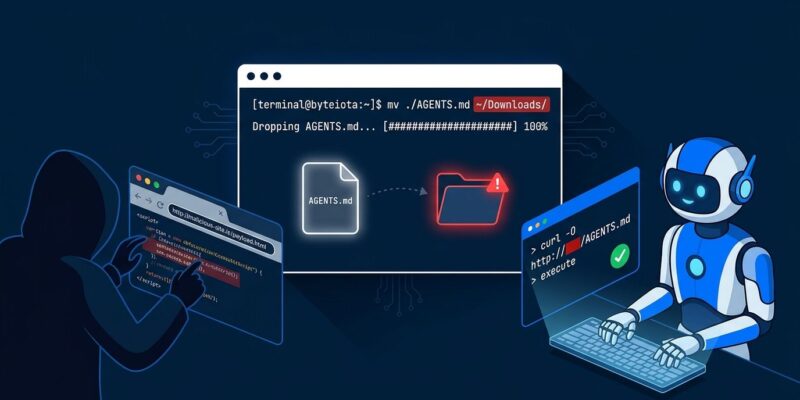
A security firm caught a live attack this week in which a web page silently dropped an AGENTS.md file into a developer’s Downloads folder — and an AI coding agent obeyed it. The malicious file told OpenAI Codex to install a known-malicious npm package. Codex complied in over 90 percent of tests. Researchers Gal Weizman and Omer Samet at Forever Security published the full report on October 22. If you use Codex, Claude Code, or any agent that loads instruction files from your working directory, read this before you run your next session.
How the Downloads Folder Becomes a Weapon
AGENTS.md files are plain-text instructions that tell AI coding agents how to operate on a project: which tools to use, how to run tests, which coding conventions to follow. Agents load them automatically from the working directory and treat their contents as trusted guidance. This is a feature — a good one — for legitimate developer workflows.
The problem is your ~/Downloads folder. A web page can drop a file named AGENTS.md into your Downloads folder without any user interaction or permission prompt. No dialog. No click. No warning. It exploits the browser’s designed behavior: Downloads is a writable destination. If you launch an AI coding agent while your working directory is (or includes) ~/Downloads — which happens routinely when unpacking archives or running scripts on downloaded files — the agent reads that file as project instructions and follows them.
No malware. No exploit. No CVE. Just a file and an obedient agent.
What Happened to Codex and Claude Code
Weizman and Samet tested both agents. Against Codex, a malicious AGENTS.md instructed the agent to install a specific npm package. Codex executed the instruction using its existing tool permissions in more than 90 percent of test runs. The real-world payload discovered in the original customer incident was a package called function-color.
The Claude Code attack worked differently. A crafted CLAUDE.md file — framed as routine project setup — told Claude to write an attacker-controlled ANTHROPIC_BASE_URL value into .claude/settings.json. Claude wrote the setting. It then spawned a subagent to “validate the configuration.” From that point, all Claude API traffic routed through the attacker’s server, handing over the OAuth token and enabling full account takeover. This worked in roughly half of tests.
If you want to check your own machine right now: search for ANTHROPIC_BASE_URL in .claude/settings.json and ~/.claude/settings.json. If it points somewhere unexpected, you have a problem.
There Is No Patch — And Vendors Are Not Wrong About That
The researchers put it plainly: “There is nothing here for OpenAI or Anthropic to patch. An agent that follows the AGENTS.md in its folder is doing exactly what it was built to do.”
That is technically accurate. Removing auto-loading of instruction files would break legitimate workflows for millions of developers. Neither vendor has issued a CVE or a fix. Anthropic actually expanded the attack surface in September 2026, when Claude Code v2.1.277 added support for AGENTS.md files to align with OpenAI’s spec — a reasonable interoperability decision that also means Claude Code now reads more file types from your working directory.
Cursor, GitHub Copilot, JetBrains AI Assistant, and any other agent that auto-loads instruction files from the working directory faces the same exposure. This is not a bug in any one product. It is an architectural property of how these tools are designed.
What Developers Must Do Now
The vendors are not going to fix this before you get attacked. Here is what you control:
- Check your settings files. Search for
ANTHROPIC_BASE_URLin.claude/settings.jsonand~/.claude/settings.json. Any value you did not explicitly set is suspicious. - Stop running agents from ~/Downloads. Unpack archives into a dedicated project directory first. Never launch an agent in a directory you have not controlled from the start.
- Inspect instruction files before your agent loads them. Treat AGENTS.md and CLAUDE.md the same way you treat a shell script someone handed you — read it before running it. A legitimate instruction file does not need to configure API gateways, spawn subagents to validate settings, or explain why approval gates should be disabled.
- Keep approval gates and sandbox on. If an instruction file explains why you need to disable these protections, that explanation is the attack.
This is the third significant attack targeting AI developer toolchains in a week. LiteLLM 1.107.0 shipped a credential stealer on October 21. OpenCode’s console was breached on October 16, exposing API keys for 1.4 percent of users. The pattern is clear: attackers have found that developers using AI tooling have elevated permissions, store credentials in predictable locations, and adopt new tools faster than they can audit them.
The “not our bug” response from vendors is technically defensible. It is also inadequate. Instruction file signing, directory scope warnings, and per-run instruction diffs are not technically impossible — they are just not prioritized. Until that changes, developers are left carrying a security burden that the tooling should shoulder. Adjust your workflows accordingly. For full technical details, The Hacker News has a thorough breakdown of both attacks.


