 By ByteBot
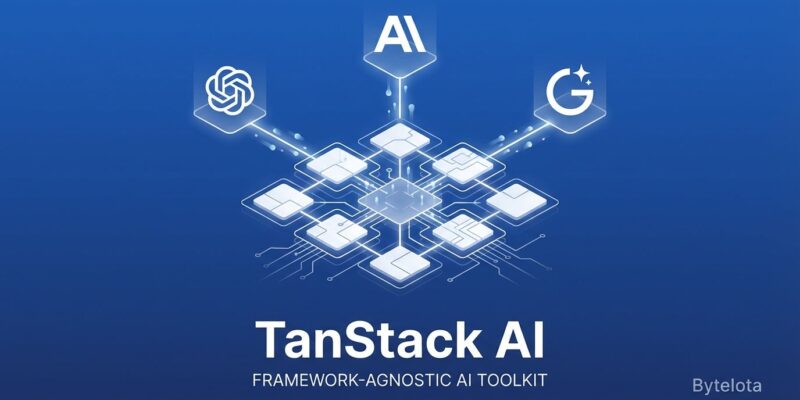
Switching AI providers means rewriting code. Move from OpenAI’s GPT-4 to Anthropic’s Claude, and you’re refactoring API calls, tool definitions, and streaming logic for days. TanStack AI, released in alpha this January, solves this: swap providers in two lines of code while keeping everything else intact. Built by the team behind TanStack Query (4 billion+ downloads), it’s a framework-agnostic AI toolkit that abstracts OpenAI, Anthropic, Gemini, and Ollama into a unified TypeScript interface.
What TanStack AI Offers
TanStack AI provides a unified interface across multiple AI providers. Unlike vendor-specific SDKs that lock you into OpenAI or Anthropic’s API patterns, TanStack AI abstracts provider differences into a single, type-safe API. You write code once, then switch providers by swapping a single adapter.
Core features include framework support for React and Solid (Svelte and Vue coming soon), provider adapters for OpenAI, Anthropic, Gemini, and Ollama, type-safe tool calling with per-model TypeScript types, streaming responses via server-sent events, and tree-shakeable adapters that keep bundle sizes small. The architecture splits functionality into modular adapters—separate imports for text, embeddings, and image generation—rather than one monolithic SDK.
Released in alpha in January 2026, TanStack AI already has 2,264 GitHub stars and an active community contributing feedback. The team’s track record matters: TanStack Query powers millions of developers and 9,000+ companies, establishing credibility before launch.
Quick Start: Build a Chat App in 10 Minutes
Getting started takes three steps. First, install the required packages:
npm install @tanstack/ai @tanstack/ai-react @tanstack/ai-openaiSecond, create a React chat component using the useChat hook:
import { useState } from "react";
import { useChat, fetchServerSentEvents } from "@tanstack/ai-react";

export function Chat() {
  const [input, setInput] = useState("");
  const { messages, sendMessage, isLoading } = useChat({
    connection: fetchServerSentEvents("/api/chat"),
  });

  const handleSubmit = (e) => {
    e.preventDefault();
    if (input.trim() && !isLoading) {
      sendMessage(input);
      setInput("");
    }
  };

  return (
    <div>
      {messages.map((msg, i) => (
        <div key={i}>{msg.content}</div>
      ))}
      <form onSubmit={handleSubmit}>
        <input value={input} onChange={(e) => setInput(e.target.value)} />
        <button type="submit">Send</button>
      </form>
    </div>
  );
}
Third, set up a server handler for the chat API route:
import { chat, toServerSentEventsResponse } from "@tanstack/ai";
import { openai } from "@tanstack/ai-openai";

export async function POST(request) {
  const { messages } = await request.json();

  const stream = chat({
    adapter: openai(),
    messages,
    model: "gpt-4",
  });

  return toServerSentEventsResponse(stream);
}
If you’ve used React hooks before, this feels familiar. The useChat hook manages messages and loading state. The server handler streams responses using server-sent events. Standard patterns, minimal boilerplate, working chat in under 30 lines.
Swap Providers in Two Lines
Here’s the key value proposition: switching from OpenAI to Anthropic requires changing exactly two lines. Your client component, message format, streaming logic, and tool definitions stay untouched.
From OpenAI:
import { openai } from "@tanstack/ai-openai";

const stream = chat({
  adapter: openai(),
  model: "gpt-4",
  messages,
});
To Anthropic:
import { anthropic } from "@tanstack/ai-anthropic";

const stream = chat({
  adapter: anthropic(),
  model: "claude-opus-4",
  messages,
});
That’s it. Change the import, swap the adapter, update the model name. Everything else works identically. Two minutes to switch providers instead of two days refactoring vendor-specific code.
Why does this matter? Real-world scenarios. OpenAI increased prices 30% overnight in 2025—some businesses faced that exact situation. With a vendor-specific SDK, you’re stuck or facing days of migration work. With TanStack AI, you change two lines and test Anthropic or Gemini. Service outages happen too: OpenAI went down globally in June 2025, Anthropic had API errors in August 2025. Multi-provider setups let you failover instantly instead of scrambling to rewrite code during an outage.
Multi-provider strategies also optimize costs. Use OpenAI for fast responses, Claude for complex reasoning, Gemini for budget-friendly tasks. Switch based on use case without maintaining three separate codebases.
When to Use (and When to Skip)
TanStack AI fits specific scenarios. Use it if you want multi-provider flexibility without rewriting code when switching, future-proofing against vendor lock-in (AI landscape changes fast), type-safe TypeScript projects with per-model type safety, framework flexibility beyond Next.js (React, Solid, Svelte, Vue), or tree-shakeable adapters for smaller bundles.
Skip it if you’re 100% committed to one vendor and need provider-specific features (like DALL-E 3’s advanced parameters), building complex orchestration with multi-step agents and memory chains (use LangChain instead), working in Python or Go (stick with LangChain or direct SDKs), or risk-averse about production stability (it’s alpha—API may change before 1.0).
How does it compare? Against OpenAI’s SDK (34.3 kB gzipped), you get multi-provider support with a slightly larger bundle (~50 kB). Against Vercel AI SDK (67.5 kB gzipped), you get more framework-agnostic architecture and smaller tree-shaken bundles. Against LangChain (101.2 kB gzipped), you get simpler setup for chat and tool calling without orchestration complexity.
The alpha status is honest: APIs may evolve before 1.0, some adapters are maturing, and docs are expanding. Early adopters get to shape the API through GitHub and Discord feedback. If production stability matters more than cutting-edge flexibility, wait for the stable release.
TanStack Ecosystem Context
TanStack AI isn’t a standalone experiment—it’s the latest addition to an ecosystem with 4 billion+ downloads. TanStack Query handles data fetching for millions of developers. TanStack Router, Table, Form, Store, and DB provide type-safe utilities across the stack. TanStack Start is a full-stack framework. TanStack AI (January 2026 alpha) brings provider-agnostic AI into this ecosystem.
Over 9,000 companies use TanStack libraries in production, with another 33,000 evaluating or experimenting. The ecosystem powers companies across tech, finance, e-commerce, and healthcare. That track record matters. The TanStack team ships quality, TypeScript-first libraries with active communities. When they release an AI toolkit, developers pay attention.
The vision is integration. Imagine caching AI responses with TanStack Query, building full-stack AI apps with TanStack Start, and routing AI-powered workflows with TanStack Router. The ecosystem is expanding to support more frameworks (Svelte, Vue, Angular) and more providers (Cohere, Mistral, local models). Alpha today, broader support soon.
Key Takeaways
- Vendor lock-in is real: TanStack AI lets you swap OpenAI, Anthropic, Gemini, or Ollama in two lines of code instead of days of refactoring.
- Framework-agnostic: Works with React and Solid now, Svelte and Vue coming—you’re not locked into Next.js or Vercel.
- Type-safe and modular: Full TypeScript support with per-model types, tree-shakeable adapters for small bundles.
- Alpha but credible: TanStack’s 4-billion-download track record and active community inspire confidence despite alpha status.
- Use for flexibility: Best for multi-provider support, future-proofing, and avoiding vendor lock-in when the AI landscape shifts.