 By ByteBot
Docker just fired a shot at Helm. In January 2026, Docker launched Kanvas, a visual Kubernetes deployment tool that converts Docker Compose files into Kubernetes manifests with a few clicks—directly challenging Helm’s grip on 75% of the Kubernetes deployment market. With 82% of container users now running Kubernetes in production, deployment tooling has become a battlefield. Docker is betting that most developers want simplicity over power. Helm’s defenders say that’s exactly the problem.
What Kanvas Does
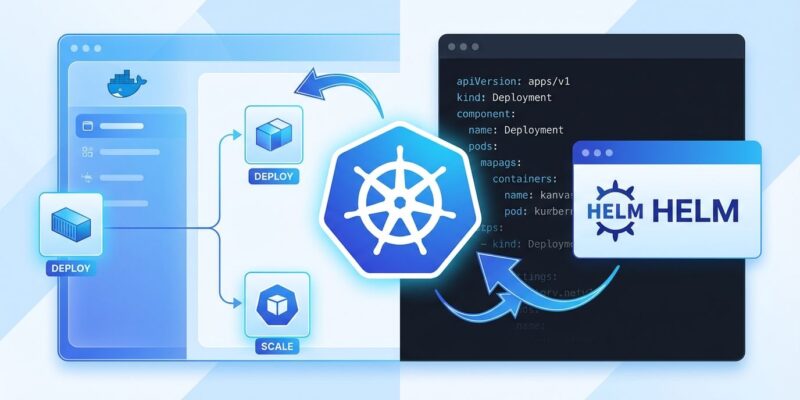
Kanvas is a Docker Desktop extension that bridges the gap between Docker Compose (local development) and Kubernetes (production). It eliminates YAML complexity with a visual interface built on Layer5’s Meshery, a Cloud Native Computing Foundation project.
The tool offers two modes. Designer mode lets you drag-and-drop Kubernetes components, import Docker Compose applications, and deploy to Kubernetes with minimal configuration. Operator mode handles deployment, debugging, and monitoring with built-in load testing and multi-player troubleshooting sessions. Docker’s pitch is simple: “Turns Compose into Kubernetes, minus the YAML overload.”
Kanvas supports multi-cloud deployments across AWS (55+ services), Azure (50+ components), and Google Cloud Platform (60+ services). It’s already available via the Docker Hub extension marketplace, announced at KubeCon + CloudNativeCon North America 2025.
The Competitive Landscape
Kanvas enters a crowded market dominated by two entrenched players. Helm owns 75% market share among Kubernetes users, according to recent Cloud Native Computing Foundation surveys. It’s a package manager that bundles applications into reusable charts, with a large ecosystem where most third-party vendors provide pre-built Helm charts. Helm’s strengths are deployment history, rollback capabilities, and standardized distribution.
Kustomize, Kubernetes-native and bundled with kubectl since version 1.14, takes a template-free approach using plain YAML with overlays and patches. It matches the Kubernetes philosophy: declarative, no extra dependencies, complete control over manifests.
Here’s how the three stack up:
| Tool | Approach | Learning Curve | Best For |
|---|---|---|---|
| Helm | Templating | High | Third-party apps, complex deployments |
| Kustomize | Overlays | Medium | In-house apps, YAML control |
| Kanvas | Visual design | Low | Docker→Kubernetes migration, multi-cloud |
Kanvas differentiates with its visual interface and Docker Compose compatibility, targeting the massive Docker Compose installed base rather than competing purely on technical features.
The Developer Pain Point Kanvas Solves
Migrating from Docker Compose to Kubernetes is notoriously difficult, and that’s Kanvas’s opportunity. Docker Compose uses a single compose.yml file for configuration. Kubernetes requires multiple manifest files: Deployments, Services, PersistentVolumeClaims, Ingress rules, and more. The number of possible abstractions in Kubernetes is many times greater than Docker Compose.
Teams face specific challenges. Configuration management becomes unwieldy: separate manifests needed for development, staging, and production environments. Networking changes fundamentally—Docker Compose uses simple hostname-based addressing while Kubernetes generates complex fully qualified domain names based on container names and namespaces. Rewriting compose.yml to Kubernetes is time-consuming and error-prone.
The production gap is real. Docker Compose lacks scalability, self-healing, high availability, and rolling updates. Kubernetes provides these but at the cost of complexity. Current migration tools like Kompose offer command-line conversion, but teams still struggle with the learning curve.
The market size is massive. That 82% Kubernetes production usage, up from 66% in 2023, represents millions of developers who’ve faced or will face this migration. Organizations building Internal Developer Platforms—80% by 2026, according to analyst predictions—need simplification tools. Kanvas positions itself as an answer.
The Simplicity vs Power Debate
Kanvas’s visual abstraction is both its selling point and its biggest criticism. Supporters argue it lets developers stay productive without becoming Kubernetes experts. Lower cognitive load means faster time to market. Most teams don’t need advanced Kubernetes features initially. Visual tools democratize infrastructure management, making it accessible to application developers, not just DevOps specialists.
Critics counter that abstraction layers hide critical details and create new dependencies. Docker Compose wasn’t designed for production orchestration, they point out. Advanced Kubernetes features like StatefulSets, network policies, RBAC, and service meshes don’t map cleanly to Compose syntax. Teams risk becoming dependent on Kanvas without understanding what’s actually deployed underneath.
The debate reflects a broader split in the Kubernetes community. The simplicity camp argues Kubernetes complexity is a barrier to adoption. The power camp insists production workloads need fine-grained control, and shortcuts eventually fail. The middle ground suggests using Kanvas for onboarding and simple deployments, then graduating to Helm or Kustomize as complexity grows.
Developer reactions split along these lines. Docker Compose users see a natural migration path. Helm veterans question whether visual tools can scale to complex enterprise deployments. Pragmatists argue for using the right tool for the job: Kanvas for some cases, Helm for others.
What This Means for Kubernetes Deployment
Kanvas’s launch reflects broader trends in Kubernetes tooling. Developer experience now matters as much as technical capability. Platform engineering teams are building Internal Developer Platforms that provide “golden paths”—approved patterns that let developers deploy services without understanding full Kubernetes complexity. Platform adoption cuts environment setup times from days to minutes and reduces DevOps ticket volume by roughly 40%.
GitOps frameworks like ArgoCD and Flux have become the de facto standard, and they can orchestrate multiple tools. Teams don’t have to choose exclusively—many use Helm for third-party applications and Kustomize for in-house deployments. Kanvas could slot into this mix, handling Docker Compose migrations while other tools manage different workloads.
AI workload growth is another driver. Sixty-six percent of organizations hosting generative AI models use Kubernetes to manage inference workloads. AI and machine learning engineers often lack deep Kubernetes expertise but need reliable orchestration. Simplified deployment tools address this gap.
The market will likely consolidate around two or three dominant approaches. Helm will probably remain the standard for third-party package distribution. Visual and platform tools like Kanvas will compete for in-house application deployments and migration scenarios. Different tools for different maturity levels and use cases, orchestrated through GitOps controllers.
What should developers watch for? Production readiness is the first test—can Kanvas scale to complex enterprise deployments and handle edge cases gracefully? Ecosystem growth matters too. Will Kanvas build a community and third-party integration ecosystem comparable to Helm’s? And finally, market reaction: Will organizations actually switch from established tools, or will Kanvas become another option in an already crowded toolbox?
Conclusion
It’s too early to declare Kanvas a Helm-killer or a flash in the pan. Docker has identified a genuine pain point—Compose to Kubernetes migration is hard, and existing tools don’t fully solve it. The visual approach will appeal to teams prioritizing developer experience and rapid onboarding. But Helm’s 75% market share, large ecosystem, and production track record aren’t easily displaced.
Kanvas reflects the broader Kubernetes simplification trend: More organizations want to use Kubernetes without requiring every developer to master it. Whether visual tools can deliver on that promise while maintaining production reliability remains an open question. Time will tell if Docker’s bet on simplicity over power pays off.