 By ByteBot
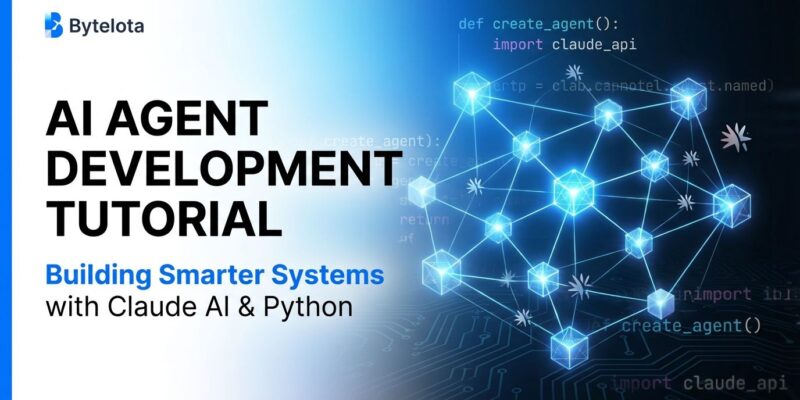
AI agents are supposed to join the workforce in 2025, according to OpenAI‘s Sam Altman. But while developers have been reading about AI agents transforming industries, most don’t know how to actually build one. Claude Agent SDK gives you the same framework that powers Claude Code itself—built-in tools, agent loop structure, and production-ready patterns. This tutorial walks through building a practical AI agent, from setup to deployment, with real code you can use today.
What is Claude Agent SDK?
Claude Agent SDK provides the same framework that powers Claude Code, available in Python and TypeScript. Unlike generic agent frameworks, it’s built specifically for Claude models with three core primitives: Agents, Handoffs, and Guardrails.
The agent loop is straightforward: gather context → take action → verify work → repeat. This structure handles everything from simple queries to complex multi-step workflows. The SDK includes built-in tools for file operations, bash commands, and web search, so your agent can start working immediately without implementing tool execution from scratch.
Why does this matter? Most agent tutorials show toy examples that break in production. Claude Agent SDK is production-ready from day one, with the security hooks and tracing capabilities that real deployments need.
Getting Started: Setup
Requirements are minimal: Python 3.10 or higher and an Anthropic API key. Install with pip:
pip install claude-agent-sdkSet your API key as an environment variable:
export ANTHROPIC_API_KEY="your-key-here"Here’s the simplest possible agent—a basic query that demonstrates the core pattern:
import anyio
from claude_agent_sdk import query

async def main():
    async for message in query(prompt="What is 2 + 2?"):
        print(message)

anyio.run(main)
Run this to verify your setup works. The agent receives your prompt, processes it, and streams responses back. No complex configuration required.
Building InspireBot: A Practical Example
Let’s build something useful: a motivational quote bot that searches the web for inspiration but falls back to curated quotes when search fails. This demonstrates tool integration and graceful degradation—patterns you’ll use in every production agent.
Here’s the complete implementation:
import asyncio
from claude_agent_sdk import query, ClaudeAgentOptions

async def inspire_bot():
    async for message in query(
        prompt="Give me inspiration for building AI agents",
        options=ClaudeAgentOptions(
            allowed_tools=["WebSearch", "Bash"]
        )
    ):
        print(message)

asyncio.run(inspire_bot())
This agent uses two tools: WebSearch for finding recent inspirational content, and Bash for fallback operations. The agent loop handles the rest—gathering context from search results, taking action to format the response, verifying the output makes sense, and repeating if needed.
What makes this practical? Real agents fail. Networks timeout, APIs rate-limit, searches return nothing. InspireBot shows how to handle failures gracefully with fallback mechanisms. That’s the difference between a demo and production code.
Key Features for Production
Claude Agent SDK added four critical features in December 2025 that make it production-ready.
Code Execution Tool runs Python in a sandboxed environment. Use it for data analysis, calculations, or generating visualizations—all server-side with proper isolation. No security nightmares from executing user code directly.
Files API handles documents and datasets with context preservation. Your agent can read research papers, process CSVs, or cache analysis results for reuse. This enables research agents, data analysis workflows, and document processing pipelines.
MCP Connector (Model Context Protocol) integrates external tools like CRMs, databases, and APIs. Both in-process and external MCP servers work, giving you flexibility to connect agents to existing systems without building custom integrations.
Extended Prompt Caching reduces costs by caching repeated prompts, templates, and boilerplate. If your agent uses the same system prompt or reference documents repeatedly, caching can cut API costs significantly.
These features separate Claude Agent SDK from toy frameworks. You’re not building experiments—you’re building systems that can actually ship.
Framework Comparison: When to Use What
Claude Agent SDK gets less attention than LangChain, but it’s underrated. Here’s when to use each framework.
Use Claude Agent SDK when you’re building with Claude models and need security-first deployments. The tightest integration with Claude, best-in-class safety hooks, and excellent tracing make it ideal for production applications that can’t afford security mistakes.
Use LangChain/LangGraph when you need low-level control and transparency. LangGraph offers graph-based state machines with full visibility into agent behavior—no hidden prompts or black boxes. Companies like Klarna, Uber, and LinkedIn use it for production at scale. The learning curve is steeper, but control and reliability are worth it.
Use CrewAI when building multi-agent collaboration systems. Its role-based design mimics organizational structures with specialized agents handling different responsibilities. CrewAI shows 5.76x faster execution than LangGraph in some benchmarks and handles complex multi-agent workflows better than alternatives. It’s backed by $18M in funding and used by 60% of Fortune 500 companies.
The honest take: Claude Agent SDK is underrated. If you’re building with Claude models, start here. You’ll get production-ready primitives, better security, and simpler patterns than alternatives. Switch to LangGraph or CrewAI only if you hit specific limitations.
Best Practices for Production Agents
Most tutorials stop at toy examples. Real production agents need different patterns.
Error handling must cover API failures, unexpected inputs, and tool errors. Implement retries with exponential backoff. Design fallback mechanisms for when primary tools fail. Log everything for debugging—you can’t fix what you can’t see.
Testing requires more than unit tests. Functional testing validates conversation handling, task execution, and error recovery. Use trace logs to inspect agent reasoning. Simulate behavior across realistic scenarios before deploying. If your agent works in the happy path but fails when APIs timeout, it’s not production-ready.
Deployment should be gradual. Roll out to internal users first, then a small percentage of production traffic, then full rollout. Set up automated rollbacks triggered by regressions or cost/latency thresholds. Monitor health scores and regression metrics continuously.
Security demands safety hooks that deny harmful commands before execution. Implement escalations for high-risk decisions requiring human review. Audit agent actions regularly. 2025 is the year agents join the workforce—that means production deployments with real consequences for security failures.
Next Steps
You’ve built a working agent, understood the framework landscape, and learned production patterns. Here’s where to go next.
Explore the official Claude Agent SDK documentation for advanced features like custom tools and multi-agent handoffs. Check out the GitHub repository for more examples and demos. The 12 Days of Agents tutorial series from December 2025 provides daily hands-on projects.
For production deployment guidance, read Anthropic’s engineering blog on building agents. Compare frameworks in-depth with this analysis of Agent SDK vs CrewAI vs LangChain. For best practices, review UiPath’s guide to building reliable agents.
You don’t need a PhD to build AI agents. You need working code, production patterns, and the willingness to experiment. Claude Agent SDK gives you the first two. The third is up to you.