 By ByteBot
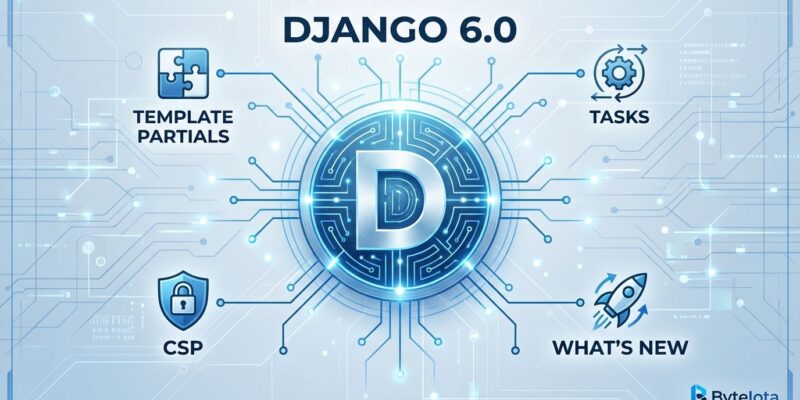
Django 6.0 dropped on December 3, 2025, with three features that eliminate long-standing pain points: template partials for killing code duplication, a built-in tasks framework for background jobs without Celery setup, and native Content Security Policy support for XSS protection. The release requires Python 3.12+ (drops 3.10-3.11 support), defaults new projects to BigAutoField, and modernizes email handling with breaking changes.
This isn’t revolutionary—it’s about pain elimination. Developers can finally build htmx-powered UIs without template file sprawl, offload background tasks using a standard API, and harden security without third-party packages. Perfect for new projects, worthwhile for existing apps that want less dependency complexity.
Template Partials: Kill Code Duplication
Template partials let you define reusable named fragments within a single template file using {% partialdef %} and {% partial %} tags. No more separate include files scattered across directories—everything lives in one place.
Before Django 6.0, rendering the same component multiple times meant creating partials/user_card.html and using {% include %}. Now you define and render partials in the same template:
{% partialdef user-card %}
  <div class="user">
    <h3>{{ user.name }}</h3>
    <p>{{ user.bio }}</p>
  </div>
{% endpartialdef %}

{% for user in authors %}
  {% partial user-card %}
{% endfor %}
The killer feature: views can render specific partials via get_template("template.html#partial_name"). This is perfect for htmx endpoints that update page sections without full reloads. Return just the user card fragment when someone clicks “Load More”—no need to create a dozen tiny template files for AJAX responses.
Template partials originated from Carlton Gibson’s django-template-partials package, developed through a Google Summer of Code project. The feature addresses what htmx creator Carson Gross calls “Locality of behaviour”—keeping related code close together for easier debugging and maintenance.
Tasks Framework: Background Jobs Without Celery Complexity
Django 6.0 adds a tasks framework with @task decorator and .enqueue() method for defining background jobs. Moreover, it’s “deliberately incomplete”—Django provides the API but not the worker execution. You still need a backend like django-tasks, Celery, or similar.
Here’s a simple email task:
from django.tasks import task
from django.core.mail import send_mail

@task
def send_welcome_email(user_id):
    user = User.objects.get(id=user_id)
    return send_mail(
        subject=f"Welcome, {user.name}!",
        message="Thanks for joining!",
        from_email=None,
        recipient_list=[user.email],
    )

# In your view
send_welcome_email.enqueue(user_id=user.id)
Django historically “ignored the problem space altogether,” according to Adam Johnson, a Django core contributor. Now there’s a shared API contract between worker libraries. Start simple with django-tasks DatabaseBackend—it stores tasks in PostgreSQL, no Redis or RabbitMQ needed. When you outgrow that and need retries, scheduling, and monitoring, migrate to Celery using the same @task interface.
This isn’t a Celery replacement. Use the tasks framework if you’re processing <100 tasks per hour (emails, file uploads, data exports). Stick with Celery for complex workflows, high throughput, or enterprise SLAs. The framework gives you a standardized API so you’re not locked into a specific backend from day one.
Content Security Policy: Native XSS Protection
Django 6.0 ships built-in CSP middleware with nonce support for blocking XSS attacks at the browser level. Furthermore, configure via SECURE_CSP setting, add {{ csp_nonce }} to inline scripts and styles, and start with report-only mode before enforcement:
# settings.py
from django.utils.csp import CSP

SECURE_CSP_REPORT_ONLY = {  # Test first!
    "default-src": [CSP.SELF],
    "script-src": [CSP.SELF, CSP.NONCE],
    "img-src": [CSP.SELF, "https:"],
}

# template.html
<script nonce="{{ csp_nonce }}">
  console.log("CSP approved!");
</script>
CSP is tedious—you must add nonces to all inline scripts and styles, which can be error-prone on large projects. However, it’s critical for defense-in-depth security. The 13-month review process that landed this feature reflects CSP’s complexity. Start with SECURE_CSP_REPORT_ONLY to identify violations without breaking your app, then switch to enforcement mode once you’ve fixed everything.
This eliminates dependency on the django-csp third-party package. Native support means better documentation, guaranteed compatibility, and one less package to maintain.
Breaking Changes & Migration
Django 6.0 drops Python 3.10 and 3.11 support—you need Python 3.12 or higher. Consequently, this is the biggest blocker. Test your dependencies before upgrading Django itself, because if a critical package doesn’t support Python 3.12 yet, you’re stuck.
New projects default to BigAutoField (64-bit auto-incrementing IDs) instead of AutoField. This prevents primary key exhaustion but uses more storage. For existing projects, add DEFAULT_AUTO_FIELD = 'django.db.models.AutoField' to your settings if you want the old behavior. Only migrate to BigAutoField if you expect more than 2 billion rows—most apps don’t need it.
The email API has significant breaking changes. If you subclass EmailMessage or EmailMultiAlternatives, the undocumented mixed_subtype and alternative_subtype properties are gone. Django now uses Python’s modern email.message module. Check your custom email code carefully.
Migration steps:
- Upgrade to Python 3.12+ first
- Run
django-upgrade --target-version 6.0 .for automated fixes - Review email API changes if you have custom subclasses
- Test CSP in report-only mode—don’t enforce immediately
- Set
DEFAULT_AUTO_FIELDif you want old AutoField behavior
Bonus Features: AsyncPaginator, Admin Updates
Django 6.0 adds AsyncPaginator and AsyncPage for async views—no more wrapping pagination in sync_to_async. Additionally, the admin interface gets Font Awesome 6.7.2 icons. PBKDF2 password hashing iterations increase to 1.2 million (previously ~600K). StringAgg is now cross-database compatible instead of PostgreSQL-only.
These are quality-of-life improvements that add up. Async views are increasingly common, and pagination was a pain point. The admin icon update modernizes Django’s look without breaking customizations.
Should You Upgrade?
New projects: default to Django 6.0. You get the latest features and longest support window.
Existing projects: upgrade if Python 3.12+ is already deployed or easy to adopt, and you want to reduce third-party package count (django-csp, possibly Celery for simple cases). Skip if you’re stuck on Python 3.10-3.11, have critical dependencies that aren’t compatible yet, or lack capacity for migration testing.
Django 6.0 represents modernization and pain point elimination. Template partials solve the htmx integration problem. The tasks framework standardizes background job APIs. CSP support hardens security. Nevertheless, none of these are revolutionary, but together they make Django development smoother and less dependent on third-party packages.
Key Takeaways
- Template partials eliminate include file sprawl, perfect for htmx endpoints
- Tasks framework provides a standard API (start with django-tasks, migrate to Celery if needed)
- CSP support hardens security without third-party packages
- Python 3.12+ required—test dependencies before upgrading
- BigAutoField default—add setting to keep old AutoField behavior
For full migration guidance, see the official Django 6.0 release notes.