 By ByteBot
Vector search alone can’t handle complex AI queries. Ask “What treatments work for patients with diabetes who’ve had recent surgery?” and traditional RAG retrieves disconnected chunks about diabetes, separate chunks about surgery, and unrelated treatment lists. It misses the relationships that matter. LightRAG fixes this by combining knowledge graphs with vector search—cutting costs by 6,000x compared to GraphRAG while delivering 30% faster responses. Here’s how to build it.
What Knowledge Graphs Change
Traditional RAG systems chunk your documents, embed them, and store vectors in a database. When you query, they retrieve the most similar chunks. That works for simple lookups but falls apart when queries need multi-hop reasoning.
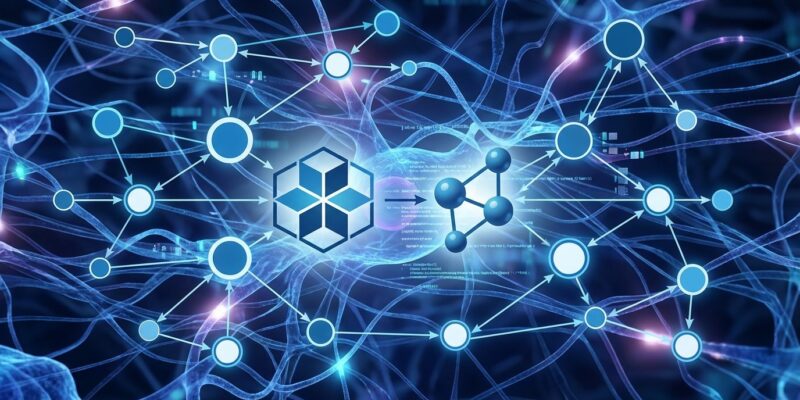
LightRAG adds a knowledge graph layer. It extracts entities (people, places, concepts, organizations) and relationships from your documents, then stores both the graph structure and vector embeddings. When you query, it uses the graph to connect distant concepts and the vectors to find relevant content.
Take this sentence: “Andrew Yan is researching AI at Google Brain.” LightRAG extracts three entities—Andrew Yan (person), Google Brain (organization), AI (concept)—and two relationships: Andrew Yan researches AI (strength: 0.9) and Andrew Yan is affiliated with Google Brain (strength: 0.95). Those strength scores quantify relationship importance.
The dual-level retrieval architecture runs two searches simultaneously. Local mode finds specific entities. Global mode retrieves broader relationships. Hybrid mode—the recommended default—combines both to deliver coherent answers that respect how concepts actually connect in your documents.
This is the EMNLP 2025 paper everyone’s talking about. 25,000 GitHub stars in two months. Benchmark results from 428 textbooks across 18 domains. It’s not theoretical—it’s production-ready.
Working Code Example
Installation takes one line:
pip install lightrag-hkuHere’s a complete working example:
import asyncio
from lightrag import LightRAG, QueryParam
from lightrag.llm.openai import gpt_4o_mini_complete, openai_embed

# Initialize LightRAG
rag = LightRAG(
    working_dir="./rag_storage",
    embedding_func=openai_embed,
    llm_model_func=gpt_4o_mini_complete,
)

# CRITICAL: Must initialize before use
await rag.initialize_storages()

# Insert documents (builds knowledge graph automatically)
await rag.ainsert("Your document text here")

# Query with hybrid mode (graph + vector retrieval)
result = await rag.aquery(
    "What treatments work for diabetes patients after surgery?",
    param=QueryParam(mode="hybrid")
)
Three things to know. First, you MUST call initialize_storages() before inserting or querying. Skip this and you’ll get cryptic errors. Second, the API is async-first—use await for all operations. Third, hybrid mode combines entity search and relationship reasoning. Start there.
LightRAG supports local LLMs via Ollama if you don’t want API dependencies. Swap gpt_4o_mini_complete for your Ollama model function and you’re done. No cloud calls required.
The knowledge graph builds automatically when you insert documents. LightRAG extracts entities and relationships using your LLM, stores the graph structure, and indexes vectors—all in one ainsert call. You don’t manage the graph directly. Just feed it documents and query.
When to Use Knowledge Graph RAG
LightRAG shines when queries require connecting information across multiple document chunks. Legal teams use it to navigate statutes → case law → regulations. Healthcare systems connect symptoms → treatments → patient history → diagnosis. Customer support teams link products → features → configurations → known issues. Financial analysts trace companies → industries → regulations → market trends.
Here’s a concrete example. A hospital’s RAG system needs to answer: “What treatments work for patients with diabetes who’ve had recent surgery?”
Vector-only RAG finds chunks mentioning diabetes. Separate chunks about surgery. Unrelated treatment lists for various conditions. It returns everything and hopes you can connect the dots.
LightRAG follows the graph. Diabetes entity connects to patient entity. Patient connects to surgery event. Surgery has contraindications relationship to certain treatments. Those contraindications filter the treatment options. The final answer respects the full context—treatments that work for diabetes AND are safe post-surgery.
That’s not a toy example. That’s the difference between a usable system and AI slop.
The knowledge graph approach works for any domain where relationships matter more than keyword matches. Enterprise knowledge management. Long-document understanding. Multi-step reasoning. If your queries start with “how does X affect Y when Z,” you need graph-based retrieval.
Performance Reality Check
LightRAG delivers measurable improvements on the UltraDomain benchmark—428 textbooks covering agriculture, computer science, legal, and mixed domains.
Response time averages 80ms versus 120ms for standard RAG. That’s 30% faster. Cost drops to 100 tokens per query compared to GraphRAG’s 610,000 tokens. That’s 6,000x cheaper. Quality scores reach state-of-the-art across comprehensiveness, diversity, and empowerment metrics. On the Legal dataset, LightRAG dominates with an 80% win rate against 20% for baseline methods.
But here’s the trade-off you need to know upfront. LightRAG requires a minimum 32-billion parameter LLM for effective entity extraction. Smaller models struggle to identify relationships accurately. You also need at least 32KB context windows, preferably 64KB. If your budget is under $100/month for LLM API costs, or you’re trying to use 7B models, this won’t work well.
Setup complexity is higher than vector-only RAG. You’re managing both a vector database and a knowledge graph. LightRAG supports multiple backends—NanoVectorDB, Milvus, Chroma for vectors; NetworkX, Neo4J, PostgreSQL for graphs—but you still need to configure storage.
Entity extraction quality depends entirely on your LLM. Garbage in, garbage out. If the model misidentifies entities or misses relationships, the knowledge graph degrades. This isn’t a limitation of LightRAG—it’s reality for any graph-based system.
When should you NOT use LightRAG? Simple single-hop Q&A doesn’t benefit from graph complexity. Vector RAG is sufficient and simpler. Real-time updates are harder because rebuilding the knowledge graph takes time. If you’re running on edge devices with limited compute, the 32B parameter requirement is a dealbreaker.
Compare the options:
Vector RAG costs less, runs on smaller models, and works for straightforward queries. GraphRAG delivers maximum relational accuracy but burns through 610,000 tokens per query. LightRAG balances cost, speed, and quality—6,000x cheaper than GraphRAG, 30% faster than standard RAG, with SOTA performance on complex queries.
For most production use cases, LightRAG is the right choice. If you need multi-hop reasoning, can run 32B+ models, and want graph-based retrieval without GraphRAG’s cost blowout, this is it.
What This Means
Knowledge Graph RAG is the next evolution of retrieval systems. Vector search finds similar content. Graph search understands relationships. LightRAG combines both in a system that’s fast, cheap, and production-ready.
The 25,000 GitHub stars aren’t hype. The EMNLP 2025 publication validates the approach. The benchmark results prove it works. The 6,000x cost reduction versus GraphRAG makes it practical.
If your RAG system struggles with multi-hop queries, LightRAG solves it. If you’re paying GraphRAG’s token costs, LightRAG cuts them by 99%. If you’re building AI that needs to understand how concepts connect—not just which keywords match—knowledge graphs aren’t optional anymore.
The code example above is everything you need to start. Install the package. Initialize storage. Insert documents. Query with hybrid mode. The knowledge graph builds automatically. The dual-level retrieval handles the complexity.
One requirement: Use a 32B+ parameter model. Smaller models will disappoint you. That’s not negotiable. Beyond that, LightRAG works with OpenAI, Anthropic, local Ollama models, and any LLM you can plug into the API.
Vector RAG was step one. Knowledge Graph RAG is step two. LightRAG makes step two accessible, affordable, and fast. The tutorial ends here. The implementation starts now.