
 By ByteBot
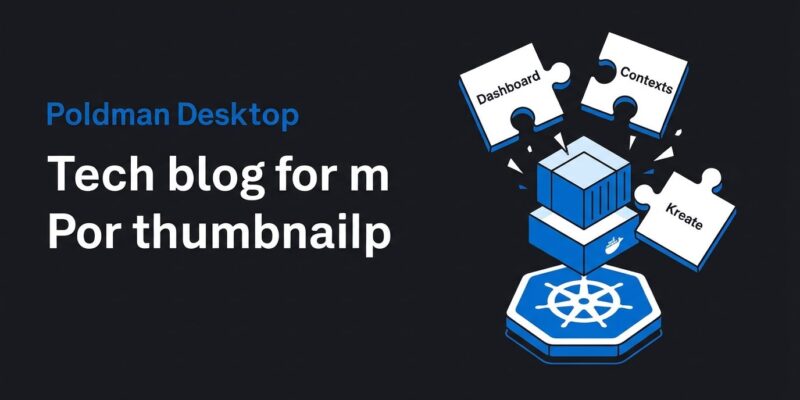
Podman Desktop pulled Kubernetes out of its own core yesterday. The new Kubernetes Extension Pack ships three independently-versioned extensions — Kubernetes Dashboard v0.6.0, Kubernetes Contexts v0.3.0, and Kreate v0.4.0 — and comes with an explicit message: the built-in Kubernetes tooling is now in maintenance mode. It will not receive new features and will be removed in a future release. If you run Kubernetes locally with Podman Desktop, install this pack.
The Built-ins Are Frozen
The built-in Kubernetes Dashboard and context management still work today, but the moment you install their extension counterparts, the built-ins are disabled. That is not a bug — it is the design. Podman Desktop is deliberately handing off control to extensions that can evolve and ship independently from the desktop app itself. The old built-ins will get no new features and will eventually be removed.
This matters for teams. If you are running Podman Desktop in a developer environment and have not yet installed the Extension Pack, your Kubernetes tooling is effectively frozen at whatever version the core shipped. The rest of this post covers what the new extensions add and why the architectural shift is worth caring about.
Kubernetes Dashboard v0.6.0: YAML, Logs, and Scaling
Three concrete improvements land in Dashboard v0.6.0:
Apply YAML directly from the UI. Each resource list page now has an Apply YAML button that opens a dedicated page where you can paste or upload a manifest and apply it to the cluster. This is the task developers kept reaching for kubectl to handle — now it lives in the GUI without a context switch.
Terminated container logs. Previously you could only view logs for running containers. v0.6.0 adds support for terminated container logs, with a configurable tail line count and the ability to unfollow the stream. This is genuinely useful for debugging crash loops without leaving Podman Desktop.
Deployment scaling from the UI. Select a Deployment and adjust the replica count directly. No more dropping to a terminal for quick scaling changes in local dev.
There is also a new extension API in this release. Kubernetes Dashboard now exposes Kubernetes resource data to other extensions, opening the door for third-party tools — monitoring dashboards, cost analyzers, security scanners — to consume cluster data without reinventing the connection layer.
Kreate v0.4.0: Any Resource Type, Not Just the Hardcoded List
Kreate is a template engine for Kubernetes resources: fill out a form, get YAML, apply to your cluster. The headline in v0.4.0 is Discovery API integration. Instead of a hardcoded list of resource types, Kreate now queries the cluster’s Discovery API to surface every resource type the cluster knows about — including Custom Resource Definitions. If your team runs Flux, Argo, or any CRD-heavy operator setup, Kreate now works with those resources instead of ignoring them. This version also adds namespaces, Jobs, and CronJobs to the template library.
Kubernetes Contexts v0.3.0: Protect Yourself from Yourself
The Contexts extension handles everything in your kubeconfig: list, select, duplicate, edit, import, and delete contexts. The practical addition in v0.3.0 is a confirmation dialog before deleting a context, with a specific warning if you are about to delete your currently active one. This sounds minor until you have accidentally nuked your production context from a local config — the kind of mistake that ruins a morning.
Why the Architectural Split Is the Right Move
The underlying story here is not the individual features — it is the release model. When Kubernetes tooling lives in Podman Desktop’s core, every fix or improvement waits for the next desktop release. Moving to extensions means Dashboard, Contexts, and Kreate can ship on their own cadence. Bugs get fixed faster. Features do not wait for a desktop-wide release cycle.
It also trims the core binary. Developers who use Podman Desktop purely for container management and never touch Kubernetes do not need to carry that code. The extension model is what VS Code got right, and Podman Desktop is applying the same logic to container and Kubernetes tooling.
How to Install
Open Podman Desktop, navigate to Extensions, open the Catalog, and search for Kubernetes Extension Pack. One click installs all three extensions. If you only want specific pieces — Dashboard without Kreate, for instance — each extension is available individually from the catalog. If you are already on Podman Desktop 1.30 (released October 14), you can install this today. Older versions: upgrade first.
Bottom Line
The built-in Kubernetes features are not disappearing today, but they are not getting better either. The Extension Pack delivers real improvements — Apply YAML, terminated container logs, deployment scaling, Discovery API for Kreate — and sets up Podman Desktop’s Kubernetes tooling for independent iteration going forward. Install it, verify your existing workflows, and move on.


