 By
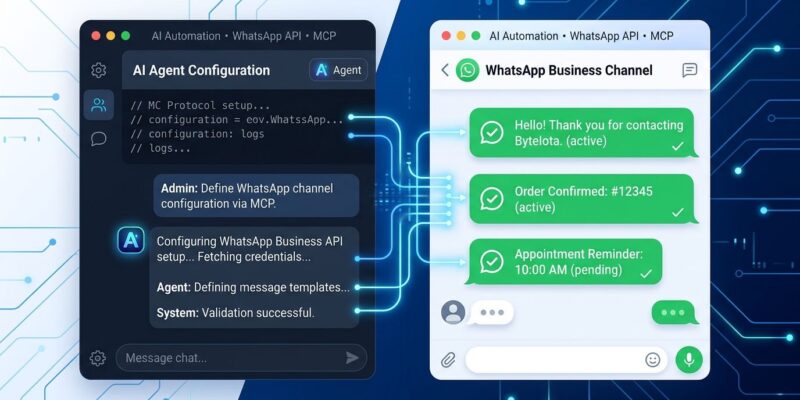
By Setting up a WhatsApp Business integration used to mean managing four open tabs at once: the Meta Developer Console, Business Manager, the API reference, and your code editor — manually copying tokens, chasing OTPs, and debugging phone number registration errors in between. On September 15, Meta shipped WhatsApp Business Tools MCP, a Model Context Protocol server that hands this entire sequence to an AI agent. You describe what you need. The agent runs the setup.
What WhatsApp Business Tools MCP Actually Does
The MCP server connects AI coding agents — Claude, Cursor, Codex, ChatGPT — directly to the WhatsApp Business Platform. Once connected, an agent can handle the full registration and configuration workflow:
- Create a WhatsApp Business Account
- Add a phone number and verify it via OTP
- Register the number for Cloud API access
- Check compliance prerequisites — Terms of Service acceptance, payment method, Business Verification status
- Create and edit messaging templates
- Test messages and webhooks
- Troubleshoot configuration errors
That is the entire pre-production setup flow for a WhatsApp Business API integration, handled in a single agent conversation. For anyone who has gone through this manually, the list above will look obvious in hindsight — which is the tell that it was overdue.
Authentication: What You Need Before You Start
The MCP uses Facebook Login for Business. Before executing any tool, the server validates three things: that you are an administrator of the Meta app, that it can identify the associated business account, and that the Terms of Service have been accepted. This is not a zero-friction entry point. You need an existing Meta Developer account with the appropriate admin role already in place.
If you are starting a new integration from scratch, you will need to create the app in Meta’s Developer Console first. The MCP takes over from there — account registration, phone verification, Cloud API registration, and template creation all happen through your agent of choice.
Use Both MCP Servers: WhatsApp + Social Technologies
Meta also offers a broader Social Technologies MCP — available for API discovery and documentation search across Meta’s developer platform. The two servers are designed to run together. The WhatsApp Business MCP handles account operations: registering numbers, managing templates, testing webhooks. The Social Technologies MCP handles investigation: searching documentation, discovering API endpoints, inspecting app configuration, and debugging permission errors.
In practice, when an agent hits an unexpected error during WhatsApp setup, switching to the Social Technologies MCP for documentation lookup and permission inspection is the right call. Meta describes the two as complementary, not overlapping.
The Caveat That Matters: Approval Is Still a Human Process
The MCP does not touch Meta’s App Review process. Moving from development to production — where you can onboard real customers, send real messages at scale, and use advanced permissions — still requires App Review approval. That process takes days to weeks depending on the use case, and no AI agent can shortcut it.
Meta has been explicit: this MCP targets development and testing workflows. The “boring parts” that are now automated are registration, configuration, and template creation. The production gate — App Review — remains a human process at Meta’s end. The approval bottleneck is unchanged.
This matters because the headline reads better than the reality. The configuration grunt work is genuinely gone. The approval wait is not. If your project is blocked on App Review, the MCP does not change your timeline.
The Pattern: Business APIs Going MCP-Native
WhatsApp Business Tools MCP did not arrive in isolation. Stripe runs an official MCP server at mcp.stripe.com. Shopify open-sourced its MCP toolkit in April. Docusign’s MCP server went GA last week. Every major business platform is now shipping an MCP layer so that developers can delegate API configuration to agents instead of learning a new portal UI for every integration.
The takeaway is not just that WhatsApp setup got easier. It is that the configuration layer for business APIs — always the most tedious part — is being systematically automated. The developer interface is moving from dashboards to conversations. With 284 million active WhatsApp Business accounts and roughly 5 million using the API tier, this MCP addresses one of the largest developer surfaces in business messaging.
What to Do Right Now
If you are building a WhatsApp Business integration, the setup workflow is now faster for the dev and test phases. Connect WhatsApp Business Tools MCP to your preferred agent, authenticate with Facebook Login for Business, and describe what you need. Run the Social Technologies MCP alongside it for documentation lookup and error diagnosis.
If you are evaluating whether to add WhatsApp as a customer communication channel, this lowers the experimentation cost. You can prototype a full dev setup in an afternoon instead of spending it navigating dashboards. If you are waiting on App Review, finish your templates while you wait — the MCP will handle that part quickly, at least.