 By
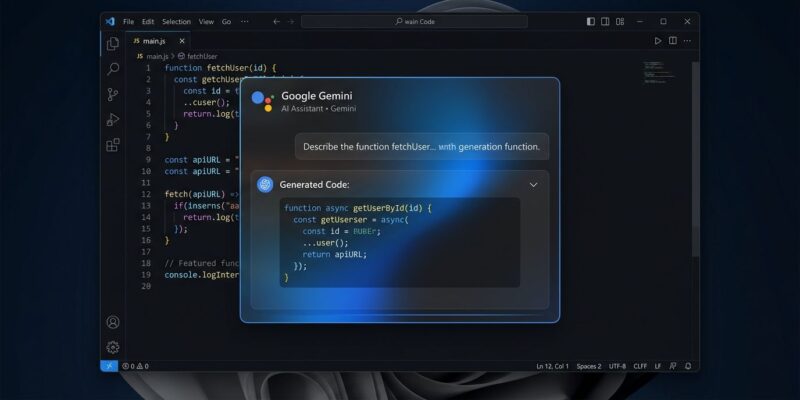
By Google shipped a native Gemini desktop app for Windows on September 10 — five months after the macOS version and, frankly, five months later than it needed to be. You install it, press Alt+Space from anywhere, and Gemini floats over whatever you have open. No browser, no tab switching, no losing your place. It connects to Gmail and Google Drive, generates images with Nano Banana, and runs on both x64 and ARM64. If that last part sounds like a description of Copilot, read on — because the comparison is exactly the point.
Install It in Under a Minute
The app is available at gemini.google/desktop for Windows 10 and 11. Requirements are minimal: 8 GB of RAM, 200 MB of free disk space, a stable internet connection. ARM64 is fully supported, so Snapdragon laptops work. The free tier is functional; the Pro tier at $19.99 per month unlocks Gemini Spark for long-horizon agentic tasks and Nano Banana Pro for higher-fidelity image generation.
Once installed, the app lives in the system tray. Press Alt+Space to summon the overlay. That is the main interaction loop.
What Actually Works
The Alt+Space overlay earns its billing. You can fact-check a paragraph in the document you have open, draft a reply, or brainstorm section titles — then dismiss the overlay and return to work without losing your cursor position. The shortcut is configurable if Alt+Space conflicts with another tool.
Speaking of conflicts: if you run PowerToys with FancyZones, AltSnap, or any window manager that claims Alt+Space, you will need to remap one of them before the shortcut works. One-time fix, but worth knowing before you install and wonder why nothing is happening.
Google Workspace integration is the second genuinely useful feature. Gemini can pull context from Gmail threads and Google Drive documents inside a single conversation — no copy-pasting. Ask it to draft a project summary from a specific email thread and a linked Drive doc. For teams already running on Google Workspace, this is the feature that makes the app worth keeping installed rather than just opening a tab.
Image generation is built in via Nano Banana (Gemini 3.1 Flash Image). Generate thumbnails, mockups, or presentation graphics directly from the app without switching tools. The Pro tier adds Nano Banana Pro (Gemini 3 Pro Image) for better fidelity, plus Gemini Omni for video generation.
The Gaps Developers Should Know
Here is the honest version: Copilot lives in Windows, and Gemini visits it. Copilot ships built into the taskbar, bound to the Windows key, with hooks into the File Explorer right-click menu. It installs with Windows 11 — no download required. Gemini arrives as an overlay app with a tray icon and a keyboard shortcut. That is the full extent of its operating-system footprint on day one.
The macOS version is further along. On Mac, Gemini integrates with Google Lens for on-screen context reading and supports real-time dictation via key hold. Neither feature is available in the Windows version at launch. Google’s own announcement describes Windows as “the beginning of Gemini app’s native desktop capabilities” — honest phrasing for a version one.
If you are primarily a Copilot user in VS Code, the overlap matters less. GitHub Copilot already routes through Gemini 3.6 Flash in some tiers, so you are getting Gemini model quality in your editor without a separate app. The standalone Gemini app adds value specifically for Workspace integration and media generation — not as a replacement for your coding assistant.
What to Do Now
Download from gemini.google/desktop. Remap Alt+Space if you run a window manager. Test the Gmail and Drive sync if your team is on Google Workspace — that is the most practical feature for developers right now. Hold off on Pro unless Nano Banana image generation is part of your current workflow; the free tier is enough to evaluate whether the overlay loop fits how you work.
The macOS feature gap will likely close in the next few months. For now, the app is a competent overlay assistant — just not quite as capable as its Mac counterpart yet, and not yet a first-class Windows citizen the way Copilot is.