
 By
By WordPress 7.1 shipped nine days ago. Editor coverage dominated the announcements: icon system updates, iframe improvements, admin screen changes. Meanwhile, the release that actually matters for developers working with AI integrations landed quietly in the changelog. The Abilities API — infrastructure since WordPress 6.9 — is now a toolkit. If you build plugins or connect AI agents to client sites, this is the 7.1 story worth reading.
What the Abilities API Does
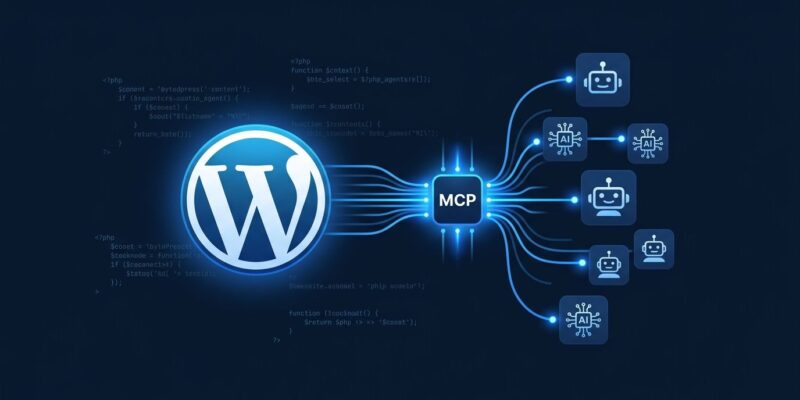
The Abilities API gives plugins a standardized way to declare what they can do. Instead of building ad-hoc REST endpoints or custom integrations, a plugin registers typed, permissioned actions — abilities — that describe their inputs and outputs in JSON Schema. External systems, including AI agents, can discover and invoke these abilities through the Model Context Protocol (MCP). Before 6.9, connecting an AI agent to WordPress meant building custom glue. Now it means registering an ability and flipping a flag.
What Changed in the WordPress 7.1 Abilities API
WordPress 7.1 adds five concrete improvements to the Abilities API, none of which are in any headline.
1. One Flag to Rule External Exposure
The biggest change is the simplest. A single meta.public boolean now governs whether an ability is visible to external clients — MCP adapters, REST consumers, AI agents. Previously, making an ability externally accessible required setting scattered channel-specific flags. Now: set meta.public to true and your ability appears in MCP discovery, the REST collection endpoint, and any AI client querying the site. One flag. One decision point. One place to audit.
There is a cost to acknowledge: every public ability is network-accessible. Core provides no rate limiting. Auth is the plugin’s job. Flipping that flag carelessly is a security decision, not just a feature toggle.
2. Lifecycle Hooks Around Every Invocation
Ability callbacks used to be black boxes. 7.1 wraps every invocation with a four-stage lifecycle: input normalisation, validation, before-callback, and after-callback filters. You can now intercept AI agent calls at any stage — enforce custom authorization policies, transform inputs before they hit your callback, short-circuit dangerous invocations, or post-process results. A subscription plugin can reject calls from unauthenticated MCP clients before the callback runs. An audit plugin can log every external invocation without touching the registered ability. This is the change that makes abilities policy-enforceable.
3. Filterable Discovery
wp_get_abilities() now accepts a $args array with namespace, category, and metadata filters. AND logic: an ability must match all criteria to appear. The REST collection endpoint mirrors these as query parameters:
GET /wp-json/wp-abilities/v1/abilities?namespace=woocommerce&meta[public]=trueAI agents can now request exactly what they need instead of fetching the entire registry and filtering client-side. This is how real MCP tool discovery is supposed to work.
4. Auto-Generated MCP-Compatible Schemas
The ability input/output schemas are now automatically prepared in a format MCP clients can consume without transformation. Previously, the MCP Adapter had to do schema translation work. Now abilities emit client-compatible JSON Schema directly. Less friction in the bridge, fewer edge cases at the protocol boundary.
5. Consistent REST Collection
The REST collection endpoint now delegates directly to wp_get_abilities() and exposes its filtering arguments as query parameters. The endpoint and the PHP API are consistent. Querying via REST or PHP gives the same result set with the same filter semantics.
Registering Your First Public Ability
Here is the minimal working pattern for a public ability in 7.1:
add_action( 'wp_abilities_api_init', function() {
    wp_register_ability( 'my-plugin/get-post-count', [
        'label'       => 'Get Published Post Count',
        'description' => 'Returns the number of published posts on this site',
        'category'    => 'content',
        'meta'        => [ 'public' => true ],
        'input_schema' => [
            'type'       => 'object',
            'properties' => [],
        ],
        'execute_callback' => function( $input ) {
            return [ 'count' => wp_count_posts()->publish ];
        },
    ] );
} );
Install the WordPress MCP Adapter, register the ability above, and any MCP client — Claude Code, Cursor, GitHub Copilot Agent — can discover and invoke it. The adapter converts public abilities into MCP tools automatically. Your site is now an MCP server. ByteIota covered the browser side of MCP earlier this week in WebMCP in Chrome 149 — this is the same protocol, now natively in your WordPress stack.
The Ecosystem Reality
The infrastructure is solid. The ecosystem is not there yet. The Abilities Directory lists 80+ plugins with registered abilities. WooCommerce and Jetpack are both on board. But most plugins are not. Major tracking plugins — the kind you probably have on every client site — have not adopted the API. The AI agent you connect will only see what’s registered. If your critical plugin hasn’t shipped ability support, you’re building on a partial picture.
This is not WordPress’s failure. The pattern is correct. Plugin authors haven’t caught up yet. Expect the gap to narrow over the next two release cycles as 7.1 becomes the adoption pressure point.
What to Do Now
Three concrete steps if you’re building AI integrations on WordPress:
- Update to 7.1. The lifecycle hooks and public flag are the foundation. You need them before anything else works.
- Audit your stack. Check the Abilities Directory against every plugin on your sites. Know the gaps before your AI agent does.
- Register your own abilities. If you maintain a plugin, this is the cycle to add ability registration. The MCP Adapter documentation covers the full bridge from ability to AI tool.
WordPress has had an AI strategy since 6.9. 7.1 is the first release where that strategy has enough API surface to build something real. The editor updates are fine. The Abilities API is the story.














