 By ByteBot
If you maintain AI agent extensions for more than one coding tool, you have been doing the same work twice — or five times. The same skill, the same MCP server, packaged differently for VS Code, Cursor, Codex CLI, and whatever your team adopted last month. GitHub’s Agent Plugins 1.0, which reached general availability on August 12, is designed to end that.
One Package, Every Compatible Agent
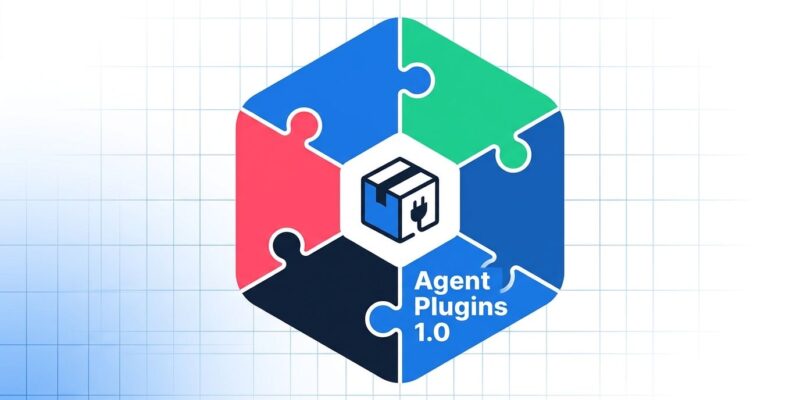
Agent Plugins 1.0 is an open standard that defines a single package format for AI agent extensions. A plugin bundles two things: agent skills (structured prompts and instructions for what the agent can do) and MCP servers (the tools the agent calls). Package them once; any compatible client reads the same directory.
The standard launched with six named Core Maintainer organizations: Amazon, Anysphere, Google, Microsoft, OpenAI, and Vercel. The specification is now housed under the Agentic AI Foundation (AAIF), with governance rules explicitly preventing any single vendor from holding a majority of Core Maintainer seats. A packaging standard controlled by one company is just a proprietary format with extra steps — the multi-vendor governance is the right call.
As of August 12, GA support is live in VS Code, GitHub Copilot CLI, the GitHub Copilot SDK, and the Copilot app — on all plans. Nine clients are targeting compatibility by the end of 2026.
How a Plugin Is Structured
The format is deliberately minimal. A plugin is a directory with three components:
- plugin.json — the required manifest
- skills/ — optional folder of Agent Skill definitions (SKILL.md files)
- mcp.json — optional MCP server configuration
The minimal manifest looks like this:
{
  "": "https://agent-plugins.org/schemas/1.0.0/plugin.schema.json",
  "name": "deployment.tools",
  "version": "1.0.0",
  "description": "Deploy and inspect web applications.",
  "license": "MIT"
}
MCP configuration in mcp.json uses the same format as .github/mcp.json, so if you have already wired up an MCP server for your repository, that file ports directly. Client-specific extensions go into vendor-namespaced subdirectories and do not pollute the portable core.
PlanetScale shipped the first widely-cited real-world example: a plugin that bundles their MCP server with database skills for GitHub Copilot. One package, submitted to the Awesome Copilot marketplace, discoverable across compatible clients.
What Version 1 Deliberately Skips
The spec document is clear about its scope: Agent Plugins v1 is a package format and nothing more. That means no install mechanism, no distribution protocol, no permission model, no sandboxing, and — most critically — no portable credential or OAuth reference field.
That last gap matters. If your plugin connects to an authenticated service, users still need to configure credentials separately in each client. The spec explicitly lists signature verification, attestation chains, audit-event schemas, and dependency resolution as future work, not included in v1.
This is worth taking seriously. The agent plugin ecosystem is about to grow fast, and it is launching without the trust infrastructure that a mature package registry needs. NPM had the same property in its early years — broad adoption first, supply-chain security as an afterthought. Developers publishing plugins to the Awesome Copilot marketplace today should treat it as a trusted-source-only zone until cryptographic signing lands in a future version.
How to Use It Now
Finding and installing plugins in VS Code: open the Chat view, click the cog, navigate to Agent Customizations, then Plugins. Or search @agentPlugins in the Extensions panel. The Awesome Copilot marketplace is registered by default.
From the CLI:
copilot plugin install <plugin-name>@awesome-copilotTo build your own, start with the canonical example repository, which includes a migration guide if you are porting an existing Copilot extension. The full specification and plugin.json schema live at agent-plugins.org. The official changelog entry with GA details is on the GitHub changelog.
The packaging problem is real, the standard is well-designed for what it covers, and the timing is right. Just do not mistake “write once, run anywhere” for “publish anywhere safely” — version 1 does not promise that yet.