 By ByteBot
Astro 7.0 shipped on June 22, and six weeks later, the real-world picture has come into focus: the build speed gains are genuine and free — a 743-page site dropped from 103 seconds to 47 seconds without a single code change — but the migration footguns are real too. If you use remark plugins, they may have quietly stopped working. If your project uses @astrojs/db, there is no drop-in replacement. This is what changed, what broke, and what to do about it.
Three Rust Rewrites, One Faster Build
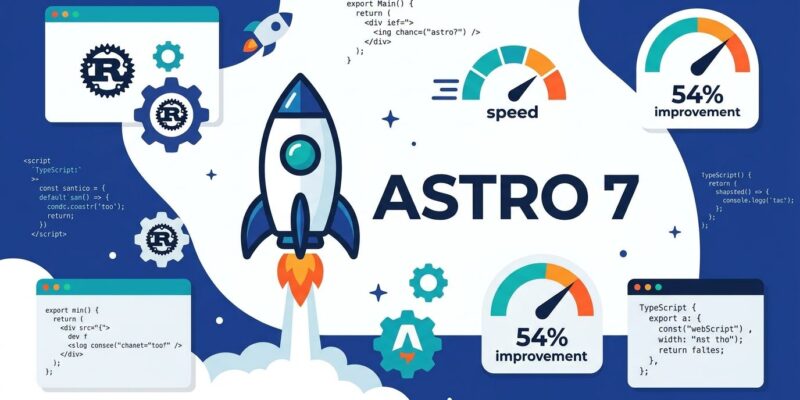
The performance story in Astro 7 is the product of three separate Rust rewrites landing at once. The .astro component compiler is now Rust-native. The Markdown and MDX processor — a new tool called Sätteri, built by Astro core team member Erika — runs in Rust. And the bundler upgraded to Vite 8, which ships Rolldown: a single Rust-based bundler that replaces the previous dual setup of esbuild for development and Rollup for production.
The result is 15–61% faster builds across Astro’s own benchmarks, with the biggest gains going to content-heavy sites where Markdown and .astro compilation make up most of build time. Sätteri alone shaved over a minute from both the Astro docs build and the Cloudflare docs build. An independent benchmark on a 743-page site showed build time drop from 103 seconds to 47 — a 54% reduction, overnight, with no changes to application code. That benchmark is worth reading if you want a concrete sense of what “61% faster” means in practice versus in a press release.
This is the strongest argument for upgrading: the performance is real, and you do not have to rewrite anything to get it.
The Main Footgun: Remark and Rehype Plugins Stopped Working
The most widely reported breakage after upgrading to Astro 7 is remark and rehype plugins silently stopping. This one is particularly bad because it does not throw an error — your site still builds, your posts still render, but the plugin effects vanish. Reading time estimates, table-of-contents generation, custom heading anchors, syntax highlighting extensions — all gone, no warnings.
The cause: Sätteri is not a remark/rehype wrapper. It is a separate Rust-native processor with its own plugin API. When Astro 7 makes Sätteri the default, it replaces the remark/rehype pipeline entirely. Your existing remarkPlugins and rehypePlugins config options are simply not passed to anything that knows what to do with them.
The fix is to install @astrojs/markdown-remark and set it explicitly as your Markdown processor:
npm install @astrojs/markdown-remark// astro.config.mjs
import { defineConfig } from 'astro/config';
import mdRemark from '@astrojs/markdown-remark';
export default defineConfig({
markdown: {
processor: mdRemark({
remarkPlugins: [remarkCodeTitle, remarkToc],
rehypePlugins: [rehypeSlug, rehypeAutolinkHeadings],
}),
},
});That restores your previous behavior. Check your content output carefully after upgrading — do not assume a clean build means a correct build.
The Harder Migration: @astrojs/db Is Gone
Astro DB was deprecated in version 6.4.5 and is now fully removed. There is no drop-in replacement. The official migration guide points to three paths:
- Node.js built-in SQLite (
node:sqlite, available since Node 22.5) — suitable for local or self-hosted deployments where a simple SQLite file is enough - Drizzle ORM + libsql or Turso — recommended for production; gives you a proper query builder and supports edge deployments
- Any other database library compatible with your deployment target
If you rely on Astro DB, Astro 7 is not a painless upgrade. Block time for a real database migration before bumping the version.
The Fear That Was Overblown: Strict HTML Parsing
The Rust compiler change that generated the most noise in the Hacker News discussion was strict HTML enforcement. The concern was that the new compiler would reject any unclosed tags — including HTML loaded from external sources via set:html.
The Astro team clarified this quickly: strict parsing only applies to your own .astro source files. Remote HTML rendered through set:html is passed through unchanged. If you pull content from a CMS and render it directly, you are not affected. The main impact is on developers with sloppy markup in their own component files — which the compiler will now refuse to auto-correct. That is arguably correct behavior.
Housekeeping Before You Upgrade
Two prerequisites and one config cleanup are required before running npx @astrojs/upgrade:
- Node.js 22 or higher. Run
node --versionto check. Node 18 and 20 are no longer supported. Update your CI environment and local tooling before touching your package.json. - Remove experimental flags from your config. If your
astro.config.mjsincludes any of the following underexperimental: {}, remove them — they now cause config errors:rustCompiler,queuedRendering,advancedRouting,cache,logger.
One quiet addition worth noting: Astro 7 ships first-class AI coding agent support. The dev server detects when tools like Claude Code or Cursor are driving it, switches to background mode automatically, and outputs structured JSON logs. There is also a /_astro/status health endpoint agents can poll. If you are building Astro sites with AI assistance — and you probably are — this is a genuine improvement.
Should You Upgrade Now?
For most Astro projects: yes. The performance gains are immediate and real, the breaking changes are manageable, and the upgrade path through npx @astrojs/upgrade handles the mechanical parts. Audit your remark and rehype plugins first, confirm you are on Node.js 22, and remove the old experimental flags.
If you use @astrojs/db: not yet. Plan the database migration separately, then upgrade. Trying to do both at once will make debugging harder than it needs to be.
The full Astro 7 release post has the complete changelog. The migration guide covers every breaking change with code examples. Start there.