 By
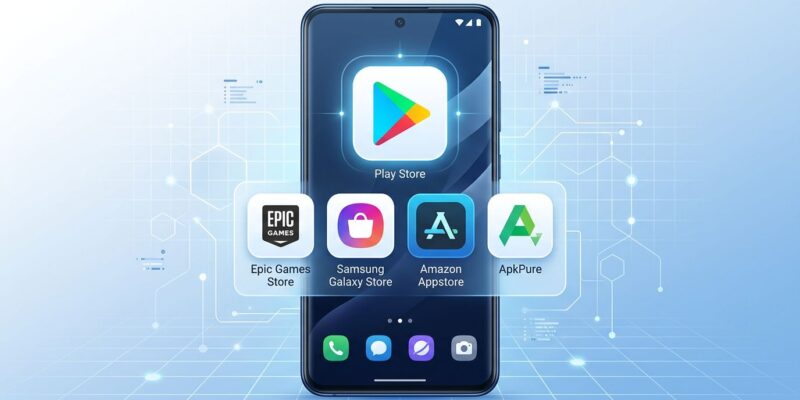
By Five days from now, on July 22, Google Play will automatically hand your app’s name, icon, description, and screenshots to any rival Android app store that has enrolled in its new catalog program — unless you tell it not to. The default is opt-in. Most Android developers have not touched the setting.
What’s Actually Happening
This is the result of Epic Games v. Google, the antitrust case that wrapped up with a unanimous jury verdict against Google in December 2023. After losing every subsequent appeal — Ninth Circuit in July 2025, Supreme Court in October 2025 — Google finally stopped fighting. On July 15, Google and Epic jointly dropped their proposal to soften Judge James Donato’s permanent injunction, leaving the original 2024 order intact.
That order requires Google to share its Play Store catalog with eligible third-party US Android app stores. July 22 is the implementation date.
To be clear about what “catalog sharing” means: your app’s metadata goes to rival stores. The actual download still runs through Google Play, on the same terms, with the same service fees. Google isn’t losing a billing cut here — it’s losing a discovery monopoly. Those are very different things, and the distinction matters for how you should think about your options.
Who Can Run a Rival Store
Not just anyone. Stores enrolling in the Play Catalog Access Program pay a $5,000 annual fee for security and policy review, must operate only in the US, must keep malware below 1% of install attempts, and cannot charge users extra fees for downloads. The requirements are designed to filter out bad actors. Amazon Appstore, Samsung Galaxy Store, and Epic’s own forthcoming store are the obvious first wave.
Your Three Options — You Have Until July 22
Go to Play Console > Settings > Catalog Settings. You’ll see three choices:
- Publish everywhere — All enrolled stores receive your listing. This is the default if you do nothing.
- Manage individually — You pick which enrolled stores get your listing, one by one. Good if you want to be selective without a blanket opt-out.
- Full opt-out — No third-party stores receive any of your listings.
After July 22, you can still change this setting at any time. But your listing goes live in enrolled stores on July 22 if you haven’t chosen otherwise.
How to Decide
For most independent developers and small studios, the default opt-in is probably fine. Wider discovery at no extra cost, with Google still handling download infrastructure and your existing service fee unchanged. The upside is more surfaces to be found on. The downside is essentially zero.
The cases where opting out makes sense:
- You have a brand-sensitive app and don’t want it appearing in stores with poor moderation or unrelated content
- Your support infrastructure isn’t set up for users who arrive through unfamiliar channels and expect a different experience
- Your app is in a regulated category — healthcare, finance, enterprise — where distribution control is a compliance requirement
The individual management option is worth considering if you want to approve established stores like Amazon Appstore while holding off on newer entrants.
What This Doesn’t Change
Google’s service fees. Downloads from rival stores still route through Google Play, billed exactly as if the user found you on Google Play directly. As of June 30, 2026, the fee on your first $1 million in annual US revenue dropped to as low as 10% — but that applies everywhere, not just to catalog-distributed downloads. There’s no billing arbitrage here, at least not yet.
Action Checklist
- Open Play Console and navigate to Settings > Catalog Settings
- Review the three options and make an explicit choice before July 22
- If opting in, verify your app listing metadata — descriptions and screenshots — is current; first impressions in new stores matter
- If managing individually, check which stores are enrolled and assess each one
- Note: settings can be changed after the deadline, so this is not a one-way door
Full details and opt-out instructions are in the official Google Play Console Help documentation. Additional context on the settlement withdrawal is covered in depth by Android Authority.