 By ByteBot
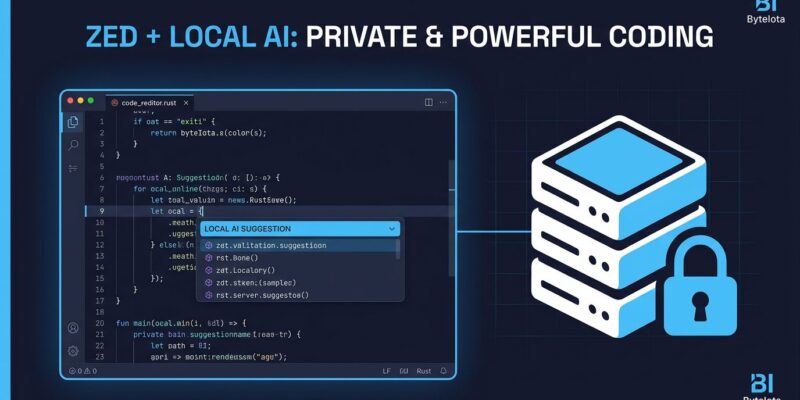
Zed 1.10 — released July 8 — adds llama.cpp as a native language model provider. That means Zed’s agent and inline assistant now run against local models without routing your code through any external server. Not zero-retention. Not “processed but not stored.” Local. This is the change developers at data-restricted companies have been waiting for since Zed introduced AI features.
What Changed
Until 1.10, Zed’s AI required a cloud API. Claude, OpenAI, Gemini — all useful, all involving a network call with your source code in the request body. Teams in regulated industries — finance, healthcare, defense contractors — were effectively locked out of Zed’s AI features unless they trusted provider contracts over technical enforcement.
llama.cpp closes that gap. Start a local inference server, point Zed at localhost:8080, and the agent runs on your hardware. Zed auto-discovers the model’s context length, tool-call support, and vision capabilities — no manual capability flag configuration unless you disable auto-discovery.
Setup in Three Steps
The fastest path is Ollama, which Zed already supported before 1.10. For direct llama.cpp, install the server, start it with your GGUF model, then configure Zed:
# Install llama.cpp
brew install llama.cpp

# Start the server with a local GGUF model
llama-server --model ~/models/llama-3.1-8b-q4.gguf \
  --port 8080 \
  --n-gpu-layers 99
Then add this block to your Zed settings.json:
{
  "language_models": {
    "llama.cpp": {
      "api_url": "http://localhost:8080",
      "auto_discover": true
    }
  }
}
Zed reads the server’s model list and surfaces them in the model selector. If your server requires authentication, set LLAMACPP_API_KEY in your environment. LM Studio and any other OpenAI-compatible server work the same way via the generic provider. Full setup docs are at zed.dev/docs/ai/use-a-local-model.
The Format-on-Save Change You Might Not Expect
The other significant change in 1.10 is less welcome if you haven’t read the changelog: format-on-save is now disabled by default for most languages. If your JavaScript or TypeScript files stopped auto-formatting on save after upgrading, this is why.
The rationale is sound. Zed was silently reformatting JS files on save — swapping quotes, inserting semicolons — in codebases where the team had never agreed to those conventions. Developers were committing unintended formatting changes. Making formatting opt-in for languages without a canonical formatter is the right call.
Rust, Go, and Zig keep format-on-save enabled by default — those communities have converged on rustfmt, gofmt, and zig fmt. JavaScript, TypeScript, C/C++, and Markdown do not. To restore the old behavior:
{
  "format_on_save": "on"
}
Set it globally or per-language. Check your settings before your next commit.
The Rest of 1.10
A few other changes worth knowing. LLM providers, external agents, and MCP servers now live in the unified settings editor rather than raw JSON, making model-switching discoverable. The git.inline_blame.location setting moves current-line blame to the status bar if inline blame clutters your view. There’s a new editor: select inside delimiters action for quickly grabbing content inside brackets or quotes, and Python semantic highlighting now works with the ty language server.
Local vs. Cloud: The Practical Split
Local models are slower per-token on most developer hardware and lag behind frontier models on complex reasoning tasks. That trade-off is real. But for editing code you already have open — inline completions, short refactors, function extraction — smaller models perform well. Llama 3.1 8B handles these tasks cleanly. You don’t need GPT-5.6 to rename a variable.
The case for local AI is not that it performs better. It’s that it’s good enough for editing tasks, and your code never leaves your machine. For teams where that constraint is non-negotiable, Zed 1.10 makes the editor a viable option where it wasn’t before. Read the Zed team’s post on local AI for more context on their approach.
Zed 1.10 is available now. Update through the app or download the 1.10.0 release from zed.dev.