 By
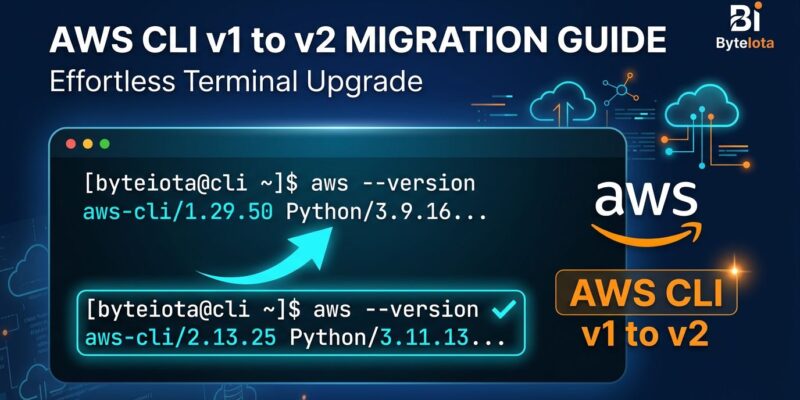
By AWS CLI v1 enters maintenance mode on July 15, 2026 — ten days from now. The tool does not stop working; your scripts keep running. But after July 15, AWS stops shipping new service APIs to v1. New AWS services launched after that date are unreachable from the v1 CLI, and no new regions will be added. It is a quiet dead end, not an explosion. The risk is that you will not notice the problem until a sprint depends on a service that v1 simply cannot reach.
Are You on v1?
One command settles it:
aws --versionIf the output starts with aws-cli/1., you have work to do before July 15. Version 2 outputs aws-cli/2.. Many environments quietly stayed on v1 because the tool worked and nobody touched it. CI/CD pipelines, shared developer machines, and long-running Docker images are the most common offenders. The official AWS announcement confirms the July 15 date and what changes.
The Three Breaking Changes That Will Actually Sting
AWS documented 16 breaking changes between v1 and v2. Most are obscure. Three will break real pipelines. The full list is in the official breaking changes reference.
1. The Pager Problem
AWS CLI v2 pipes all output through your OS pager — less on Linux and macOS, more on Windows — by default. In a terminal, that is fine. In a CI/CD script, your job hangs waiting for keyboard input that never comes. The fix is one environment variable:
export AWS_PAGER=""Set it in your pipeline environment or in ~/.aws/config with cli_pager = (empty value). This is the first thing to do after upgrading.
2. ECR Login Is Gone
The old ECR login command does not exist in v2:
# This breaks in v2 — remove it
$(aws ecr get-login --no-include-email)
Replace it with the v2 command, which is also more secure because the password never appears in the process list or shell history:
aws ecr get-login-password --region us-east-1 | docker login --username AWS --password-stdin 123456789.dkr.ecr.us-east-1.amazonaws.comThis change affects every Docker build pipeline that pushes to ECR. Search your CI configuration files for ecr get-login and replace all occurrences before July 15.
3. Binary Parameters Are Now Base64
AWS CLI v2 treats all binary input and output as base64-encoded blobs by default. If you pass raw binary data to commands like kms encrypt or lambda invoke, add this flag or set it globally:
# Per-command flag
--cli-binary-format raw-in-base64-out

# Or globally in ~/.aws/config
[default]
cli_binary_format = raw-in-base64-out
Two Migration Tools, One Recommendation
AWS ships two tools to find compatibility issues before you upgrade. The migration tool guide covers both in detail.
Upgrade debug mode is built into v1 versions 1.44.0 and higher. Set AWS_CLI_UPGRADE_DEBUG=1 and run your existing commands. It flags 15 of the 16 breaking changes with warnings in the output and suggests fixes. The catch: it requires executing actual commands, so it only detects problems in the environment where you run it.
AWS_CLI_UPGRADE_DEBUG=1 aws s3 ls my-bucketThe migration tool is a standalone Python linter that runs on bash scripts without needing AWS credentials. It detects 7 of 16 breaking changes but auto-fixes most of what it finds:
pip install awscli-migration-tool
migrate-aws-cli --script deploy.sh --output deploy_v2.sh --interactive
Use both. Run the migration tool first for quick automated fixes across all scripts. Then run upgrade debug mode in your actual pipeline environment to catch issues that static analysis misses.
CI/CD and Docker Specifics
GitHub Actions pipelines using aws-actions/configure-aws-credentials@v4 are already v2-native — no change needed there. What needs attention: any step that calls the AWS CLI directly. Check for hardcoded v1 commands in your workflow YAML files.
For Docker images: if you pull amazon/aws-cli:1.x, switch to amazon/aws-cli:latest or pin to a specific v2 tag. For Terraform pipelines using null_resource or local-exec to call the CLI, run those shell scripts through the migration tool before upgrading.
What You Actually Get With v2
The upgrade is not purely a compliance exercise. AWS CLI v2 ships features that v1 never got and never will get under maintenance mode:
- No system Python dependency. v2 bundles its own Python — no more version conflicts on shared machines or containers.
- Native IAM Identity Center login.
aws configure ssoandaws sso loginreplace long-lived access keys for teams using AWS IAM Identity Center. - Auto-prompt. Run
aws --cli-auto-promptfor interactive completion for commands, parameters, and resources. - CloudWatch log streaming.
aws logs tail my-log-group --followworks liketail -ffor CloudWatch. - YAML output. The
--output yamlflag produces human-readable output for quick inspection without a JMESPath query.
The Timeline
July 15, 2026: v1 enters maintenance mode — security patches only, no new services or regions.
July 15, 2027: v1 reaches end of support — no further updates of any kind.
You have ten days before the first deadline and a year before the absolute cutoff. The window is long enough that panic is unnecessary. But the ECR pipeline fix and the pager variable are five-minute changes. Do them now, because the day a new AWS service launches and your v1 script silently fails is not when you want to be reading the migration guide for the first time.