 By
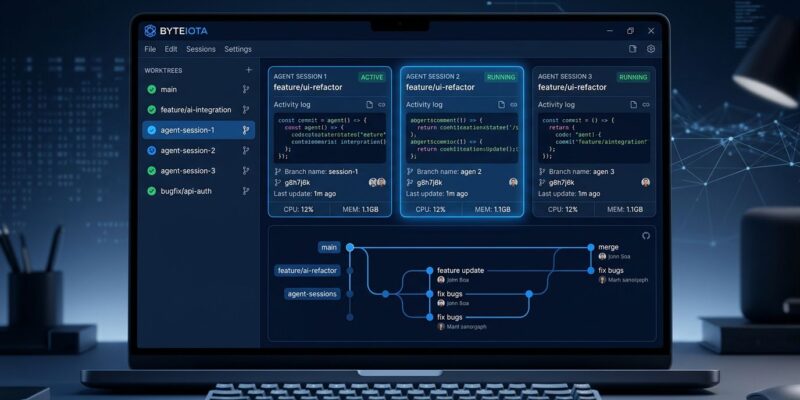
By GitHub’s Copilot App went generally available on June 17 — for Windows, macOS, and Linux — and it is not another chat interface bolted onto your IDE. It is a standalone desktop application that replaces the single-session, one-branch-at-a-time development workflow with parallel AI agent sessions, each running in an isolated git worktree. The mental model shift is deliberate: you are no longer writing code with an assistant at your side. You are dispatching agents, observing their work, and steering them toward a merge.
The app exists because the agentic turn in development created a new kind of chaos. Developers using Cursor, Claude Code, and Copilot simultaneously were losing track of what ran where, which branch held what, and which context window was actually up to date. The Copilot App is GitHub’s response to the sprawl it helped create. The GA announcement dropped on June 17.
Worktrees Are the Whole Point
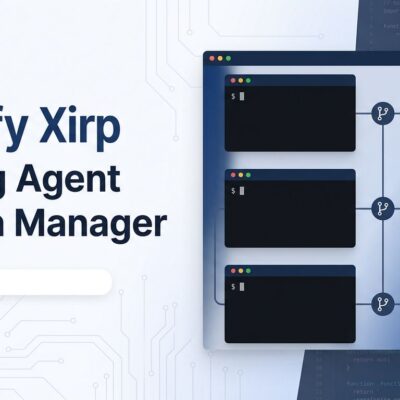
The technical foundation of the app is git worktrees, and this is worth understanding before anything else. A worktree is a separate working directory linked to your repository — you get all the files of a branch without touching your main checkout. The Copilot App creates and manages these automatically. You never run git worktree add yourself; the app handles it.
The practical result: you can run ten agent sessions against the same repository simultaneously and they will not conflict. No stashing. No branch switching mid-task. No agent overwriting another agent’s uncommitted changes. Each session lives in its own path, on its own branch, and the “My Work” dashboard tracks all of them in one view alongside open issues, pull requests, and scheduled automations.
Canvases Replace the Black Box
The old agentic experience was opaque: you gave the agent a task, it disappeared into its context window, and it surfaced a result you had to validate after the fact. Canvases change that. A canvas is a structured, interactive surface tied to whatever the agent is working on — a plan, a pull request, a terminal session, a release checklist, or a migration board. The agent updates it as it works. You can edit, reorder, approve, or redirect work directly on the same surface, mid-execution.
GitHub calls this “agent experience (AX)” — interfaces designed for humans and agents to operate together, not just for humans to consume agent output. The underlying mechanic is genuinely useful: you can see where the agent is going before it files the PR, and redirect it if it’s heading somewhere wrong. GitHub’s full breakdown of the agent-native desktop experience covers all canvas types in detail.
Cloud Automations: Agents Working While You Sleep
Cloud automations are the sleeper feature of this release. You can schedule Copilot’s cloud agent to run on an interval (hourly, daily, weekly) or trigger it on repository events like a new issue or an incoming pull request — and it runs in a cloud sandbox, not on your machine. Your laptop does not need to be open.
The use cases GitHub highlights: auto-label new issues by content, run nightly checks against main and open a draft fix PR if tests fail, and draft release notes on a schedule. Cloud automations shipped as a separate feature on June 2 and are now part of the GA app. For teams that currently use GitHub Actions for housekeeping, the question is whether a natural-language-configured automation is more reliable than the YAML workflow it replaces. That remains to be seen.
Agent Merge: Check Your Branch Protection Rules Now
Agent Merge lets the agent respond to reviewer comments, drive CI back to green, and merge the pull request once conditions you define are met. You set the threshold: address feedback only, fix CI, or merge when all checks pass and approvals are in.
Here is the governance issue you need to act on before enabling this. If your organization requires human approval before merging but relies on informal process rather than enforced branch protection rules, Agent Merge can bypass that requirement. It is not malicious — it follows the rules GitHub’s API exposes — but it will merge without a human sign-off if the API allows it. Audit your branch protection rules before turning Agent Merge on in any team environment. This is not optional.
The Billing Reality Check
GitHub moved all Copilot plans to usage-based pricing on June 1 — GitHub AI Credits replace flat-rate subscriptions. The numbers matter for agentic work: a single frontier-model session consuming 30,000 tokens can cost 30 to 40 credits. A $10/month Pro subscriber doing heavy agentic work can exhaust their monthly allowance in one afternoon. DevOps.com’s analysis covers the billing shift in context. The community response was blunt — close to 900 downvotes on the announcement thread, hundreds of comments about cost opacity.
Running parallel sessions through the Copilot App multiplies that burn rate. If you dispatch five simultaneous agents on a complex refactor, you are running five concurrent token streams. Know your plan’s credit allocation before you do it, and set spending caps if your plan supports them.
Why GitHub’s Moat Is Real
Cursor and Windsurf are the obvious comparisons, and both still edge ahead on multi-file architectural tasks where Copilot produces more errors. But neither can replicate what the Copilot App is actually selling: native integration with GitHub Issues, Actions, pull requests, and branch history. Agent Merge works because it has direct API access to the CI checks the PR requires. Cloud automations trigger on repo events because they live inside the platform. That closed loop is not something a third-party IDE extension can replicate.
The Copilot App is generally available now on all Copilot plans — the download is free, you pay in AI Credits per session. Start with one scheduled automation and a manual agent session before scaling to parallel workloads. And fix your branch protection rules first.