 By
By Zed is already the fastest code editor on the market — built in Rust, renders at 120 FPS, loads a 100k-line repo in under a second. So it is worth pausing on what version 1.6.3 just shipped: a toggle that makes your AI deliberately slower. That is not a bug. It is a philosophical bet on how developers actually work.
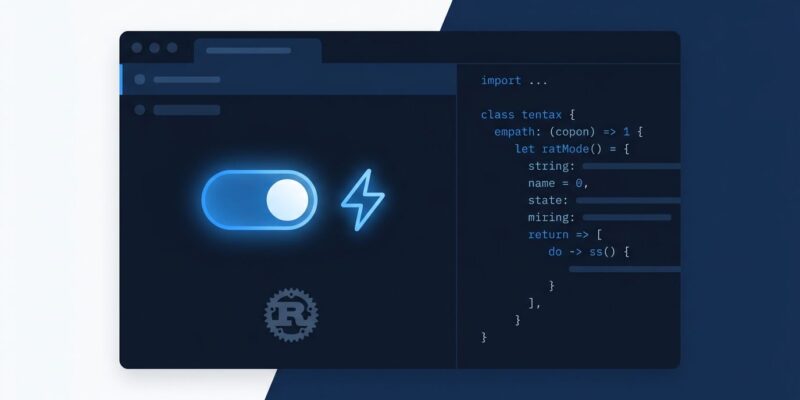
Fast Mode, now available to all users in 1.6.3, routes your Anthropic or OpenAI requests through priority service tiers — faster model responses at higher per-token cost. You decide per-session whether you want quick edits or deep reasoning. The default stays as-is; the toggle is yours to flip. Previously this was a staff-only feature. The June 10 stable release opens it to everyone.
Fast Mode: When You Want Speed More Than Smarts
The mechanics are straightforward. In the agent panel, a Fast Mode button routes Anthropic requests using the service_tier priority parameter; OpenAI requests map to service_tier: "priority". The trade-off is explicit: you pay more per token, even on the Pro plan. Not every model qualifies — nano variants, legacy GPT-4, and certain Anthropic plan tiers are excluded.
The use case is equally clear: routine refactors, quick variable renames, boilerplate generation. Tasks where you want the agent to act fast and not overthink. When you are architecting something consequential, flip it off. Zed is treating AI response speed as a mode, not a fixed property of the tool — and that is the right call.
Most editor companies pick a lane. Cursor optimizes for AI feature depth. VS Code optimizes for ecosystem breadth. Zed has always optimized for raw speed. Fast Mode is Zed acknowledging that speed sometimes means paying for priority — and giving developers the control to make that call rather than making it for them.
Terminal Sandboxing: Least Privilege Finally Lands in Your Editor
The more quietly important feature in 1.6.3 is the terminal sandboxing overhaul. Previously, when an agent needed to run a command that touched the filesystem, it could ask for full write access. That is an uncomfortable amount of trust to extend to any automated process.
The new system is granular. Agents request specific paths via fs_write_paths rather than asking for the whole filesystem. You can grant access for a single command or for the entire conversation thread. Temporary files now persist across commands in the same thread, which eliminates a common friction point where agents would fail mid-task because earlier files disappeared. The escape hatch — allow_fs_write_all: true — still exists for cases where paths cannot be enumerated up front.
This is the right model. As AI agents become more capable, the question of what they are allowed to touch becomes more consequential. Granular permissions are not just a security feature — they are a trust model. You know exactly what the agent changed and why. The underlying PR shows the level of care that went into the implementation.
Shareable Skills: Solving the Team Context Problem
If you have used Zed’s Skills system — the successor to Rules, introduced in v1.4.0 — you have probably run into the distribution problem. A skill is a Markdown file that gives your AI agent project context, similar to CLAUDE.md or .cursorrules. Sharing one with your team used to mean committing files, managing paths, or copying raw Markdown.
Version 1.6.3 adds shareable skill links. In the Skills settings page, click the link icon on any skill row to copy a zed://skill?data=… URL to your clipboard. The link is self-contained — it embeds the full skill content as base64url-encoded Markdown. The recipient opens it and Zed’s Skill Creator launches with the content pre-filled. No file sharing, no registry, no version control overhead for the skill itself. Symlinked global skill directories also now load correctly.
Git Improvements Worth Noting
1.6.3 rounds out with meaningful Git workflow improvements. You can now open a Git diff for a single file in its own dedicated tab from the Git panel — previously everything lived in a shared project diff view. Split diff mode arrives in the commit history view, giving you the side-by-side comparison that heavy reviewers expect. Line count stats now format large numbers with thousand separators and reflect actual patch sizes. Remote provider icons were added for Bitbucket, Codeberg, Forgejo, Gitea, and GitLab, signaling that Zed is actively expanding beyond GitHub-centric workflows.
Where Zed Stands Now
Zed dropped its Pro plan from $20 to $10 per month in May 2026. The free tier offers 2,000 edit predictions per month plus unlimited access with your own API keys. The $10 Pro tier adds unlimited predictions and $5 in monthly token credits. That pricing now competes directly with Cursor’s entry tier.
The feature gap between Zed and Cursor has not closed — Cursor still leads on parallel agents, VS Code extension compatibility, and AI feature maturity. But for developers who want the fastest editor on the market, native multiplayer, and an open-source foundation, 1.6.3 gives them a few more reasons to stay or switch. Fast Mode in particular is a feature Cursor does not have — and it is the kind of control that experienced developers actually want.
If you are already on Zed, update now. If you have been Cursor-curious about Zed, this is a reasonable moment to run the free trial. The editor has always been fast. It is getting smarter about when fast matters.