 By ByteBot
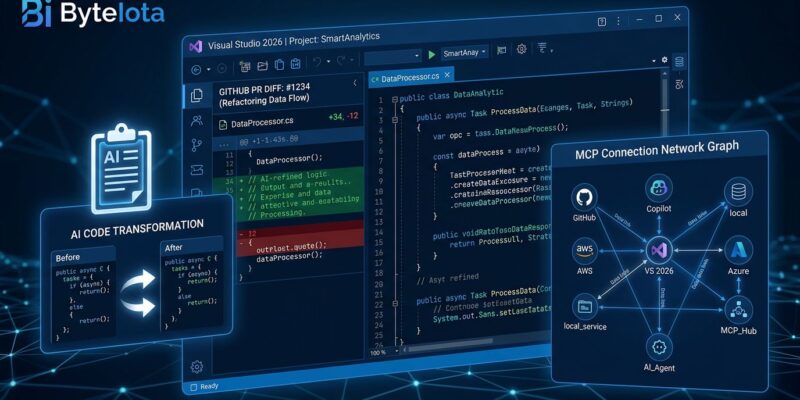
Visual Studio 2026 version 18.7.0 shipped June 9, and the headline is something the .NET community has been requesting for years: native pull request review without leaving the IDE. No browser context switch, no GitHub.com tab. Open the PR, read the diff, comment inline, close the review — all in the same window where you write the code. That’s the big one. But 18.7 also brings Adaptive Paste, which uses AI to rewrite clipboard code to match your project’s conventions, and MCP server trust validation, a new security checkpoint that matters now that Copilot agents are connecting to external tools.
Pull Request Review, Finally In the IDE
JetBrains Rider has had native GitHub pull request review since 2020. Visual Studio developers have been asking for it since at least 2021. It has arrived in version 18.7.
The experience is what you’d expect: open a PR from the Git tooling panel, view the diff, leave inline comments, respond to reviewer feedback, mark threads resolved. All of it in Visual Studio, with no browser required. The context-switching cost — close VS, open browser, find the right PR, leave a comment, go back to VS, remember what you were doing — is gone.
To be fair about what’s missing: comment filtering and a PR activity timeline are not in 18.7. Microsoft has flagged both as planned for a future update. GitHub Enterprise support is also not here yet. What’s in 18.7 is functional and useful, just not complete. The community reaction has been a measured “finally” rather than genuine excitement — which is the appropriate response when a feature arrives four years after a direct competitor shipped it. You can follow along with the full release notes on Microsoft Learn.
Adaptive Paste: The Feature You’ll Actually Use Every Day
Pull request review is the marquee item, but Adaptive Paste will have more daily impact for most developers.
The workflow: paste code with Ctrl+V as usual, then press Tab to accept an Adaptive Paste suggestion. You can also trigger it directly with Alt+Shift+V. When Visual Studio detects that the pasted code uses different naming conventions, a different language, or mismatched style, it rewrites the snippet to match your project before inserting it. A Python snippet converts to C#. camelCase becomes PascalCase. Missing namespaces get added. API calls update to your project’s SDK version. A diff preview shows what changed before you accept.
// Pasted (Python-style, camelCase)
def parse_config(file_path):
    config_data = {}
    return config_data

// After Adaptive Paste — converted to C# with PascalCase
private Dictionary<string, string> ParseConfig(string filePath)
{
    var configData = new Dictionary<string, string>();
    return configData;
}
The experience is deliberately non-intrusive. Adaptive Paste only activates when VS detects a meaningful mismatch — not on every paste. You see the suggestion, you decide. The manual cleanup step that follows every paste from Stack Overflow or an LLM is significantly reduced. Developer feedback from Insider previews reported saving two to three minutes per hour on reference-heavy work, which compounds fast over a full workday.
MCP Trust Validation: Security Catches Up to Agents
Model Context Protocol servers are how Copilot agents connect to external tools — build systems, databases, documentation wikis, CI/CD pipelines. As that surface area grows, so does the attack surface. Version 18.7 adds a two-checkpoint trust validation layer before any agent connects to an MCP server.
- Configuration trust (pre-startup): Before the server process starts, VS compares the current configuration against the last-approved baseline. Changes trigger a review dialog.
- Asset trust (post-startup): After the server loads its tool manifests and prompts, VS compares asset fingerprints against the last-trusted state and surfaces any divergence.
First connection to a server is implicitly trusted — no dialog, baseline saved. From that point, any modification to configuration or assets triggers a review. Org admins can configure GitHub-level allowlists restricting which MCP servers Visual Studio can connect to. The setting lives at Tools → Options → GitHub → Copilot → Copilot Chat. For teams using the Azure MCP Server (now built into VS 2026), this validation applies to that server as well.
This feature is not glamorous, but it matters. If you’re running AI agents that call external tools, MCP servers are a plausible attack vector — supply chain compromise, config drift, malicious server injection. Trust validation is the IDE-level defense. It’s good that it’s enabled by default. The official MCP Servers documentation covers the full configuration reference.
What Else Landed in 18.7
Two smaller additions round out the release. Theme color customization now lets you edit any Fluent UI color token directly in the IDE without an extension — useful if you’ve ever wanted your shell chrome to look less like every other VS installation. The IDE also auto-switches between your selected Light and Dark themes when your Windows system theme changes. Both were long-overdue.
Long-distance next edit suggestions extend Copilot’s prediction capability to non-adjacent code locations. Rename a method, and VS now proactively highlights likely downstream edits across the file — even when they’re not near your cursor. Useful for refactoring work.
Should You Upgrade?
If you’re already on Visual Studio 2026, 18.7 is a straightforward update — pull request review and MCP trust validation alone justify it for teams using GitHub and agentic Copilot workflows. If you’re still on Visual Studio 2022, the performance baseline in VS 2026 (faster solution load, less memory, fewer UI hangs) combined with 18.7’s workflow improvements make the upgrade argument stronger than it’s been in any previous release cycle. C# 14 and .NET 10 don’t backport. The Neowin coverage has a solid breakdown of the PR review feature for those on the fence.