 By ByteBot
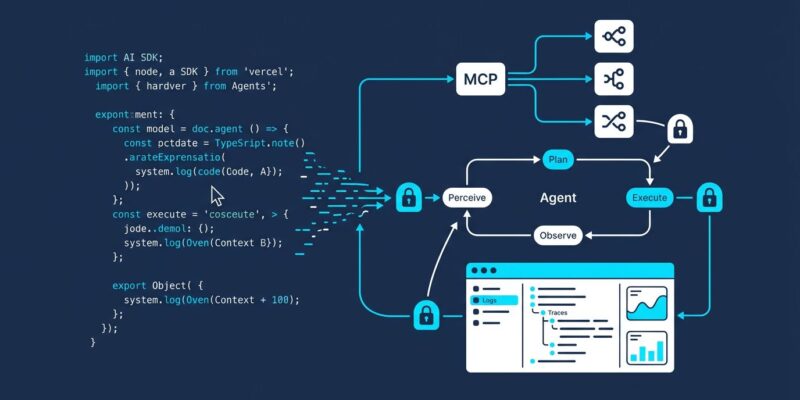
Vercel shipped AI SDK 6 on May 15 and solved the biggest friction in TypeScript agent development: you no longer write a tool loop. The new ToolLoopAgent class handles the full execution cycle — LLM call, tool execution, result injection, repeat — while first-class MCP integration, human-in-the-loop approval, and a local DevTools UI fill the gaps that made SDK 5 feel more like scaffolding than a framework. If you are still on AI SDK 5, here is what changed, why it matters, and what to watch when you upgrade.
The Agent Abstraction: Define Once, Use Everywhere
The core shift in SDK 6 is the ToolLoopAgent class. Before this, every TypeScript developer building a multi-step agent wrote the same boilerplate: submit prompt, handle tool calls, append results to context, re-submit, repeat until done. That loop is now the SDK’s problem, not yours.
import { ToolLoopAgent } from 'ai';
import { openai } from '@ai-sdk/openai';
import { z } from 'zod';

const agent = new ToolLoopAgent({
  model: openai('gpt-4o'),
  instructions: 'You are a research assistant. Be concise.',
  tools: {
    search: {
      description: 'Search the web for information',
      parameters: z.object({ query: z.string() }),
      execute: async ({ query }) => fetchSearchResults(query),
    },
  },
});

const result = await agent.generate({
  prompt: 'Summarize the latest AI SDK 6 release notes',
});
console.log(result.text);
The agent runs up to 20 steps by default. It calls the model, executes any requested tools, adds results to the conversation, and repeats until the model returns a final text response. No custom history management. No retry scaffolding. You define the tools and let the loop run.
Streaming works the same way: swap agent.generate() for agent.stream() and pipe the result into a Next.js route handler or server action.
MCP: Connect Any Tool Server in Five Lines
AI SDK 6 ships first-class Model Context Protocol support. Connect any MCP-compliant server and its tools are automatically discovered and typed — no manual schema definitions required.
import { experimental_createMCPClient as createMCPClient } from 'ai';

const mcpClient = await createMCPClient({
  transport: { type: 'sse', url: 'https://your-mcp-server.com/sse' },
});

const tools = await mcpClient.tools();

const agent = new ToolLoopAgent({
  model: openai('gpt-4o'),
  instructions: 'Use available tools to complete tasks.',
  tools,
});
MCP is fast becoming the standard for agent tool interoperability — Anthropic, Microsoft, and Google have all aligned around it. Any shared MCP tooling in the ecosystem (databases, APIs, observability platforms) plugs directly into your TypeScript agent without custom adapters. For projects that want explicit TypeScript types over auto-discovery, you can still define schemas manually; the SDK supports both approaches.
DevTools: The Missing Debugger for AI Agents
Debugging multi-step agents was painful before SDK 6. The canonical approach was adding console.log calls after every step and sifting through terminal output to reconstruct what happened. That approach scales poorly at two steps and becomes unmanageable at ten.
SDK 6 ships a local DevTools UI. Launch it with:
npx @ai-sdk/devtoolsOpen http://localhost:4983 and you get full visibility into every agent run: input prompts, model outputs, tool calls and their results, token usage, response timing, and raw provider requests. Multi-step runs are grouped so you can trace the reasoning chain at a glance.
One hard constraint: DevTools is development-only. It stores run data locally in .devtools/generations.json. Do not enable it in production or on any system handling sensitive data. The SDK team has a production-safe observability pipeline on the roadmap, but that is not what ships today.
Human-in-the-Loop: Gate Dangerous Tool Calls
Agents that touch production systems need a safety layer. SDK 6 adds needsApproval directly to tool definitions, pausing the agent loop until a human approves or rejects the action.
const agent = new ToolLoopAgent({
  model: openai('gpt-4o'),
  tools: {
    deleteRecord: {
      description: 'Permanently delete a database record',
      parameters: z.object({ id: z.string() }),
      needsApproval: true, // always requires human approval
      execute: async ({ id }) => db.delete(id),
    },
    processPayment: {
      description: 'Process a customer payment',
      parameters: z.object({ amount: z.number() }),
      needsApproval: async ({ amount }) => amount > 1000, // conditional
      execute: async ({ amount }) => stripe.charge(amount),
    },
  },
});
Approval can be static (always require review) or conditional based on tool inputs. Payments under $1,000 run automatically; larger amounts wait for a human decision. This pattern makes it practical to deploy agents that interact with billing systems, databases, or infrastructure without turning your on-call rotation into a full-time babysitter.
Unified Structured Output
generateObject and streamObject are deprecated in v6. Structured output now lives in generateText and streamText via the output parameter, letting you combine tool calling and typed output in a single function call:
const result = await generateText({
  model: openai('gpt-4o'),
  tools: { search: searchTool },
  output: z.object({
    summary: z.string(),
    sources: z.array(z.string()),
  }),
  prompt: 'Find and summarize three recent papers on transformer efficiency',
});

console.log(result.object.summary);
console.log(result.object.sources);
Note: structured output counts as an additional step in the execution flow. If you have tight maxSteps limits, adjust them to account for the extra generation pass at the end.
Migrating from AI SDK 5
Most apps can migrate with the official codemod:
npx @ai-sdk/codemod v6Three breaking changes to verify manually after running it:
- Provider imports changed:
ai/openaiis now@ai-sdk/openai. The codemod handles this, but check any custom provider wrappers. - StreamingTextResponse removed: Replace with the
toDataStreamResponse()method fromstreamText. - isToolUIPart renamed: Now
isStaticToolUIPart;isToolUIParthas a different meaning in v6.
The official migration guide covers edge cases around Yarn PNP and custom bundler configurations that the codemod cannot resolve automatically.
Who Should Upgrade Now
If you are building new agents, start on SDK 6. The ToolLoopAgent abstraction alone saves meaningful development time, and MCP support positions you correctly for where the TypeScript agent ecosystem is heading.
If you have a production SDK 5 app with heavy use of generateObject, schedule the migration rather than rushing it. The deprecation warnings are live but the functions still work — you have time to do it cleanly. The full SDK 6 changelog and the ToolLoopAgent API reference are the two tabs worth having open while you work through the upgrade.