 By
By GitHub expanded the Copilot desktop app to all Pro, Pro+, Business, and Enterprise subscribers on June 2 — no waitlist, just download. This is not the IDE extension getting a facelift. It is a separate application designed from the ground up as a control center for agent sessions, and it ships three features that are genuinely different from what the rest of the AI coding tool market has built: canvases, Agent Merge, and scheduled cloud automations.
Canvases Are Not Chat
Every other agentic coding tool is, at its core, a chat interface with file-editing capabilities bolted on. You ask something, the agent responds, changes happen somewhere in your repo, and context accumulates in a scrollable transcript you will absolutely stop reading after session three.
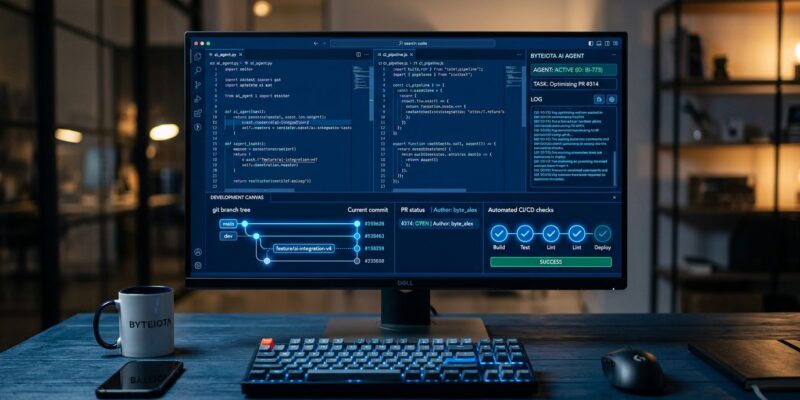
Canvases work differently. A canvas is a bidirectional work surface — not a log of what happened. The agent updates it as it works; you edit, reorder, approve, or redirect work directly on that same surface. A canvas can represent a plan, a pull request, a terminal session, a deployment state, or a workflow. GitHub calls this the beginning of “agent experience (AX),” and that framing is accurate.
The shift matters because agent state was always invisible before. You had to read the transcript, infer what the agent thought it was doing, and hope its mental model matched yours. Canvases make the agent’s working state a first-class object you can inspect and interrupt. As the GitHub blog put it: “Progress is no longer buried in a transcript. It is visible as changes to the work object itself.”
Parallel Sessions Without Branch Collision
Each session the app creates runs in its own isolated git worktree — a real copy of your branch, not a shared working directory. Parallel agents can work on independent tasks simultaneously without touching each other’s changes. The app handles all the worktree bookkeeping: creation, cleanup, branch management. You don’t touch it.
The My Work dashboard is the unified view: active sessions, open issues, in-flight PRs, and background automations across every connected repo. Start a session from an issue, an existing PR, a freeform prompt, or a previous session. The workflow of kicking off three agents on three independent bugs and checking back in 20 minutes is no longer theoretical — it is exactly what the app is designed for.
Agent Merge: The Feature That Actually Closes the Loop
The part of any agentic coding workflow that breaks down fastest is the last 20 percent: the agent writes the code, opens a PR, and then the process stalls because a human has to babysit CI, respond to reviewer comments, and eventually click merge. Agent Merge is GitHub’s answer to that.
Configure how far it goes: fix CI failures, address review feedback, or merge automatically when all conditions are satisfied. It monitors checks, tracks required approvals, and waits. Critically, PRs created by an agent still require independent human approval — whoever assigned the task cannot approve their own agent’s PR. That constraint is good policy, not a limitation.
The sensible use cases right now: documentation updates, small test fixes, release note cleanup, narrow dependency bumps. Avoid it for authentication changes, billing logic, database migrations, or anything security-sensitive. Agent Merge is most valuable for exactly the work developers procrastinate on — the boring, clearly-approved PR that sits at “LGTM” for three days because nobody wants to click the button.
Cloud Automations: Your Agent Without Your Laptop
The most underreported feature in the launch. Cloud automations let you schedule agent tasks to run on an interval — hourly, daily, weekly — or trigger them on GitHub events: a new issue opened, a PR submitted. The agent runs in an ephemeral cloud sandbox, does the work, and leaves comments or opens issues. Your machine does not need to be on.
When an agent triages new issues and drafts first-pass responses every morning, that is a categorically different tool than a chat assistant. This is the feature to watch as it matures.
The Honest Limit: Context Window
The Copilot app does not fix Copilot’s longstanding context window limitation. Session isolation and canvases are agent-orchestration improvements; they do not expand how much of the codebase the model sees at once. For complex cross-file refactors or deep architectural debugging, Cursor’s project indexing or Claude Code’s 200K-token context still have the edge. The Copilot app is the right tool for repo management, PR orchestration, and scheduled automation — not for the exploratory, multi-file work where context depth matters most.
How to Get It
Download the Copilot app for Windows, macOS, or Linux from the GitHub blog announcement. Any existing Copilot subscription covers access. The expanded preview went live June 2; the changelog entry has the direct download links. Start with a single session on a real issue rather than a toy example — that is the fastest way to form an honest opinion of whether canvases and Agent Merge change your workflow or just add steps to it.