 By
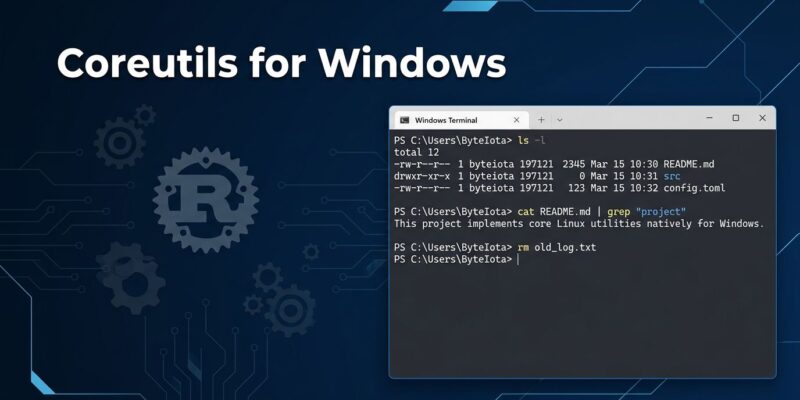
By Microsoft just shipped 75+ native Linux commands to Windows. No WSL. No Git Bash. No Cygwin. One WinGet command and you have ls, grep, cat, find, rm, and dozens more running natively in CMD and PowerShell. Announced at Build 2026 and generally available right now, Coreutils for Windows is built on uutils — a cross-platform Rust reimplementation of GNU coreutils. This is not a compatibility shim. It is a real binary.
Install It Now
One command:
winget install Microsoft.CoreutilsThat is it. If you prefer an MSI or a direct download, x64 and ARM64 builds are available on GitHub (microsoft/coreutils). Official documentation lives at Microsoft Learn.
What You Actually Get
More than 75 commands: ls, grep, cat, cp, mv, rm, find, wc, sort, head, tail, xargs, tee, date, du, df, cut, tr, uniq, diff, basename, dirname, ln, mktemp, touch, stat, seq, printf, and more. The package bundles uutils/coreutils together with findutils and grep into a single multi-call binary.
A few commands are conspicuously absent: chmod, chown, kill, timeout, chroot. These depend on POSIX permission and process models that Windows does not implement in a compatible way. That is an honest omission, not a lazy one.
How It Works Under the Hood
Installation drops a single coreutils.exe at C:\Program Files\coreutils\, then creates NTFS hardlinks — ls.exe, cat.exe, rm.exe — all pointing to that same binary. When you call ls, Windows loads coreutils.exe and it reads its own filename to determine which utility to run. This is the same multicall binary pattern that BusyBox has used in embedded Linux for decades. It works cleanly and keeps the install footprint minimal.
Shell completions are generated for PowerShell, bash, fish, and zsh — tab completion works out of the box.
Know Before You Deploy: The PATH Problem
Here is the part that will bite you if you skip it. PowerShell has built-in aliases: ls maps to Get-ChildItem, cat maps to Get-Content. By default, those aliases win. The coreutils version of ls will not run in PowerShell unless you call it by full path or restructure your alias table and PATH order.
There are also edge cases around line endings (CRLF vs LF) that affect pattern matching — specifically $ anchors and exact byte counts in tools like wc. Most of the time this is transparent. In scripts that depend on precise output, test first. Microsoft’s own documentation is clear: verify against your scripts before committing to production use.
The Bigger Picture
Coreutils for Windows does not replace WSL. WSL gives you a full Linux kernel, real filesystem semantics, and the ability to run unmodified Linux binaries. Coreutils gives you the commands. They solve different problems.
But together they form a coherent story. Microsoft also announced WSL Containers at Build 2026: a built-in way to run Linux containers on Windows without Docker Desktop, using a new wslc.exe CLI. That is still coming to public preview. Coreutils is already here. The direction is clear: Microsoft is methodically building the full Linux developer stack into Windows itself, piece by piece.
The Register put it well: Microsoft’s Build 2026 developer story is “not a surrender to Linux so much as an admission that developer platforms now win by absorbing the workflows developers already trust.” That is the accurate read. Microsoft is not competing with Linux anymore. It is making Linux developers feel at home on Windows.
Verdict
Coreutils for Windows is genuinely good news for Windows developers who learned their craft on Linux or macOS. The Rust/uutils foundation gives it technical credibility — this is a serious project with near-complete GNU compatibility, not a quick port. The WinGet delivery makes adoption frictionless.
The PATH conflict issue is real but manageable. The missing POSIX commands are honest omissions. The line-ending edge cases are well-documented.
Install it. Use it on your personal machine first. Then decide whether to deploy it into your team’s scripts. It has earned a place in the Windows developer toolkit — just not unconditional trust in production pipelines yet.