 By ByteBot
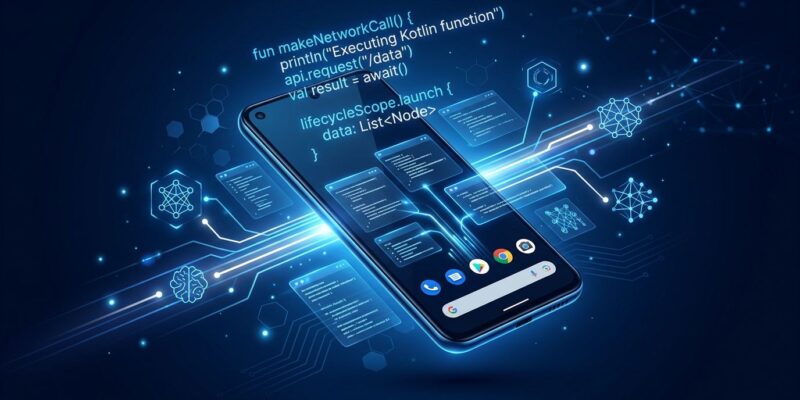
Google just made every Android app callable by AI agents — and it runs entirely on the device. AppFunctions, now a stable Android platform API shipping to the existing Android install base via Play Services, lets you annotate Kotlin functions so Gemini can discover and invoke them at runtime. No server. No network round-trip. No screen scraping. Samsung is already shipping it on the Galaxy S26. The Early Access Program for Gemini integration is open. If you haven’t looked at this yet, you’re already behind.
This Is MCP — Except It Never Leaves the Phone
The framing most coverage misses: AppFunctions is architecturally identical to the Model Context Protocol (MCP), except execution never touches a remote server. With cloud MCP, your user’s data leaves their device — it traverses your server, the agent runtime, and comes back. With AppFunctions, Gemini discovers your function, invokes it, and the entire interaction runs locally. No data exfiltration path exists by design, not by policy. That distinction matters enormously for healthcare apps, fintech, enterprise CRM, or anything that has ever failed a security review because “the data goes to the cloud.”
The architecture is clean: your app extends AppFunctionService, declares a service in the manifest with the BIND_APP_FUNCTION_SERVICE permission (so only the OS can bind to it, not arbitrary apps), and annotates Kotlin functions with @AppFunction. The KSP compiler generates the schema. Gemini reads the KDoc, understands what your function does, and calls it when appropriate.
The Part Everyone Gets Wrong: It’s Not Android 16 Only
Most coverage says AppFunctions requires Android 16. That’s incomplete. Google added AppFunctions to Google Play Services in the May 2026 system update. Play Services reaches the existing Android installed base — not just new Android 16 devices. This changes the ROI calculation entirely. You’re building for essentially every modern Android phone your users already carry, not a small slice of new flagship hardware.
How to Expose Your First AppFunction (10 Lines of Kotlin)
The implementation is low-friction. Add three dependencies and a KSP plugin to your build.gradle.kts:
dependencies {
    implementation("androidx.appfunctions:appfunctions:1.0.0-alpha09")
    implementation("androidx.appfunctions:appfunctions-service:1.0.0-alpha09")
    ksp("androidx.appfunctions:appfunctions-compiler:1.0.0-alpha09")
}

ksp {
    arg("appfunctions:aggregateAppFunctions", "true")
}
Then annotate your functions. The KDoc becomes the agent’s schema — write it like you’re documenting a public API, because you are:
/**
 * Edits an existing note.
 * @param noteId The unique ID of the note to edit.
 * @param title Optional new title for the note.
 * @param content Optional new content body for the note.
 * @return The updated Note, or null if not found.
 */
@AppFunction(isDescribedByKDoc = true)
suspend fun editNote(
    appFunctionContext: AppFunctionContext,
    noteId: String,
    title: String?,
    content: String?
): Note?
Declare the service in AndroidManifest.xml:
<service
    android:name=".MyAppFunctionService"
    android:permission="android.permission.BIND_APP_FUNCTION_SERVICE">
    <intent-filter>
        <action android:name="android.app.appfunctions.AppFunctionService" />
    </intent-filter>
</service>
If you want to ship the schema without enabling live invocation — useful while the integration is behind a feature flag — set isEnabled = false on the annotation. The function won’t be callable until you flip it.
Production Proof: Samsung Is Already Shipping This
AppFunctions isn’t experimental in the sense of “wait two years.” Samsung shipped it on the Galaxy S26 with One UI 8.5. Gemini on the S26 can search Samsung Gallery by natural language, order food via Uber Eats from a voice prompt, and chain functions across Calendar, Notes, and Tasks simultaneously. The Uber Eats demo — “order a spicy chicken sandwich from Popeye’s” triggering the full checkout flow in the background — is a clear signal that this is production-grade capability, not a tech demo. Multi-app orchestration is live: Gemini coordinates functions across separate apps in a single user request.
What’s Still Missing
The Jetpack library is alpha. Gemini integration is private preview. The enterprise enforcement story is thin: a user confirmation dialog is currently the only guardrail between an agent and executing your function. There is no policy engine for defining what agents are permitted to do, enforced mechanically — a real criticism in the developer community for regulated use cases. Gemini is also currently the only supported caller; no open agent framework can invoke AppFunctions yet.
None of these gaps change the calculus on starting now. The Early Access Program lets you register for Gemini integration before stable launch. Apps that ship AppFunctions integrations first show up in Gemini results; apps that wait are invisible to AI agents at exactly the moment users want them.
What to Do Right Now
- Add the three
androidx.appfunctionsdependencies to an existing Android project and annotate one function — the compile step alone shows how lightweight the integration is. - Register for the AppFunctions Early Access Program to get Gemini integration at launch.
- Check the official AppFunctions samples repo for patterns across Calendar, Notes, and Media use cases.
- Read the Google I/O 2026 Android AI overview for the full platform roadmap.
The platform API is stable. Play Services backport is live. Samsung has shipped it. The only question is whether your app answers when a user asks Gemini to do something your app does — or whether a competitor’s app answers that request instead.