 By
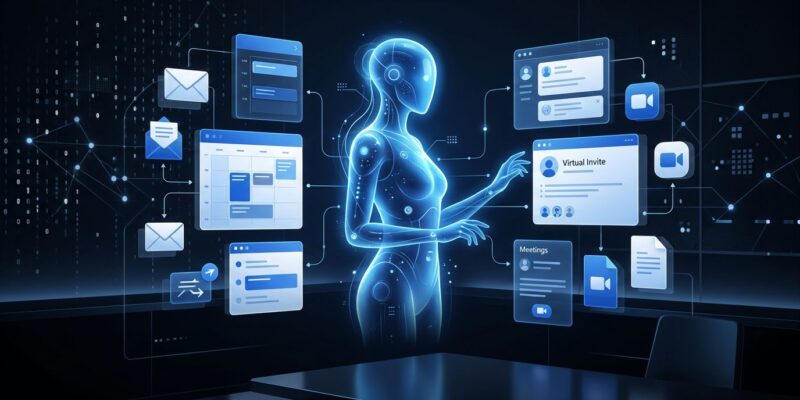
By Microsoft shipped a new category of AI agent at Build 2026, and it does something none of its Copilot products have done before: it doesn’t wait to be asked. Scout, the company’s first “Autopilot,” runs continuously in the background with its own identity, scheduling meetings, blocking your calendar for upcoming deadlines, and flagging stalled decisions before they become your problem. This is not a Copilot upgrade. It is a different model of what an AI agent can be.
A New Tier Above Copilot
Microsoft now has three distinct categories of Copilot-adjacent agents. Agent Mode is interactive — you prompt it inside Word or Excel and it responds. Copilot Cowork handles specific tasks when asked. Autopilots, the new tier Scout belongs to, run continuously with their own identity and take action proactively, without waiting for input each time.
That last point is the meaningful one. Scout is designed to be a background worker, not a foreground assistant. It integrates with Teams, Outlook, OneDrive, and SharePoint, pulling from your email, chats, calendar, and contacts through a layer Microsoft calls Work IQ. From that context, it builds a working model of how your organization actually operates — and then acts on it.
What It Does in Practice
Scout’s concrete capabilities at launch:
- Schedules and flags meetings across time zones
- Automatically blocks focus time for upcoming deliverables
- Surfaces stalled decisions before they escalate
- Generates meeting prep materials
- Supports Model Context Protocol (MCP) servers for external tool integration
The MCP support is the detail developers will care about most. Scout can connect to external tools and services through MCP servers, meaning organizations can extend it beyond Microsoft’s native integrations.
The Security Architecture Is Actually Thoughtful
Microsoft made smart choices in how Scout handles identity. Rather than running under a shared service account — the lazy approach that makes audits a nightmare — each Scout instance gets its own governed Entra identity. Every action is attributable. Task-scoped credentials are protected end-to-end and redacted from logs automatically. Microsoft Purview policies, sensitivity labels, and DLP rules apply in real time before Scout takes action. For sensitive operations, administrators can require explicit human sign-off.
This matters because an always-on agent with access to your organizational data is, by definition, a privileged entity. Microsoft at least designed the identity model to reflect that reality. Full technical requirements are available in the Microsoft Scout admin access documentation.
The OpenClaw Problem
Here is the thing that gives enterprise security teams pause: Scout is built on OpenClaw, the open-source agentic framework that has had a rough 2026. OpenClaw has amassed over 135,000 GitHub stars and become one of the fastest-growing repositories in the platform’s history. It has also accumulated a serious set of documented vulnerabilities.
Researchers disclosed four chainable flaws — collectively called “Claw Chain” — with CVSS scores of 9.6, 8.8, 7.8, and 7.7. The critical one enables sandbox escape and backdoor placement. The chain as a whole can expose credentials, escalate privileges, and read sensitive files. Security vendors including CrowdStrike have flagged that each step of the chain looks like normal agent behavior to traditional controls — making detection difficult.
Worth noting: Microsoft’s own security blog, in February 2026, recommended that OpenClaw be deployed only in fully isolated environments if organizations choose to evaluate it at all. Four months later, Microsoft is shipping an enterprise product built on that same framework. Microsoft says Scout’s Entra identity model and Purview integration address these risks. Security teams will want to validate that claim independently before handing Scout access to sensitive data.
Getting Access Today
Scout is not broadly available. To access the private preview:
- Enroll your organization in Microsoft’s Frontier program via the Microsoft 365 admin center
- Configure an Intune policy and complete admin attestation
- Ensure users have active GitHub Copilot Business or Enterprise licenses
No general availability date has been announced. Given the OpenClaw security landscape, that timeline may depend on how quickly Microsoft can demonstrate its enterprise hardening holds up to scrutiny.
The Bigger Picture
The Autopilot category is the right direction. Agents that wait for prompts are a transitional technology; agents that understand context and act on it continuously are the actual destination. Scout’s identity model and compliance integration show Microsoft understands what enterprise adoption actually requires.
The OpenClaw dependency, though, is a credibility problem Microsoft needs to close before IT teams will hand Scout real credentials at scale. The architecture is sound. The foundation needs more confidence behind it.