 By ByteBot
VS Code 1.122 shipped May 28 with one change enterprise developers have been waiting for: BYOK — Bring Your Own Key — now works without a GitHub sign-in. You can wire up Anthropic, Ollama, Azure, or any OpenAI-compatible endpoint directly from the Command Palette and use AI chat in VS Code with zero authentication to GitHub. For air-gapped teams and compliance-heavy environments, this removes the last blocker.
BYOK Without the Auth Tax
BYOK first landed in October 2025 and went generally available in April 2026, but it came with a catch: you still had to authenticate with a GitHub account before custom API keys would work. That made BYOK useless in exactly the environments where it mattered most — air-gapped infrastructure, regulated industries, corporate networks that block GitHub OAuth.
In 1.122, that requirement is gone. Run Chat: Manage Language Models from the Command Palette, select a provider, add your API key, and VS Code’s chat and agent features become available — no GitHub account touched. Supported providers include Anthropic, Azure OpenAI, Gemini, OpenAI, Ollama, OpenRouter, and a new Custom Endpoint option that works with any Chat Completions, Responses, or Messages-compatible API.
One honest limitation: inline suggestions (the ghost-text completions while you type) still require a GitHub sign-in. BYOK covers chat and agentic workflows, not code completions. If you want Copilot-style tab completions from a local model, you still need a third-party extension. But for chat-driven development — the way most developers actually use AI in their editors now — BYOK offline is enough.
Running Ollama Locally in VS Code: 4 Steps
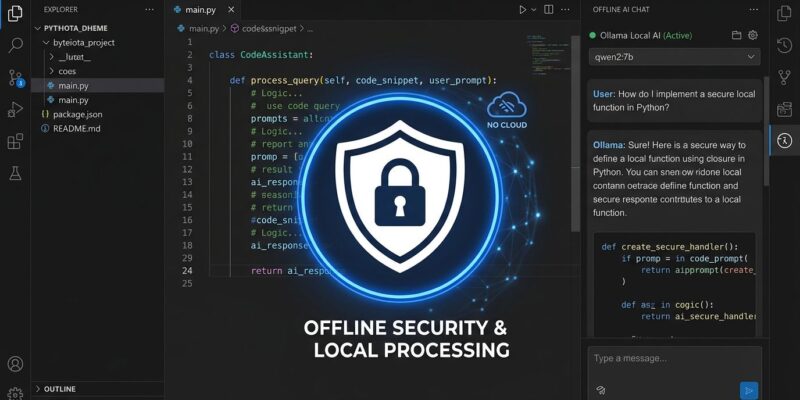
The most useful offline configuration is Ollama, which runs open models like Qwen2.5-Coder, Llama 3, or Mistral entirely on your machine. Once a model is downloaded, VS Code’s AI chat works with zero internet dependency.
- Install Ollama and pull a model:
ollama pull qwen2.5-coder:14b - Open VS Code → Command Palette (Cmd/Ctrl+Shift+P) → Chat: Manage Language Models
- Select Ollama → set API base to
http://127.0.0.1:11434 - Start chatting — no GitHub sign-in, no subscription, no outbound data
Hardware minimum is 16 GB RAM and a modern CPU. No dedicated GPU is required for 7B models at Q4 quantization, though inference is noticeably slower on CPU-only setups. A 14B model is practical on a 2024-or-newer MacBook Pro or a Snapdragon X Elite laptop.
Browser Device Emulation, Finally Built In
The integrated browser in VS Code now includes device emulation — screen sizes, mobile and touch input, custom user agents — without needing an external extension. Open the emulation toolbar from the overflow menu in any browser tab. There is also a new Add Screenshot to Chat action that attaches the current browser viewport as context for AI-assisted UI debugging. That last feature is quietly useful: instead of describing a layout bug, you paste the screenshot and ask the AI what is wrong.
Agent Sessions Get Better Observability
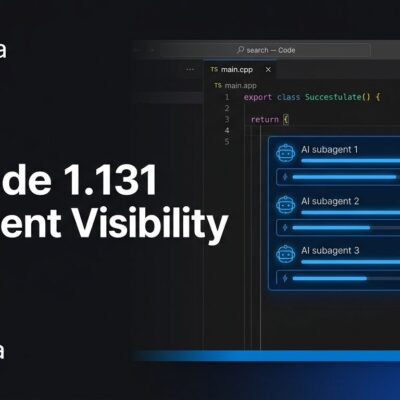
Two smaller but meaningful improvements landed for developers working with VS Code’s Agents window. Session hover now surfaces the session title, harness type, project, worktree, and files changed without requiring you to open the session. And agent sessions — including the local agent, Copilot CLI background agent, and Claude agent — now emit OpenTelemetry traces and metrics following the GenAI semantic conventions. New signals add repository context, agent type, structured tool parameters, and hook outcomes. For teams already shipping OTel pipelines, agent activity is now observable alongside the rest of your infrastructure.
The Bigger Picture
The GitHub auth requirement for BYOK was always a design smell. “Bring your own key” should mean exactly that — no third-party authentication required. Microsoft has fixed it, and the timing is right. Local AI workflows are becoming a real choice, not a curiosity, as hardware catches up with model sizes and compliance requirements make cloud-based AI assistants harder to justify in regulated environments.
Among major editors, VS Code now has the strongest offline AI story. Cursor and Warp both still require account authentication for AI features. The Language Model Chat Provider API that shipped alongside this change makes the ecosystem extensible: any provider can now contribute their models via a VS Code extension, rather than waiting for Microsoft to add official support. That is the right architecture for a tool with 99 million monthly users and a fragmented AI provider landscape.
The full release notes are at the VS Code blog. Update through the built-in updater or download from code.visualstudio.com.