 By
By Anthropic shipped Claude Code Dynamic Workflows on May 28 alongside Claude Opus 4.8 — and the story is not that Claude got faster. The story is that Anthropic moved orchestration logic out of the model’s context window and into a JavaScript script Claude writes on the fly. That single architectural change is what turns a 500-agent codebase migration from a memory-management nightmare into a predictable background task.
The Problem With the Old Approach
Before dynamic workflows, Claude Code’s multi-agent pattern worked turn by turn. Every intermediate result from every subagent accumulated in the context window. That accumulation was the binding constraint: once the window filled, the run was over. You could work around it with custom orchestration scripts, but that meant maintaining infrastructure to do what the tool itself should handle.
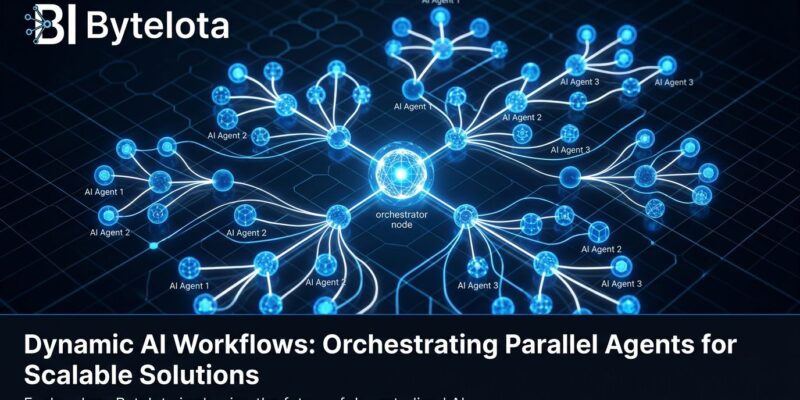
Dynamic workflows solve this at the architecture level. The orchestration plan — the loop, the branching logic, the intermediate state — moves out of Claude’s context and into a JavaScript script that a separate runtime executes in the background. Claude’s context window holds only the final answer. The rest lives in script variables, where it belongs.
How It Works
The activation is intentionally simple: include the word “workflow” in a prompt, and Claude Code automatically highlights it and generates an orchestration script for that task. No special syntax, no YAML config.
The execution model runs like this: Claude writes a JavaScript script from your prompt, breaks the task into subtasks, fans them across parallel subagents, runs adversarial agents to challenge findings, and iterates until answers converge. Results appear in the chat. Everything else runs in the background.
Hard limits: 16 agents run concurrently at most (calibrated to local machine resources), and each execution caps at 1,000 total agents. Requires Claude Code v2.1.154 or later. Full details in the official dynamic workflows documentation.
The Bun Port: What 750,000 Lines in 11 Days Actually Looks Like
Jarred Sumner, the creator of Bun, used dynamic workflows to port the Bun runtime from Zig to Rust. The result: approximately 750,000 lines of Rust, eleven days from first commit to merge, 99.8% of the existing test suite still passing.
The workflow structure was three-phase: one pass mapped correct Rust lifetimes for every struct field in the Zig codebase, a second pass wrote each .rs file as a behavior-identical port of its .zig counterpart with hundreds of agents running in parallel and two reviewer agents per file, then a fix loop drove the build and test suite until both ran clean. The context window played no part in tracking state across thousands of files — the script did that.
That is the right use case for dynamic workflows: a migration you would never attempt manually in a reasonable timeframe, where correctness matters enough to justify adversarial review on every file.
Claude Opus 4.8: What Shipped With It
Dynamic workflows run on Claude Opus 4.8, which Anthropic also shipped on May 28 — 41 days after Opus 4.7. The headline benchmark: 88.6% on SWE-bench Verified and 69.2% on SWE-bench Pro, beating GPT-5.5 by 10.6 points on the harder benchmark. Standard pricing holds at $5/$25 per million tokens. Fast mode is now 3x cheaper: $10/$50 per million tokens instead of the previous $30/$150, which matters at the throughput levels workflows generate. See the full TechCrunch breakdown of Opus 4.8 for the complete benchmark comparison.
Plan Availability and the Cost Reality
Dynamic workflows are on by default for Max, Team, and API users. Pro plan users must enable them manually in /config. Enterprise defaults to off — admins enable through managed settings.
The token cost is real. One Max plan subscriber ($200/month) reported burning 20% of their weekly token limit on a single day-one workflow run. The community rule of thumb that emerged quickly: dynamic workflows are the right tool for large migrations, repo-wide security audits, and any task where you need adversarial checking built into the execution. They are the wrong tool for anything an engineer could finish in an afternoon. The cost of spinning up a 200-agent swarm to rename a package does not pencil out.
Anthropic’s framing — “quarter-long work in days” — is accurate for the right tasks. The question is identifying which tasks those are before you start the run.
The Shift That Matters
Claude Code launched thirteen months ago as an AI pair programmer. Dynamic workflows position it as something closer to an AI engineering department: you write the spec, set the constraints, and review the output. Hundreds of agents handle the execution in parallel. The shift from “AI that helps me write code” to “AI that executes large-scale engineering work on my behalf” has been coming since multi-agent orchestration became practical. This is the clearest implementation of it yet.
For developers already on Max or Team plans, dynamic workflows are live today — enable them from the official Claude announcement. For Pro plan users, the toggle is in /config. For everyone: pick the right task before you hit run.