 By
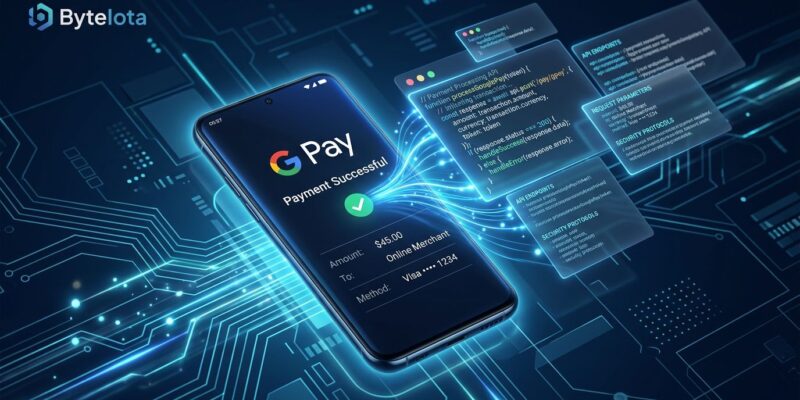
By Google launched the Pay & Wallet Developer MCP server on May 27, now in public preview. The server gives AI coding tools — Claude, Cursor, VS Code Copilot — live access to Google Pay documentation, merchant account status, integration health metrics, and Google Wallet pass management, all from inside your agent context. The tab-switching between docs, the Pay Console, and your IDE is, in theory, over.
What the MCP Server Does
The server lives at https://paydeveloper.googleapis.com/mcp and exposes four tool categories.
- search_documentation — RAG-powered queries over the live Google Pay and Wallet docs. Ask your agent how to handle tokenized card declines and get a code sample pulled from current documentation, not training data from 2024.
- manage_integrations — Check integration status, fetch your merchant ID, create new merchant accounts, and register Google Pay API integrations without leaving your IDE.
- Performance monitoring — Surface error codes, trends, and key metrics for your integrations. If your checkout failure rate spiked overnight, your agent can surface the pattern before you open the console.
- Wallet passes — List pass issuers and classes for Google Wallet loyalty cards, tickets, boarding passes, and coupons.
The Wallet passes tool gets overlooked in the coverage. Google Wallet pass management via MCP means an AI agent can help you debug a broken loyalty card class or identify which pass issuers are active — directly from the chat window.
How to Connect It
Authentication is OAuth 2.0 only — no API keys. The client type depends on your tool. For Claude, Claude Code, ChatGPT, and Antigravity, create a Web application OAuth client. For Gemini CLI and VS Code, create a Desktop app client. Both paths start at Google API Console > Google Auth Platform > Clients > Create client.
For VS Code, add this to your .vscode/mcp.json:
{
  "servers": {
    "google-pay-wallet": {
      "url": "https://paydeveloper.googleapis.com/mcp"
    }
  }
}
After saving, your AI assistant prompts for the OAuth client ID and secret, opens a browser auth dialog, and connects. The whole flow takes about three minutes if your OAuth client is already configured. The official setup guide covers each IDE in detail.
Why search_documentation Is More Useful Than It Looks
Most Google Pay integration errors do not come from not understanding the architecture. They come from stale code samples, deprecated parameters, and PSP-specific configurations that diverge from what the general docs describe.
Training data has a cutoff. The Google Pay API has gone through multiple token handling changes and documentation restructures. An AI assistant answering from 2024 training data gives you plausible-looking code that fails in specific edge cases. The search_documentation tool queries live, current documentation via RAG and returns grounded answers — meaningfully different from asking Claude or Copilot directly. Google is explicit about the goal: accelerate time to first transaction. The MCP server does not simplify the payment flow. It makes the documentation findable.
What This Server Is Not
The framing matters. The Google Pay Developer MCP server helps developers build payment integrations — it does not execute payments, access customer payment methods, or move money. Alipay launched an MCP server in April 2026 that does the opposite: it lets AI agents initiate actual payments, subscriptions, and refunds based on natural language commands. That is a different product category and a different risk profile.
The server accesses aggregated performance metrics and configuration data. No transaction records, no card numbers, no PII. If you are evaluating whether to connect your AI assistant to payment infrastructure, the scope here is narrow — treat it as giving your agent read access to your Google Pay Console, plus the ability to register new integrations.
Public Preview Caveats
This is public preview. No SLA, breaking changes are possible, and GA is scheduled for later in 2026. A few practical notes before you connect it:
- Connect a non-production merchant account first. The server accesses real account data.
- No dedicated sandbox mode is mentioned in the current documentation.
- AI-generated integration code from
search_documentationneeds human review before production. It is better than stale training data, but not a replacement for testing. - Scope your OAuth credentials narrowly — do not grant more permissions than the tools you need.
Where This Fits
Google now has 50+ managed MCP servers across GA and preview, covering AlloyDB, BigQuery, Workspace apps, and now Google Pay. The pattern is consistent: Google manages the infrastructure, developers connect their agent of choice, authentication goes through Cloud IAM.
The payment developer MCP is part of a broader industry move toward payment infrastructure as an AI-accessible layer. Alipay’s agent payment service hit 100 million users and 120 million transactions per week by February 2026. The tooling is catching up to that scale. Google’s entry — cautious, developer-tool-first, not agent-execution — is the version enterprises will actually deploy. You can read the full MCP reference for the complete tool schema.