 By
By Google’s Jules coding agent picked up something genuinely useful this week: a Gemini CLI extension that lets developers dispatch async coding tasks directly from the terminal using a /jules command. If you haven’t been following Jules, this is a good moment to pay attention — it’s one of the few AI coding tools that isn’t just a smarter autocomplete.
What Jules Actually Does
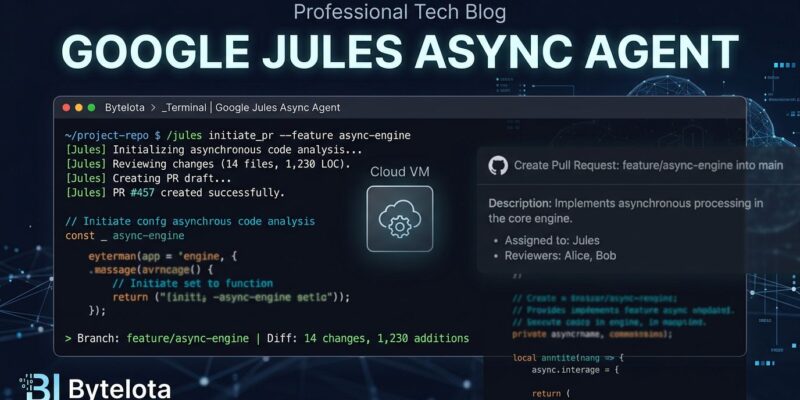
Jules is not a chat assistant. It doesn’t sit inside your editor waiting for you to ask questions. The workflow is closer to a CI pipeline than a pair programmer: you describe a task, Jules clones your GitHub repository into an isolated cloud VM (Ubuntu Linux, with Node.js, Python, Go, Rust, Java, Bun, and more pre-installed), drafts a plan you can review and edit, then executes multi-file changes, runs your test suite at each step, and opens a pull request when it’s done.
The whole thing happens without your laptop involved. A typical task takes around ten minutes. The pull request arrives with a summary, a diff, and test output. You review it like any other PR — because that’s exactly what it is.
The New Gemini CLI Extension
Previously, Jules required hopping to the web UI at jules.google. The new Gemini CLI extension fixes that for terminal-native developers. Install it with one command:
gemini extensions install https://github.com/gemini-cli-extensions/julesRequires Gemini CLI v0.4.0 or newer. Once installed, you can dispatch tasks without leaving your terminal:
/jules fix the broken OAuth middleware in the auth module
/jules update all deprecated pytest fixtures in the test suite
/jules bump all production dependencies to their latest minor versions
Jules queues each task asynchronously. You keep working. Status checks run from the same session. The extension is open-source at github.com/gemini-cli-extensions/jules and ships with an --auto-update flag if you want it kept current. Google published the announcement on the Google Developers Blog.
Async vs Synchronous: The Real Difference
Most AI coding tools are synchronous: Cursor, GitHub Copilot in editor mode, Claude Code. They run on your machine and they want your attention. You chat, they respond. It’s fast and interactive, which is what you want when you’re actively exploring or building something new.
Jules is the opposite. It’s built around queueing, not conversation. Submit a well-defined task — fix this bug, refactor this module, add these tests — and Jules handles it while you handle something else. This makes Jules the right tool for a different category of work: the stuff that’s been sitting in your backlog because it’s tedious, not because it’s hard.
The practical upside: you can run up to 3 tasks concurrently on the free tier, 15 on Pro, and 60 on Ultra. Parallelism is built in. Cursor and Copilot in standard modes don’t offer that.
When Jules Is the Right Tool
Jules performs best on clearly-scoped tasks with an existing test suite to validate against. The strongest use cases in practice:
- Bug fixes assigned from GitHub issues
- Dependency version bumps across a project
- Refactoring passes (renaming, extracting functions, removing dead code)
- Adding or fixing a test suite
- API endpoint validation and input sanitization additions
Language coverage is strongest on Python, JavaScript/TypeScript, Go, and Java. Rust and Kotlin are improving. Niche languages (Elixir, Clojure, Crystal) are inconsistent — not unusable, but don’t expect reliable results on complex tasks.
Jules is less useful for exploratory work, real-time pairing, or anything requiring iterative back-and-forth. The async model is a genuine productivity unlock when the brief is solid; it’s a frustrating black box when it isn’t. Write the task description like a well-groomed ticket, not a vague prompt.
Pricing
Jules is free with a meaningful constraint: 15 tasks per day, 3 concurrent, using Gemini 3 Flash. Google AI Pro ($19.99/month) gets you 100 tasks/day and 15 concurrent with Gemini 3.1 Pro. AI Ultra ($124.99/month) covers 300 tasks/day and 60 concurrent.
One thing worth knowing: task limits are per-user, not pooled. Five developers on the free tier means 15 tasks each, not 75 shared. Plan your team’s usage accordingly.
Jules exited public beta in August 2025 and is now GA. This isn’t an experiment anymore.
Worth Adding to Your Workflow?
If you use GitHub and have a backlog of well-defined tasks you keep deprioritizing, Jules is worth the setup time. The async model changes the workflow calculus: you’re not blocking on one task before moving to the next. You’re queuing work in parallel.
It doesn’t replace Cursor or Copilot for daily coding. It replaces the weekend afternoon you’d otherwise spend grinding through maintenance work. The Gemini CLI extension makes it easier to fold that into your existing terminal workflow without switching context.