 By ByteBot
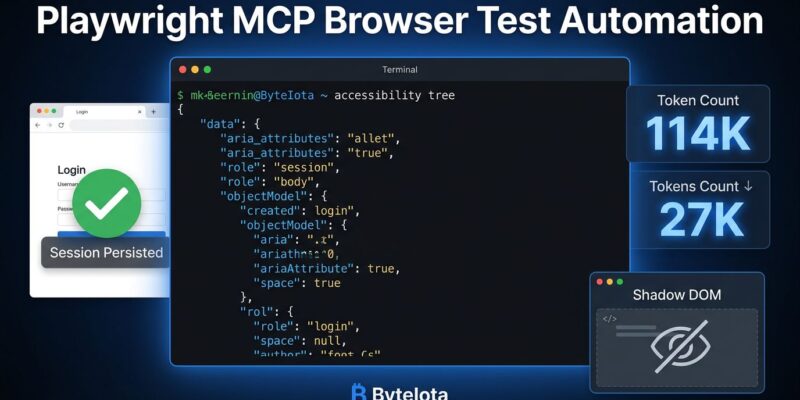
Playwright v1.56 shipped three built-in AI agents — Planner, Generator, and Healer — and Microsoft published its “Complete End-to-End Story” for AI-driven browser automation. Most guides walk you through the hello-world demo. This one covers what actually breaks in production: why your CI pipeline keeps re-authenticating, why the AI insists your button doesn’t exist, and why a simple session might burn 114,000 tokens when 27,000 would do.
How Playwright MCP Works (And Why the Architecture Matters)
Playwright MCP does not use screenshots. It reads the browser’s accessibility tree — a structured representation of every element on the page, with roles, names, and states. Each snapshot is 2–5KB of clean, semantic data instead of a 500KB image. The AI reads element labels the way a screen reader would, which is faster, cheaper, and easier to act on than interpreting pixels.
The three built-in agents in v1.56 all operate on this layer. The Planner explores your app and produces a Markdown test plan. The Generator converts that plan into executable .spec.ts files by interacting with the live app. The Healer runs failing tests in debug mode, finds broken locators, fixes them, and re-runs to confirm — with a reported success rate above 75% on selector-related failures. GitHub Copilot’s Coding Agent now ships with Playwright MCP built in.
The accessibility tree is fast and semantically rich. It is also the source of every gotcha below.
Gotcha 1: Authentication Breaks Every CI Run
Testing behind a login wall without session persistence means the agent re-authenticates on every run. In CI, that translates to rate limits, security alerts, and slow pipelines. The fix is storageState.
Playwright’s storageState serializes a browser context’s cookies, localStorage, and sessionStorage to a JSON file. Subsequent runs load that file and skip the login flow entirely. It’s described, accurately, as the cheapest 10x speed-up you can apply to a Playwright suite. The official Playwright MCP storage docs cover the full API.
For MCP specifically, the config looks like this:
{
  "mcpServers": {
    "playwright": {
      "command": "npx",
      "args": ["@playwright/mcp@latest", "--isolated", "--storage-state=./auth-state.json"]
    }
  }
}
The --isolated flag matters for CI. A persistent browser profile only supports one active instance at a time. If you’re running concurrent MCP clients on the same machine, they’ll conflict on the shared profile. Use --isolated (or distinct --user-data-dir paths) for each parallel worker.
One more edge case: long CI runs — 30 minutes or more for large suites — can outlive session token TTLs. Auth succeeds at setup but tests late in the run start failing with 401s. If that’s happening, split your suite or add a mid-run re-authentication step.
Gotcha 2: The AI Cannot Find Your Button (Shadow DOM)
If your app uses Shoelace, Lit, Spectrum, or any component library built on Web Components, prepare for this: the AI confidently tells you it cannot find the button. The button is there. The AI is wrong. No error is thrown.
This is Shadow DOM. Microsoft’s official Playwright MCP server operates on accessibility tree snapshots, and standard accessibility trees do not expose the internals of shadow roots. From the AI’s perspective, those elements simply don’t exist.
The fix is to stop using the official server for these apps and switch to playwriter or playwrightess-mcp — community forks built specifically to pierce shadow roots with raw JavaScript selectors. Playwright’s own locators do auto-pierce shadow roots; the limitation is the MCP snapshot layer, not Playwright itself.
If your design system uses Web Components, this is a binary decision: use a fork that handles it, or spend days debugging what looks like a selector problem but is actually a visibility problem. Use the fork.
Gotcha 3: Token Costs and When to Use the CLI Instead
The benchmark that gets shared most: Playwright MCP burns approximately 114,000 tokens per typical browser automation task. Playwright CLI handles the same task with around 27,000 tokens. That’s a 4x difference, and it’s not just about cost.
Here’s why MCP is more expensive. When the server takes a page snapshot, the full accessibility tree goes into the model’s conversation history. Complex enterprise dashboards can push individual snapshots to 50,000 tokens. Add the ~3,600-token overhead for MCP’s 26 tool definitions — paid upfront, before the agent does anything — and context fills fast.
The reliability issue is more serious than the cost: by step 15 of a multi-step session, the agent carries 60–80K tokens of stale tree data. It starts hallucinating button names from eight steps ago. That’s not a budget problem. That’s wrong output.
The decision is not primarily about cost — tokens are cheap in 2026. It’s about what each tool is actually good at. The 2026 State of Playwright AI Ecosystem report puts it plainly: MCP for exploration and generation, CLI for execution.
| Reach for MCP | Reach for CLI |
|---|---|
| Sandboxed chat environment | Agent has shell / filesystem access |
| Exploring an unfamiliar UI | Running a known test suite in CI |
| Generating initial test plans | Sessions longer than 10–12 steps |
| Deep self-healing on complex DOM | Repeated automated execution |
Using both is not a contradiction. MCP for exploration and generation, CLI for execution — that’s the architecture that actually works in production.
The Setup That Actually Works
Three flags make the difference between a demo and a production deployment: --isolated, --storage-state, and --user-data-dir. Run auth setup once in a dedicated pre-test project. Cache playwright/.auth/ in CI. If you’re on a shadow DOM-heavy app, swap the server. Cap MCP sessions at 10–12 steps and reset context before resuming long workflows.
Playwright v1.56 is a real milestone for AI-driven testing. The built-in agents are useful, Copilot integration is production-ready, and the accessibility-tree approach is genuinely faster than anything screenshot-based. The caveats are real too. Know them before you find out the hard way in CI at 2 AM.