 By
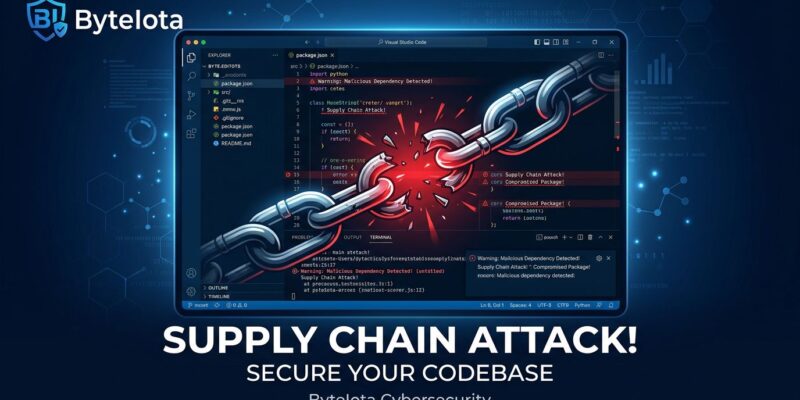
By On May 18, a compromised version of the Nx Console VS Code extension — 2.2 million installs strong — turned developer machines into credential-harvesting tools for roughly 18 minutes. Version 18.95.0 silently vacuumed up GitHub tokens, AWS keys, npm credentials, and Kubernetes secrets the instant any workspace opened. The twist that sets this apart: the payload specifically targeted ~/.claude/settings.json — Claude Code’s configuration file — making it one of the first known supply chain attacks designed to plunder AI coding assistant credentials. If you had the extension open during the exposure window, treat everything on that machine as compromised.
How the Attack Worked
This was a three-stage operation, not a smash-and-grab. Attackers began long before the malicious extension appeared. They had previously obtained a contributor’s GitHub Personal Access Token from an unrelated supply chain incident. With that token, they pushed an orphan commit to the official nrwl/nx repository at 03:18 UTC — a commit with no parent history, invisible in standard git log output. The orphan commit contained just two files: a package.json and a heavily obfuscated index.js payload.
Hours later at 12:30 UTC, using stolen VS Code Marketplace publishing credentials, they released version 18.95.0. The malicious injection was only 2,777 bytes buried in the minified main.js. The moment a developer opened any workspace, it fetched the 498 KB obfuscated payload from that orphan commit, installed the Bun JavaScript runtime silently, and executed.
The VS Code Marketplace pulled the version at 12:48 UTC — 18 minutes of exposure. OpenVSX took 36 minutes. The Nx team’s response was fast. But fast enough? Potentially 6,000 developers received the compromised version.
What It Stole — and How It Got It Out
The payload targeted everything that matters in a developer’s environment:
- GitHub personal access tokens and OIDC tokens
- npm publish tokens
- AWS access keys and session tokens (including from the metadata service)
- HashiCorp Vault tokens
- Kubernetes cluster secrets
- 1Password vault contents
- Claude Code configuration files (
~/.claude/settings.json)
Credentials were buffered until hitting a 102,400-byte flush threshold, then sent via three independent channels: HTTPS to a C2 server, the GitHub API (using the victim’s own stolen tokens), and DNS tunneling. Three channels because blocking one or two isn’t enough to stop exfiltration. On macOS, the payload also installed a persistent Python backdoor that used GitHub’s Search API as a dead-drop, receiving further commands signed with a 4096-bit RSA key — meaning removing the extension did not remove the threat.
The SLSA Problem No One Is Talking About
Here is where this attack gets genuinely alarming beyond the immediate credential theft. The payload included full Sigstore integration — Fulcio certificate issuance and SLSA provenance generation. Combined with stolen npm OIDC tokens, attackers could publish downstream npm packages with valid, cryptographically signed provenance attestations — attestations that would pass every supply chain integrity check. The tooling the industry adopted to make the supply chain trustworthy just became an attack surface.
What To Do Right Now
If you had Nx Console installed and opened a workspace between 12:30 and 12:48 UTC on May 18, the StepSecurity analysis is unambiguous: rotate everything reachable from that machine.
- Update Nx Console to version 18.100.0 or later immediately
- Rotate GitHub PATs — all of them, not just project-specific ones
- Rotate AWS credentials — access keys and session tokens; check IAM for unfamiliar activity
- Rotate npm tokens — check for unauthorized publishes to your packages
- Rotate SSH keys and .env secrets stored on that machine
- Check
~/.claude/settings.json— if it contained API keys or sensitive configuration, rotate those credentials too - macOS users: search for unexpected Python processes and LaunchAgent persistence artifacts
Rotating only the secrets stored on disk is insufficient. The payload scraped memory and the cloud metadata service. Anything accessible from that workstation during the window should be considered exposed.
This Is the Pattern Now
This is the third significant VS Code extension attack in two months. The GlassWorm campaign compromised 72+ Open VSX extensions. A separate attack leveraged a poisoned extension to breach GitHub’s internal repositories. VS Code extensions auto-update by default, and developers have effectively signed up to run whatever code extension publishers — or their compromised accounts — push, with no review gate. That is a systemic problem, and the community keeps calling it an acceptable tradeoff for convenience.
It is not. Pin your extensions to specific versions in dev containers, review extension updates the same way you review dependency bumps, and maintain an allowlist in enterprise environments. The mechanics of pinning VS Code extensions are straightforward — the discipline to do it is the harder part.