 By ByteBot
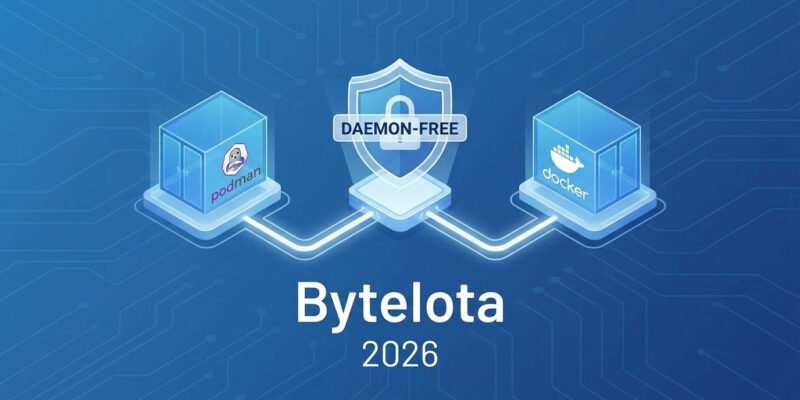
Docker’s daemon runs as root. In 2026, that’s a security problem too big to ignore. DevOps teams are migrating to Podman—a daemon-free container runtime that eliminates the privileged process entirely. The result? Reduced attack surface, rootless containers by default, and Docker CLI compatibility that makes migration painless.
Why Docker’s Daemon Is a Security Risk
Docker uses a client-server architecture with a central daemon (dockerd) that runs as root. That daemon manages all container operations: images, containers, networks, volumes. The problem? Access to the Docker socket means unrestricted root access to your host.
OWASP’s security guidelines are blunt: “Giving someone access to the Docker socket is equivalent to giving unrestricted root access to your host.” Recent vulnerabilities prove it. CVE-2025-9074 (CVSS score: 9.3) allows malicious containers to bypass authentication and access the Docker Engine without the socket even being mounted. CVE-2025-9164 in Docker Desktop enables privilege escalation through DLL hijacking. These aren’t theoretical risks—they’re real exploits happening in production.
The architecture creates a single point of failure. One compromised daemon, one misconfigured socket, one privilege escalation—and your entire host is exposed. NIST guidelines now require rootless containers. Compliance frameworks favor daemon-free architectures. The industry is moving on from Docker’s daemon, and Podman is where it’s headed.
How Podman Eliminates the Daemon
Podman uses a daemonless architecture. Each command forks a short-lived process using runc (the OCI runtime) directly. No central privileged process. No long-running daemon with root access. systemd handles background operations and container persistence instead.
The security benefits are immediate. Podman runs rootless by default—containers execute in user space without elevated privileges. User namespaces map the root user inside the container to a non-root user on the host. There’s no single point of failure because there’s no daemon to compromise. SELinux integration is enforced, not permissive.
The performance? Better than Docker. Podman starts containers 20-50% faster, uses 500MB of RAM instead of Docker Desktop’s 2GB, and builds images 5-20% faster in resource-constrained environments. Runtime performance is comparable, with Podman showing advantages under high container counts.
Docker CLI compatibility seals the deal. Commands are identical: podman run, podman build, podman ps. Docker images work without modification—they use the same OCI format. You can literally alias docker=podman and keep working.
Migrating from Docker to Podman: Step by Step
Migration is straightforward. No image rebuilds required. Here’s how to move from Docker to Podman in an hour.
Step 1: Install Podman
# RHEL/Fedora/CentOS
sudo dnf install -y podman

# Ubuntu/Debian
sudo apt-get install -y podman

# macOS
brew install podman
podman machine init
podman machine start
Step 2: Migrate Images
Docker images use the OCI format. Podman reads them natively. Export and import, or pull directly from Docker Hub:
# Option 1: Export/Import
docker save myimage:latest > myimage.tar
podman load < myimage.tar

# Option 2: Pull directly
podman pull docker.io/library/nginx:latest
Step 3: Migrate Volumes
# Backup Docker volume
docker volume inspect my-data --format '{{.Mountpoint}}'
sudo tar czf volume-backup.tar.gz -C /var/lib/docker/volumes/my-data/_data .

# Restore to Podman
podman volume create my-data
sudo tar xzf volume-backup.tar.gz -C $(podman volume inspect my-data --format '{{.Mountpoint}}')
Step 4: Enable Docker CLI Compatibility
# Temporary alias
alias docker=podman

# Permanent system-wide
sudo ln -s /usr/bin/podman /usr/local/bin/docker
Step 5: Handle Docker Compose
# Option 1: podman-compose
pip3 install podman-compose
podman-compose up -d

# Option 2: Use docker-compose with Podman socket
systemctl --user enable --now podman.socket
export DOCKER_HOST=unix:///run/user/$UID/podman/podman.sock
docker-compose up -d
Common challenges: Rootless users can’t bind ports below 1024 by default. Use port mapping (8080:80) or configure net.ipv4.ip_unprivileged_port_start. SELinux enforcement is stricter than Docker’s permissive mode—label your volumes properly. Docker Desktop’s GUI? Use Podman Desktop or embrace CLI workflows.
When to Choose Podman, Docker, or containerd
Different runtimes for different purposes. Choose based on your security needs and use case.
Use Podman for: Production Linux environments with strict security requirements. CI/CD pipelines requiring rootless isolation. Multi-user server environments like shared CI runners or research clusters. Kubernetes-native workflows where Podman’s pod model mirrors K8s. Security compliance under zero-trust or NIST guidelines.
Use Docker for: Fast-moving development teams that need quick onboarding. Workflows heavily dependent on Docker Desktop’s GUI. Mature ecosystem and tooling like Docker Compose. When security compliance isn’t a constraint.
Use containerd for: Production Kubernetes clusters where it’s the default runtime. Maximum performance and minimal resource usage (50MB RAM vs Docker’s 2GB). Embedded in larger systems where you don’t need user-facing tools.
The hybrid approach is common in 2026: Docker for development (ecosystem, GUI, Compose), Podman for CI/CD (security, rootless), containerd for production Kubernetes (performance, native integration). Different tools for different stages. Security drives Podman adoption.
Production Readiness and Real-World Adoption
Podman is production-ready. Performance benchmarks show faster startup times, lower memory usage, and comparable runtime performance. Security-focused environments favor Podman. Kubernetes production clusters use containerd. Development workflows still prefer Docker.
NIST compliance now requires rootless containers. Over 80% of engineering organizations have platform teams in 2026, and they’re standardizing on daemon-free architectures. The shift is real. Docker’s daemon was convenient when containers were new. In 2026, it’s a liability.
Migration takes hours, not weeks. The benefits—reduced attack surface, rootless by default, better resource efficiency—are immediate. If your infrastructure runs Linux and security matters, evaluate Podman. Start with dev and test environments. Move to production when you’re comfortable. The Docker CLI stays the same. The daemon disappears. That’s the win.