Two AI code editors dominate in 2026: Windsurf at $15/month with autonomous agents, and Cursor at $20 with plan-and-approve workflows. They attack the same problem with opposite philosophies. Windsurf’s Cascade agent executes tasks autonomously at 13x speed while you watch. Cursor shows you every diff and asks permission. For most developers, Windsurf’s pricing and speed make it the obvious starting point. But production codebases where one wrong deletion costs hours? That’s where Cursor’s paranoid oversight pays off.
Context Handling: Automatic vs Manual
The biggest split between these tools isn’t features—it’s how they decide what code matters. Windsurf analyzes your entire codebase automatically and pulls relevant snippets into a 200,000-token context window using RAG. You don’t tag files. You don’t manually select folders. The AI figures it out.
Cursor takes the opposite approach: you curate context manually using @ symbols to reference specific files and folders. Practical limit? Around 10,000 to 50,000 tokens depending on how much you want to tag. It’s tedious. But according to Builder.io’s comparison, that tedium buys you precision. Cursor rewards the time you invest in context curation with repeatable, accurate results.
For large monorepos or unfamiliar codebases, Windsurf’s automatic retrieval is meaningfully better. You’re productive immediately without learning the file structure. But focused work on code you know well? Cursor’s manual approach avoids the noise of automatically pulled-in irrelevant files.
Autonomy vs Control: How You Want to Work
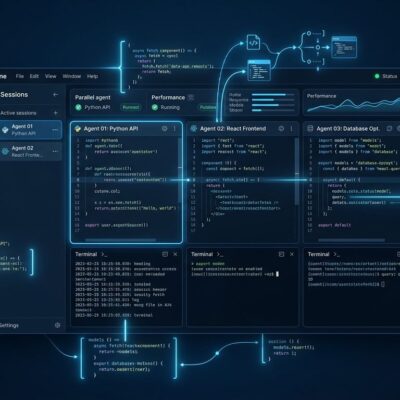
This is the philosophical divide. Windsurf’s Cascade is genuinely autonomous. Give it a task like “refactor all API calls to use the new SDK” and it reads the relevant files, identifies every call site, makes the changes, runs tests, and asks for confirmation only on ambiguous decisions. You can walk away and come back to finished work.
Cursor’s Composer creates a plan, edits files, and shows you a diff for approval at every step. You’re in the loop constantly. The AI does the heavy lifting, but you maintain control. Developer trust comes from seeing everything as a diff instead of hoping the AI didn’t delete something critical. Windsurf’s Cascade docs describe its Flow awareness system—it tracks your IDE actions (file edits, terminal runs, navigation) in real-time and adapts without you re-explaining what you just did.
Pick based on how you work: trust autonomous agents (Windsurf) or maintain human oversight at every step (Cursor). Neither is wrong. Production codebases where stability matters usually want Cursor’s plan-and-approve workflow. Greenfield projects and rapid prototyping? Windsurf’s autonomy accelerates development.
Speed vs Accuracy: The 13x Trade-off
Windsurf’s SWE-1.5 model runs at 950 tokens per second—13x faster than Claude Sonnet 4.5. Tasks that took 20 seconds now finish in under 5. That speed keeps developers in flow state without context switching. The SWE-1.5 announcement notes this hits the “flow window” where AI responses feel instant rather than disruptive.
The catch? SWE-1.5 scores 40.08% on SWE-Bench, trailing Sonnet 4.5’s 43.60% by 3.5 percentage points. That’s not negligible. However, for most workflows, 13.8x faster execution outweighs marginal accuracy differences. Code reviews exist for a reason. Cursor’s Composer model is 4x faster than similarly intelligent models, but Windsurf’s speed advantage is hard to ignore when you’re iterating rapidly.
Production code that ships to customers? Maybe you want Cursor’s higher accuracy. Prototyping a feature to validate an idea? Windsurf’s speed lets you test three approaches in the time Cursor completes one.
Pricing: The 25% Question
Windsurf costs $15/month for individuals. Cursor costs $20. That’s 25% cheaper, and for teams, the gap widens: $30 per user monthly (Windsurf Teams) versus $40 (Cursor Teams). A 10-person team saves $1,200 annually by choosing Windsurf. Moreover, enterprise pricing shows Windsurf is transparent at $60 per user with Zero Data Retention included by default. Cursor requires custom pricing negotiations.
Windsurf also eliminated the confusing “flow action credits” system that made developers track usage nervously. You get unlimited Cascade sessions. Cursor limits premium requests to 500 per month, and according to Vitara’s pricing comparison, performance degrades noticeably after that limit. Budget-conscious developers and teams have a clear winner here.
Is Cursor’s extra $5-10 per month worth it? Depends entirely on whether you need multi-model flexibility (Claude, GPT, Gemini) and prefer plan-and-approve workflows. For rapid prototyping and large codebases, probably not. For production systems where control matters, maybe.
When to Choose Windsurf vs Cursor
Choose Windsurf if you’re working on large or unfamiliar codebases where automatic context retrieval saves hours of manual tagging. Budget matters—25% savings scales with team size. You want speed over precision and trust autonomous agents to do the work while you review results. Furthermore, enterprise security is critical (Windsurf has FedRAMP High and HIPAA; Cursor only has SOC 2).
Choose Cursor if you’re working on production codebases where stability trumps speed. You need model variety—Claude for coding, GPT for balance, Gemini for specific tasks. You prefer manual control and seeing every diff before it applies. The mature plugin ecosystem matters to your workflow. In addition, you care more about code quality than execution speed.
The honest answer? Most developers should start with Windsurf at $15/month. The autonomous Cascade agent and automatic context handling make it easier to get productive immediately. If you find yourself wanting more control or hitting cases where manual context curation would avoid errors, Cursor is a $5/month upgrade away. Nevertheless, for rapid iteration, exploration, and learning new codebases, Windsurf’s speed and pricing are hard to beat.
This isn’t a feature battle. It’s a workflow philosophy question: Do you want AI that does the work autonomously, or AI that proposes changes for you to approve? Answer that, and the choice becomes obvious.