
 By
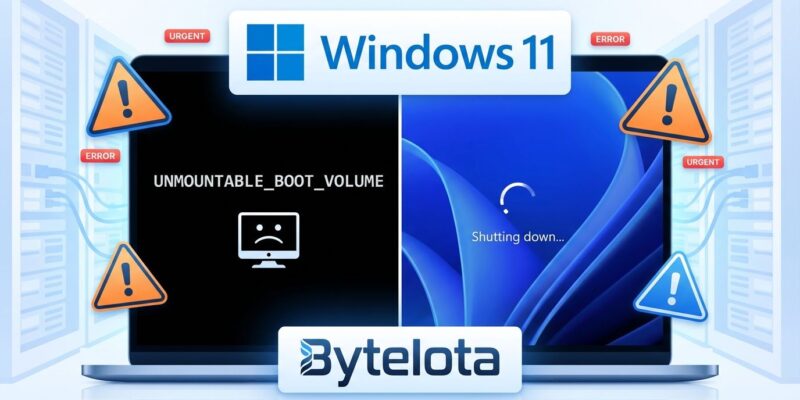
By Microsoft’s first Windows 11 update of 2026 has handed enterprise IT teams a crisis on two fronts. The January 13 Patch Tuesday updates are causing systems to fail at boot with UNMOUNTABLE_BOOT_VOLUME errors, while Enterprise and IoT editions with Secure Launch enabled can’t shut down or hibernate. Microsoft shipped emergency out-of-band patches within four days, but the damage reveals a troubling pattern: the growing gap between security patching velocity and operational stability.
Two Problems, Same Update Cycle
The boot failure issue stems from KB5074109, affecting Windows 11 versions 24H2 and 25H2 across all editions. Physical devices hit a black screen with the UNMOUNTABLE_BOOT_VOLUME stop code and minimal recovery information. Virtual machines remain unaffected, but that’s cold comfort for organizations running physical endpoints.
The shutdown problem is narrower but equally disruptive. KB5073455 prevents Windows 11 23H2 Enterprise and IoT editions from powering off or entering hibernation when System Guard Secure Launch is enabled. Instead of shutting down, these systems restart—a nightmare for scheduled maintenance windows and energy management policies.
Microsoft acknowledged both issues but offered limited transparency. The boot failures affect a “limited number” of devices, which in Microsoft-speak could mean anything from dozens to thousands. No hard data, no affected customer count, just the usual vague reassurance while IT teams scramble.
The Real Culprit: December’s Ghost
Here’s where it gets interesting. Microsoft traced the boot failures to failed December 2025 updates that left systems in an “improper state.” When those updates rolled back, they created latent instability. The January 2026 cumulative update then triggered that dormant fragility, bricking systems that appeared healthy for weeks.
This cascading failure pattern should concern anyone managing Windows infrastructure. It’s not just about testing the current month’s patch—it’s about understanding how failed updates from previous cycles leave systems vulnerable to future updates. The dependency chains are opaque, the failure modes unpredictable.
Enterprise Impact: Productivity vs. Patching
The production consequences were immediate. Azure Virtual Desktop users hit RDP authentication failures. Windows 365 Cloud PC access went dark. Remote workforces lost desktop connectivity. IoT and kiosk systems couldn’t complete shutdown cycles, breaking automated maintenance routines.
For knowledge workers, support teams, and distributed operations, this wasn’t a minor inconvenience—it was a full productivity halt. Frontline teams couldn’t handle tickets. Customer operations stalled. The kind of disruption that shows up in SLA breach reports and executive dashboards.
And here’s the kicker: KB5074109 patches 114 vulnerabilities in the Microsoft ecosystem. Microsoft recommends installing it “as soon as possible” for security reasons. So IT teams face an impossible choice—deploy an update that fixes critical security holes but breaks production systems, or defer patching and accept the exposure window.
What IT Teams Should Do
If you’re dealing with boot failures, you’ll need the Windows Recovery Environment. Boot into WinRE, select “Uninstall Updates,” locate KB5074109, and remove it. The system will restart after removal. The challenge: you need WinRE access before normal startup, which may require recovery media if the boot failure is severe enough. Windows Central provides detailed recovery steps for affected systems.
For shutdown issues on Enterprise and IoT systems, the workaround is ungraceful but functional: use Command Prompt with shutdown /s /t 0. There’s no hibernation workaround. The permanent fix is KB5077797, deployed through your standard update mechanism.
The enterprise-grade solution is Microsoft’s Known Issue Rollback (KIR)—a Group Policy package that reverses only the regression-causing change while preserving the rest of KB5074109’s security fixes. This is the preferred approach because it doesn’t sacrifice the 114 vulnerability patches for stability. NinjaOne’s IT admin catalog tracks deployment considerations and enterprise mitigation strategies.
Deployment strategy matters here. Pause rollout to additional systems immediately. Test in controlled pilot groups. Use WSUS or Windows Update for Business deferral policies to contain the blast radius. Monitor Microsoft’s Windows release health dashboard for updates, because the boot failure investigation is still ongoing as of late January.
The Bigger Question
This isn’t just about one bad update cycle. It’s about whether Microsoft’s monthly patching cadence can sustain the quality bar enterprise environments require. The first update of 2026 ships with dual critical failures, requires emergency out-of-band fixes within four days, and traces its root cause to a previous month’s failed update.
IT teams are already stretched thin validating monthly patches, coordinating maintenance windows, and balancing security urgency against operational risk. Adding cascading failure modes from previous update cycles makes that equation exponentially harder.
Microsoft’s rapid response—emergency patches in four days—shows they take these failures seriously. But the pattern suggests a deeper testing gap, particularly around edge cases like Secure Launch configurations, physical device variations, and the state space left by previously failed updates.
For now, track three KB numbers: KB5074109 (the problem update), KB5077744 (out-of-band fix for 24H2/25H2), and KB5077797 (23H2 Secure Launch fix). Document your Secure Launch configurations. Validate updates in non-production environments. And maybe wait a few days before deploying that next Patch Tuesday.


