 By ByteBot
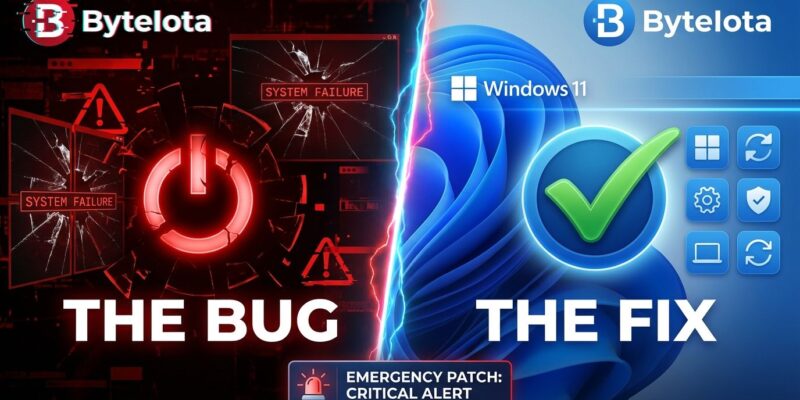
Microsoft released emergency out-of-band updates on January 17—just four days after Patch Tuesday—to fix critical bugs that left Windows 11 devices unable to shut down and broke Remote Desktop authentication. The irony? The January 13 security update broke System Guard Secure Launch, a security feature designed to protect against firmware-level attacks. This is the second emergency fix Microsoft has shipped in January 2026 alone.
The broken Patch Tuesday updates affected two core functions developers rely on daily. First, devices with Secure Launch enabled couldn’t shut down or hibernate—they’d restart instead, leaving systems stuck in a reboot loop. Second, Remote Desktop connections failed entirely for Azure Virtual Desktop and Windows 365 users, blocking DevOps teams from accessing remote systems. For an industry built on remote work and cloud infrastructure, these aren’t minor inconveniences—they’re workflow killers.
The Fix That Requires Manual Labor
Microsoft’s emergency updates—KB5077744 for Windows 11 24H2/25H2 and KB5077797 for 23H2—fixed the shutdown and Remote Desktop bugs. But here’s where it gets frustrating: these patches aren’t distributed via Windows Update. IT administrators must manually download them from the Microsoft Update Catalog, then deploy them via WSUS, SCCM, or individual system installations.
Out-of-band updates signal severity. Microsoft sticks to monthly Patch Tuesday releases religiously, so breaking that cycle means the company acknowledges it shipped something seriously broken. However, distributing fixes manually in 2026 feels archaic. Most users won’t even know the patch exists unless they actively monitor tech news or check Microsoft’s support pages. Enterprise IT teams, meanwhile, are stuck coordinating emergency deployments across hundreds or thousands of devices—the exact scenario automatic updates are supposed to prevent.
Microsoft’s QA Problem Is Getting Worse
This isn’t an isolated incident. Microsoft released its second emergency out-of-band update later in January (KB5078127) to address additional critical issues from the same Patch Tuesday cycle. That’s two emergency fixes in one month. Moreover, zoom out further, and the pattern becomes impossible to ignore: five out-of-band updates in the past 12 months, including fixes for Message Queuing write failures in December 2025, Windows Recovery Environment crashes in October, and Active Directory Group Policy bugs in April.
Windows Latest counted over 20 major update problems in 2025 alone, and 2026 started with this shutdown debacle. The community reaction has been blunt: “How does a shutdown bug not get caught in testing?” asked one Hacker News commenter. “Shutdown functionality is literally the most basic feature.” The Register put it more diplomatically: “Even routine monthly updates can carry side effects, and problems introduced in the name of security may only surface once patches are widely deployed.” Translation: Microsoft’s testing is inadequate.
What’s Still Broken
The emergency updates fixed shutdowns and Remote Desktop, but Microsoft acknowledged other January bugs it won’t address yet. Outlook crashes when using POP accounts—a known issue the company confirmed but decided doesn’t warrant an immediate fix. Furthermore, some users report 30-60 second black screens before the login cursor appears, though Microsoft hasn’t officially acknowledged this one. The message is clear: not every broken feature gets emergency treatment, even when the original update broke multiple things.
How to Protect Yourself From Broken Windows Updates
Patch Tuesday has become “Wait-and-See Wednesday” for good reason. Consequently, developers and IT administrators are adjusting their strategies to account for Microsoft’s quality control issues:
- Wait 3-5 days minimum after Patch Tuesday before installing updates on production systems.
- Monitor tech news from The Register, BleepingComputer, Windows Latest, and Hacker News for early reports of broken updates.
- Test on non-critical systems first if you have the infrastructure. Staging environments exist for this exact scenario.
- Use ring-based deployment in enterprise environments: test ring (1-2% of devices), early adopters (10%), broad deployment (50%), critical systems last (40%).
- Document manual Update Catalog procedures so your team knows how to download and deploy out-of-band fixes when—not if—the next emergency happens.
The January shutdown bug is Microsoft’s latest reminder that automatic trust in Windows Update is misplaced. When a security patch breaks security features and forces emergency manual fixes, the update system itself needs updating.